How to Change Zoom Language
Open Zoom on your Windows PC.. Click in the taskbar.. Right-click the Zoom icon.
Steps
1
Open Zoom on your Windows PC.
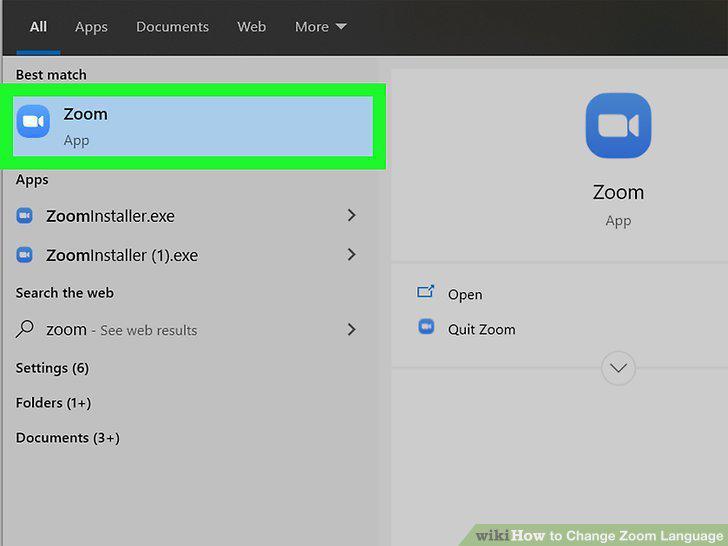
Open Zoom on your Windows PC.
2
Click in the taskbar.
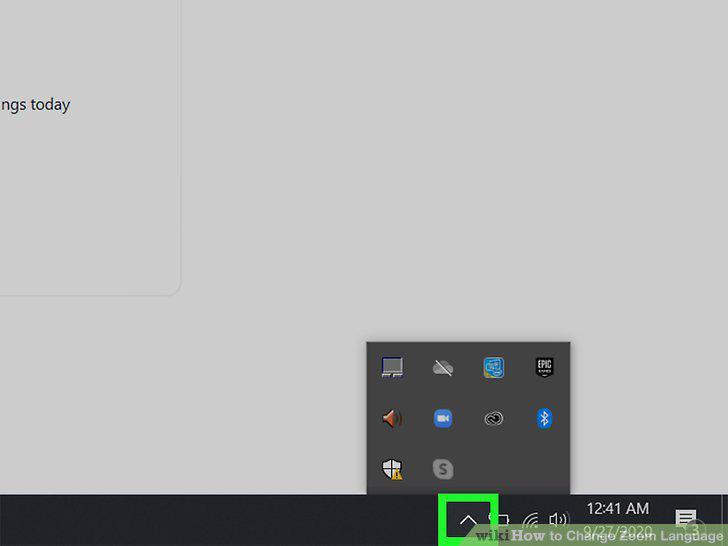
Click in the taskbar.
3
Right-click the Zoom icon.
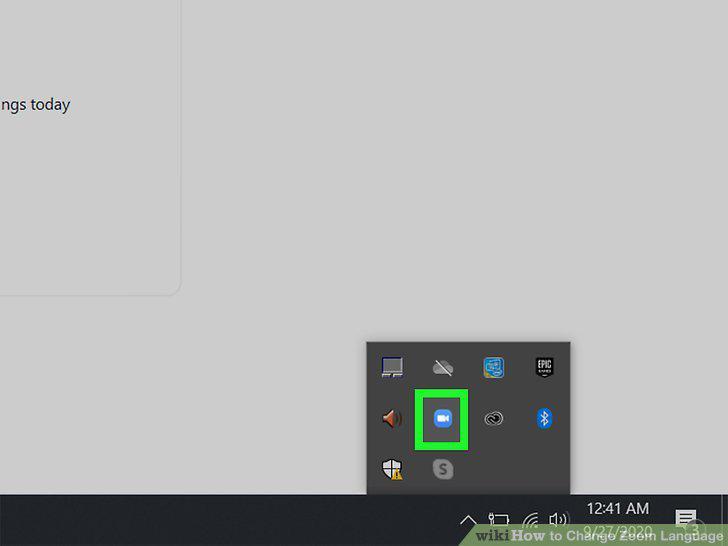
Right-click the Zoom icon.
4
Hover over Switch Languages and click a language.
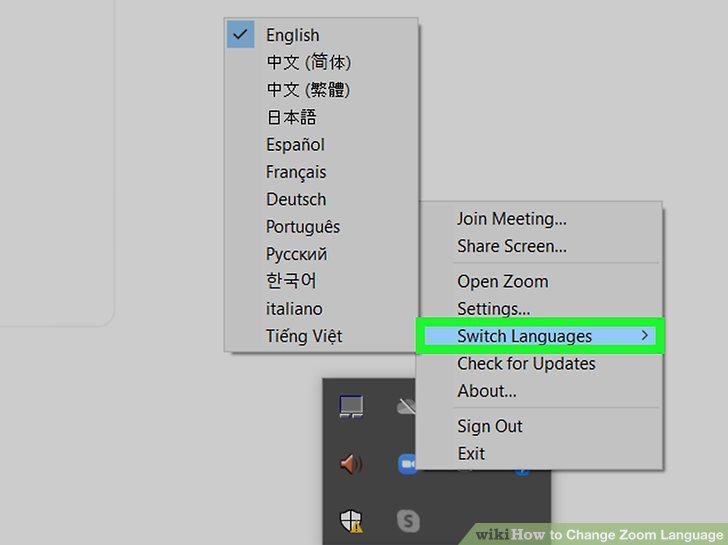
Hover over Switch Languages and click a language.
5
Open the Zoom app on your Mac.
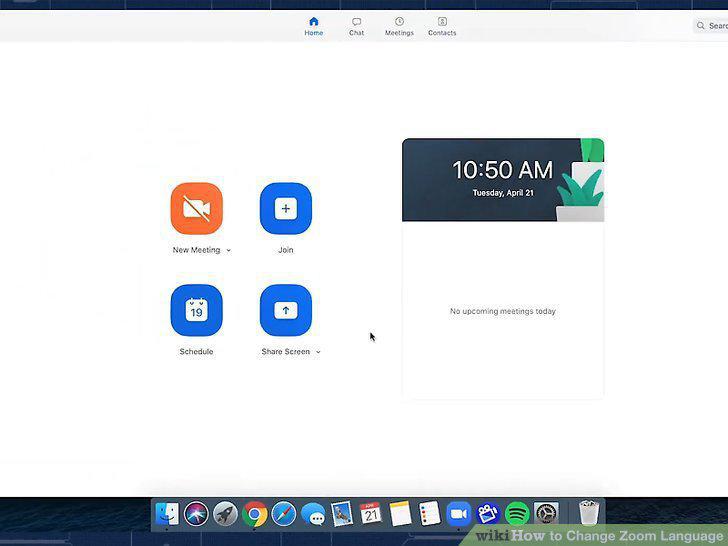
Open the Zoom app on your Mac.
6
Right-click the Zoom icon in the Dock.
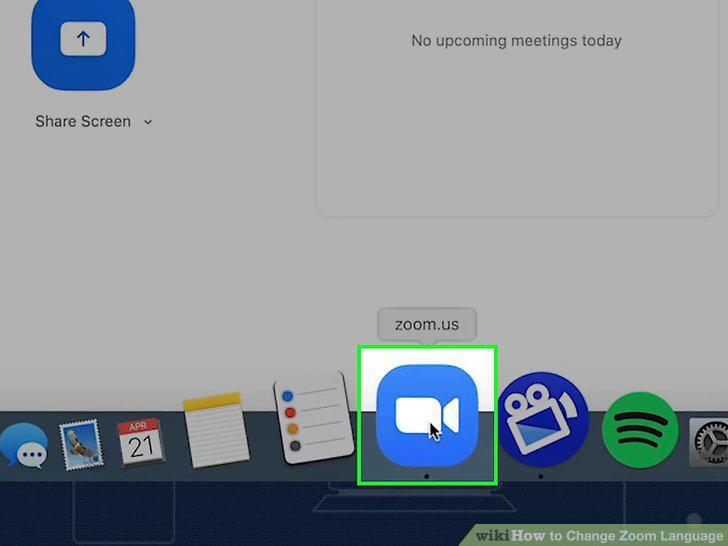
Right-click the Zoom icon in the Dock.
7
Hover over Switch Languages.
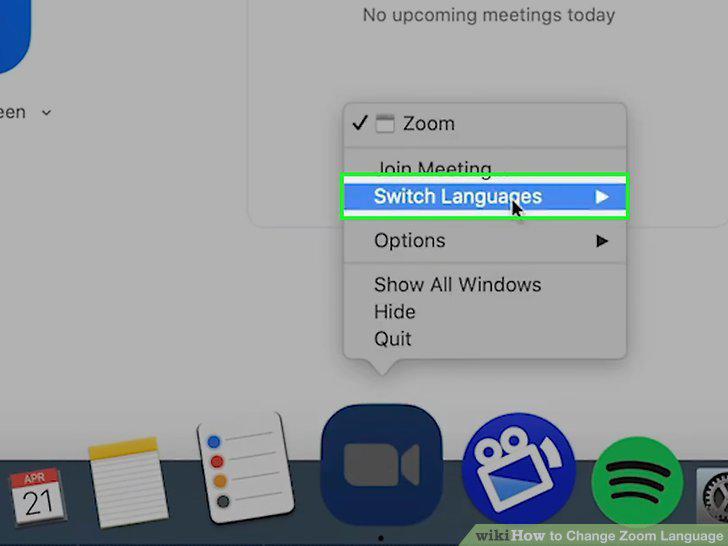
Hover over Switch Languages.
8
Click to select a language.
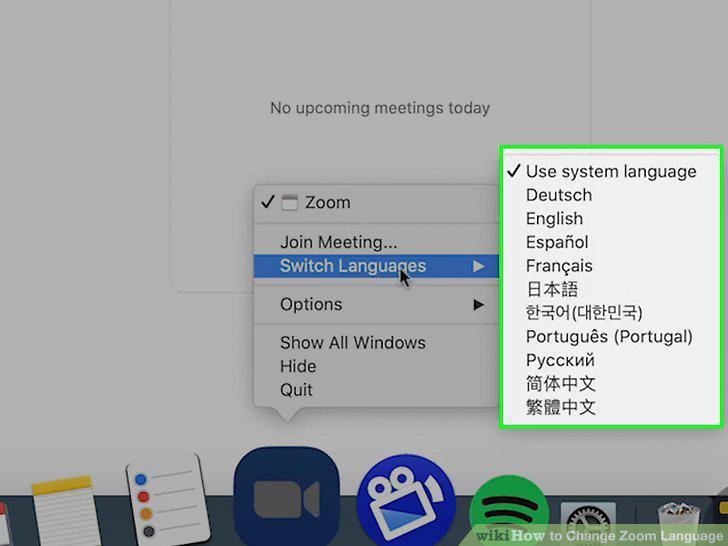
Click to select a language.
9
Go to any https://zoom.com page.
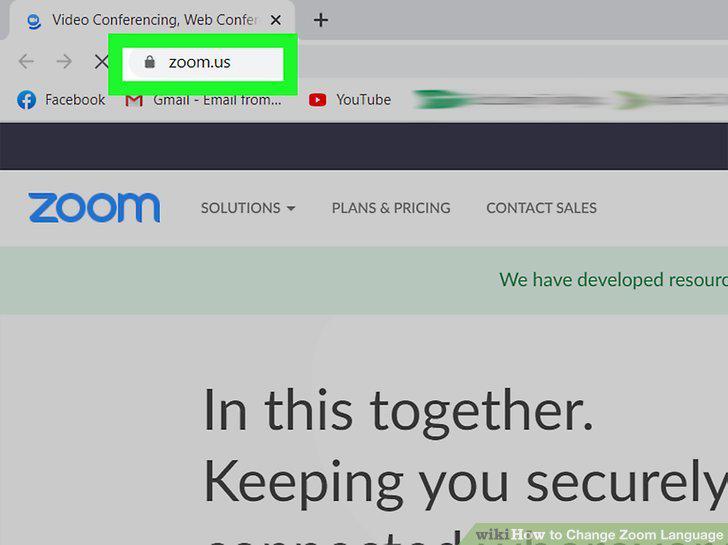
Go to any https://zoom.com page.
10
Click the drop-down menu under "Language.
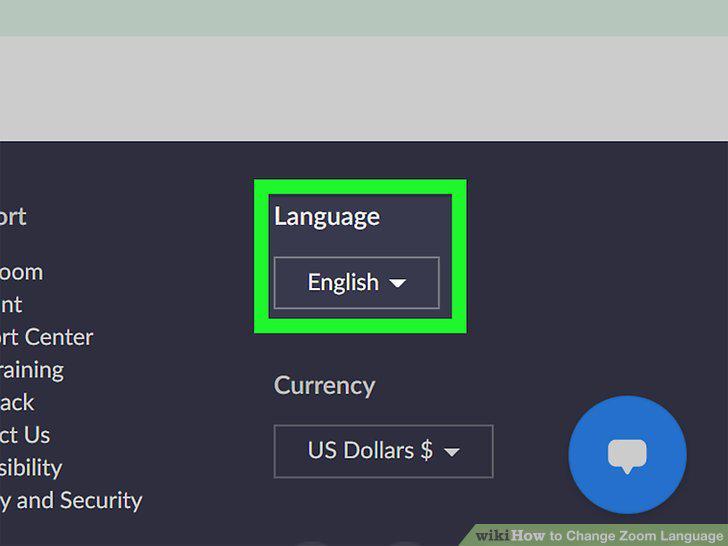
Click the drop-down menu under "Language.
11
Click to select a language.
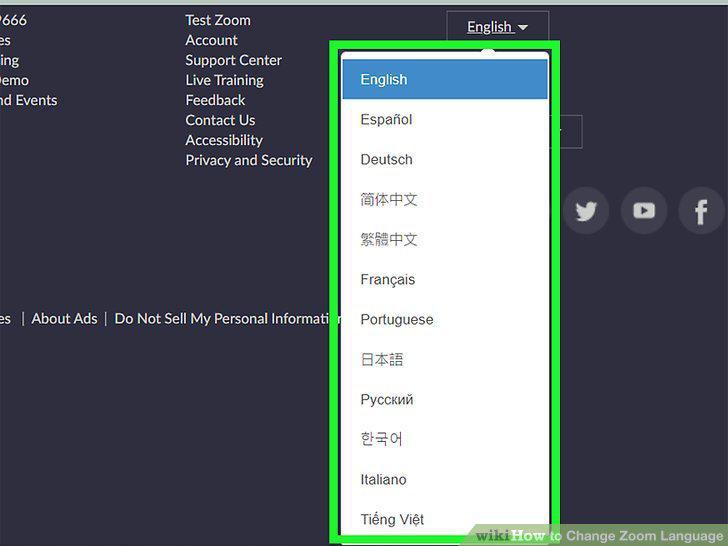
Click to select a language.
Comments (0)
No comments yet. Be the first to share your thoughts!