How to Change System Language on Windows
Open Windows Settings on your computer.. Find and click Time and Language on the Settings menu.. Click Region & Language on the menu panel.
Steps
1
Open Windows Settings on your computer.
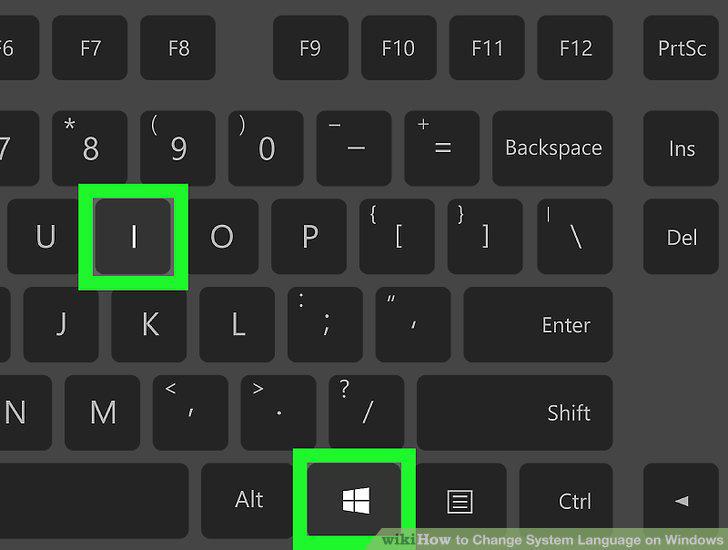
Open Windows Settings on your computer.
2
Find and click Time and Language on the Settings menu.
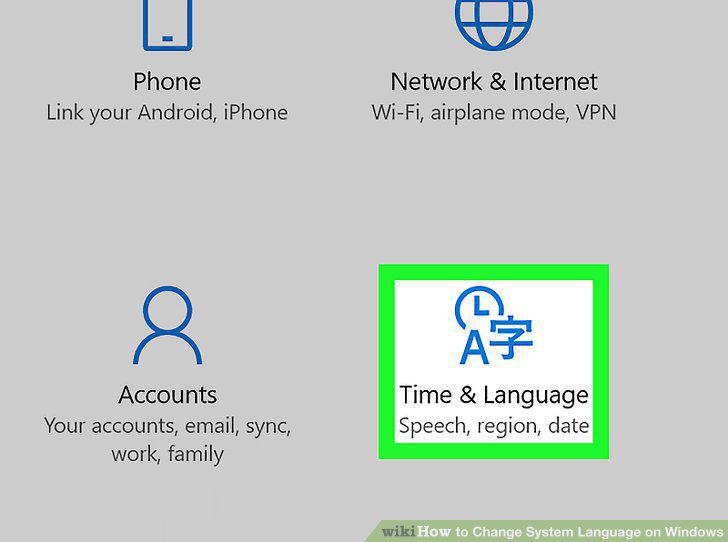
Find and click Time and Language on the Settings menu.
3
Click Region & Language on the menu panel.
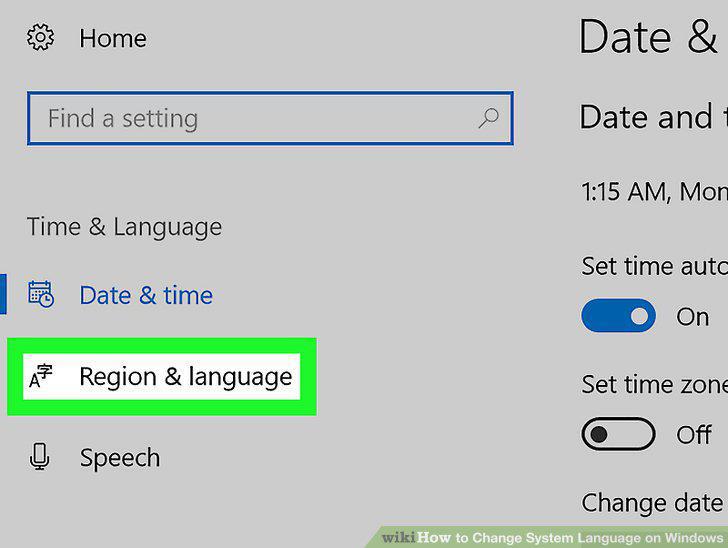
Click Region & Language on the menu panel.
4
Click Add a language under Languages.
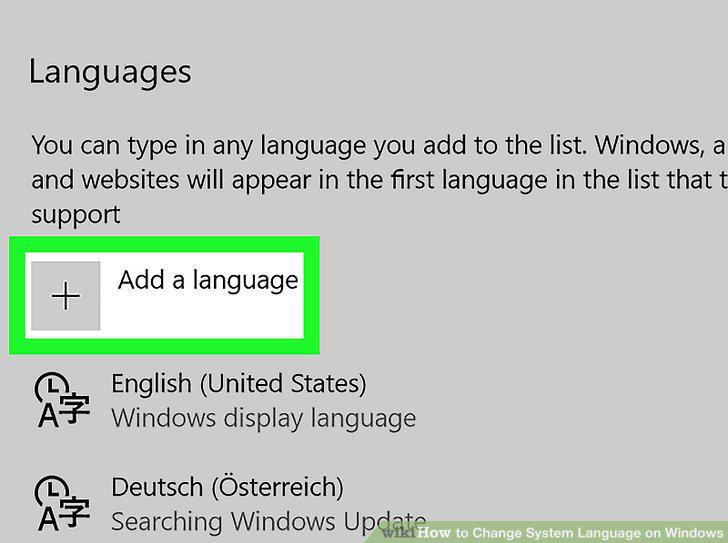
Click Add a language under Languages.
5
Select the language you'd like to use.
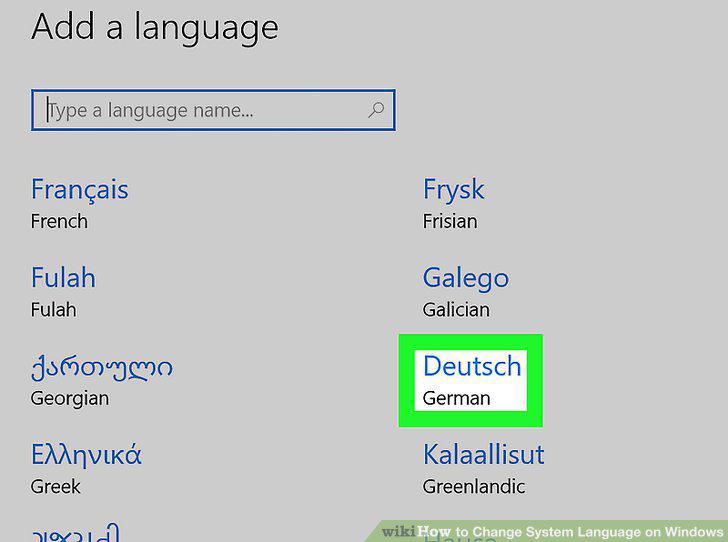
Select the language you'd like to use.
6
Click the language on the Languages list.
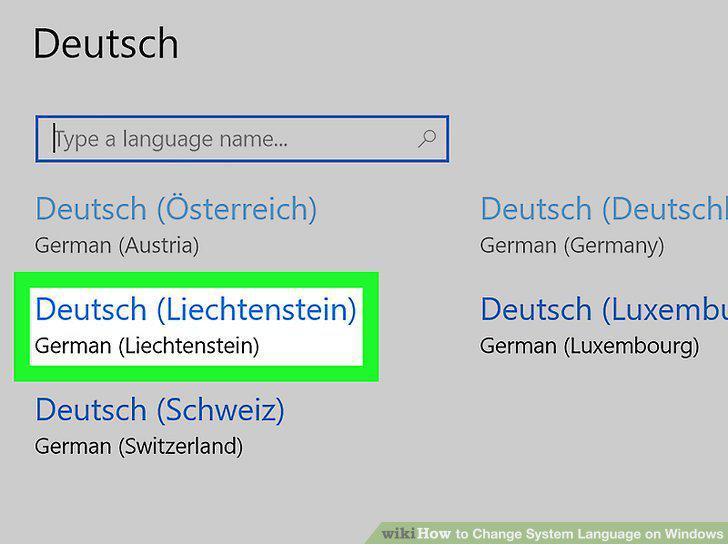
Click the language on the Languages list.
7
Click the Set as default button.
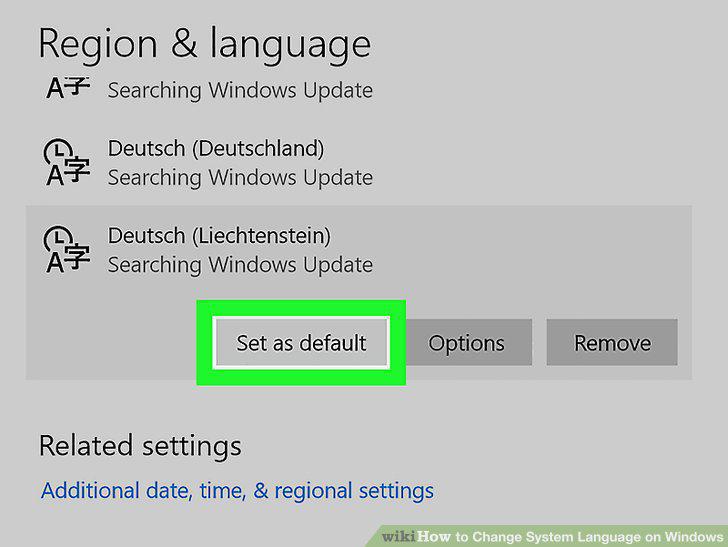
Click the Set as default button.
Comments (0)
No comments yet. Be the first to share your thoughts!