How to Define a Function in Python
Install Python.. Open a code editor.. Open a new file or open the file in which you want to define a function.
Steps
1
Install Python.
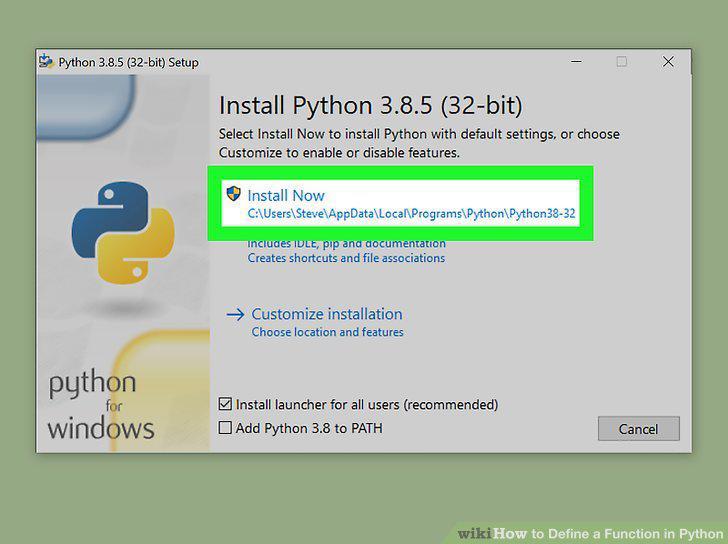
Install Python.
2
Open a code editor.
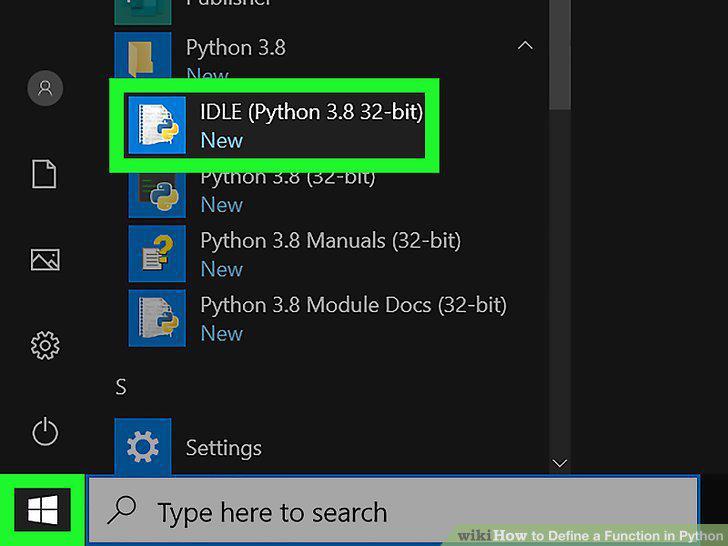
Open a code editor.
3
Open a new file or open the file in which you want to define a function.
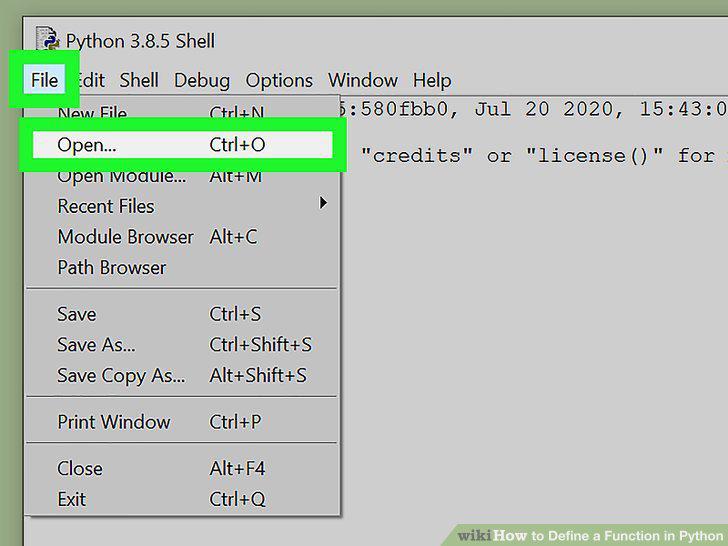
Open a new file or open the file in which you want to define a function.
4
Type def to define a function.
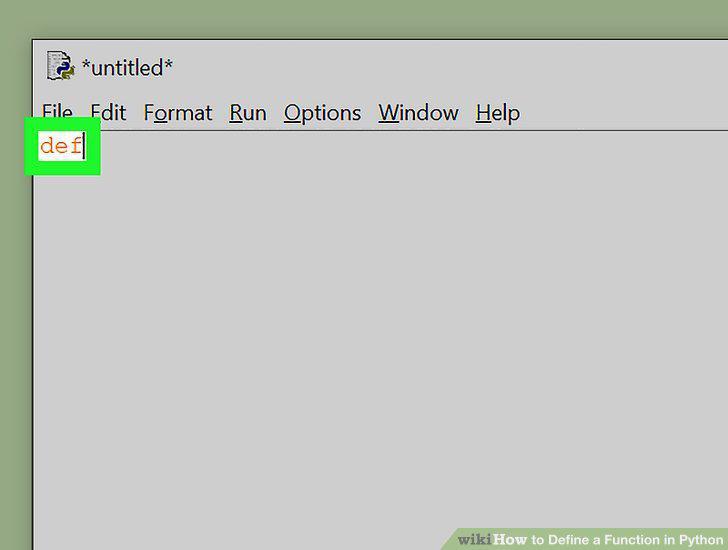
Type def to define a function.
5
Add the function name followed by parenthesis and a colon.
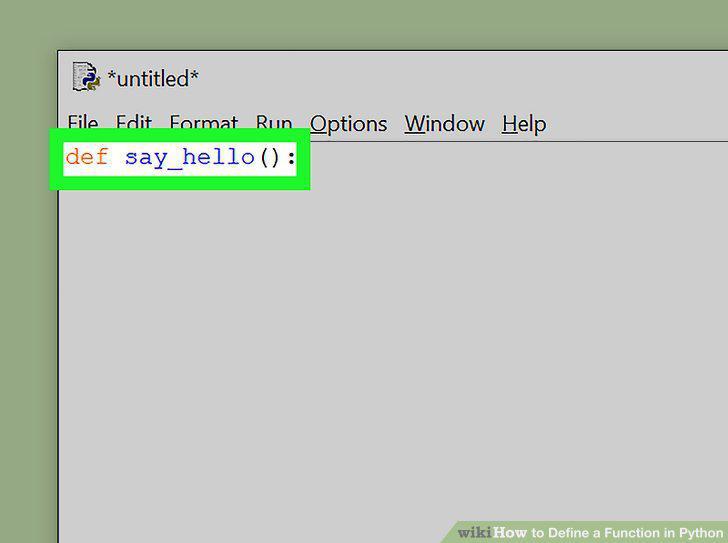
Add the function name followed by parenthesis and a colon.
6
Indent the next line and add your code.
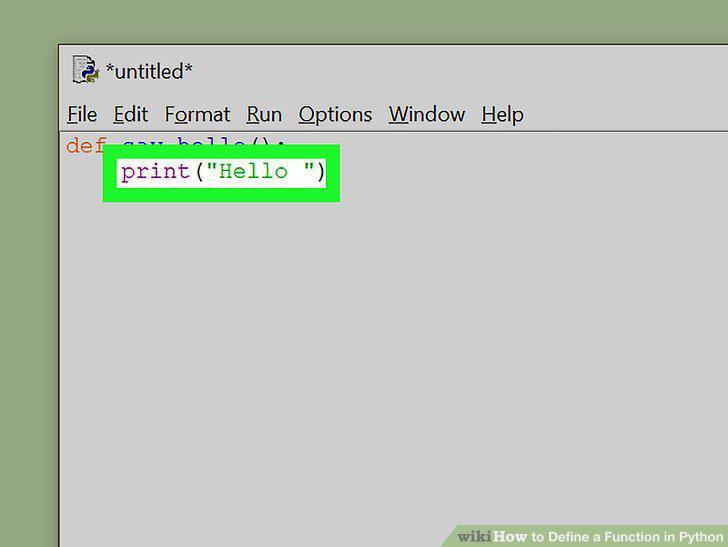
Indent the next line and add your code.
7
Enter the name of a parameter or argument in the parenthesis after the function
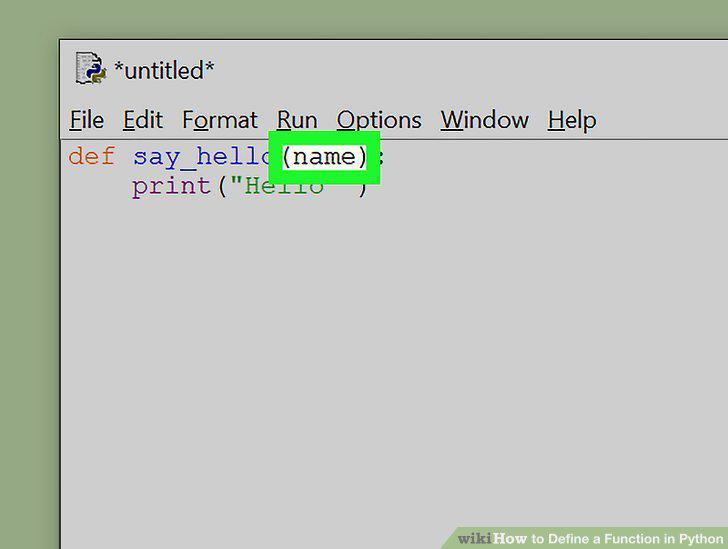
Enter the name of a parameter or argument in the parenthesis after the function name.
8
Use the argument name to process the argument in the code.
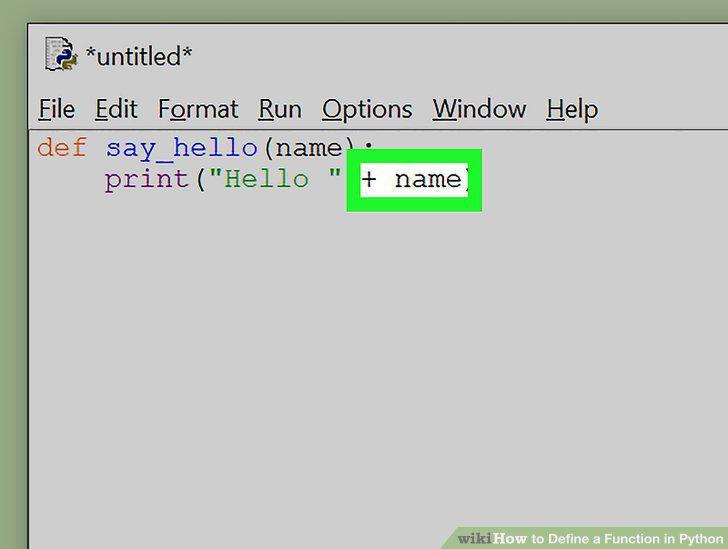
Use the argument name to process the argument in the code.
9
Call the function.
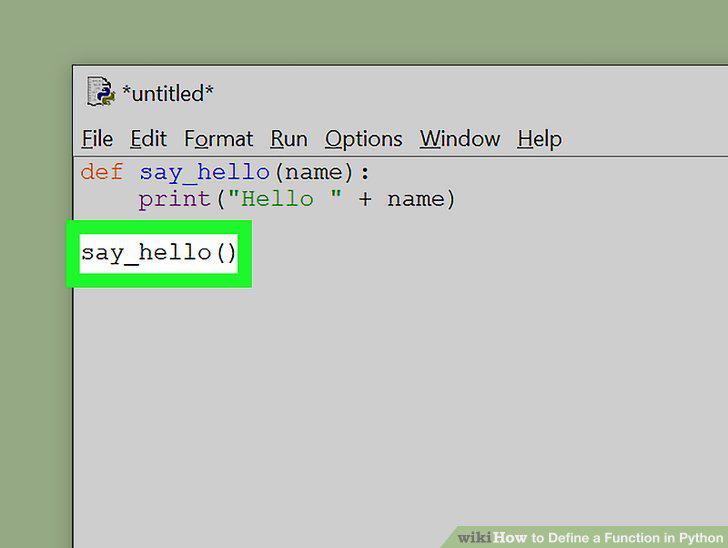
Call the function.
10
Add keyword arguments or parameters.
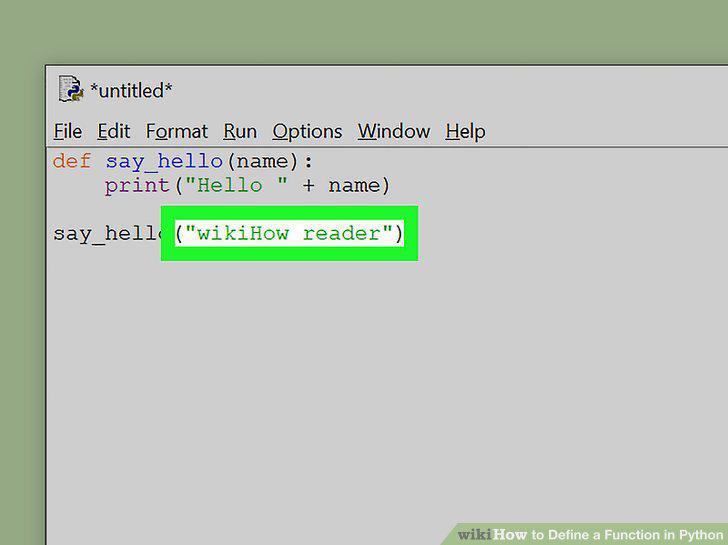
Add keyword arguments or parameters.
Comments (0)
No comments yet. Be the first to share your thoughts!