How to Block a Skype Contact
Open Skype and sign in.. Right click on the name of the contact you want to block and select "Block this Person". Click "Block" to confirm this action.
Steps
1
Open Skype and sign in.

Open Skype and sign in.
2
Right click on the name of the contact you want to block and select "Block this
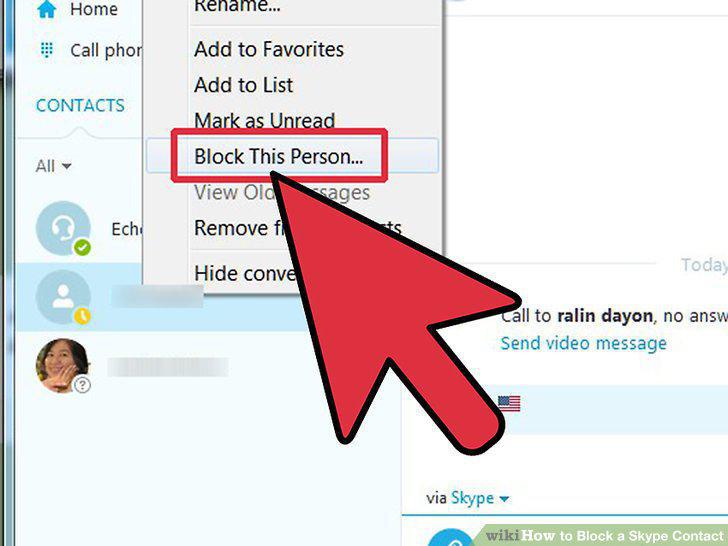
Right click on the name of the contact you want to block and select "Block this Person"
3
Click "Block" to confirm this action.
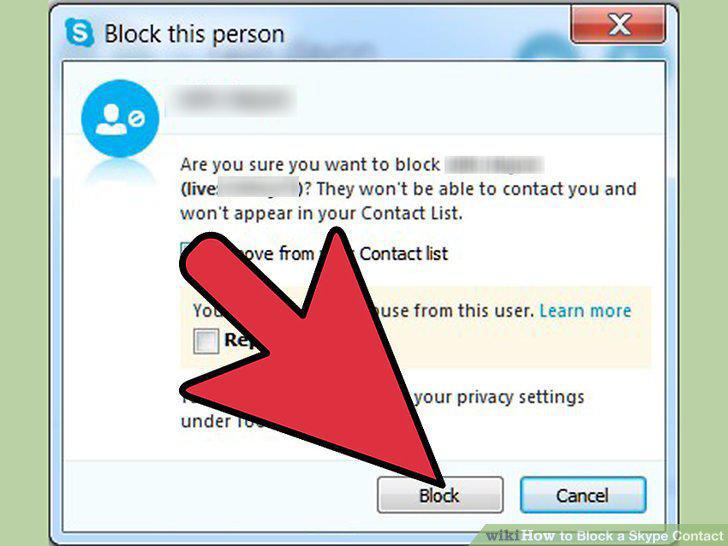
Click "Block" to confirm this action.
4
You will now see a crossed red circle over their Skype activity cloud.
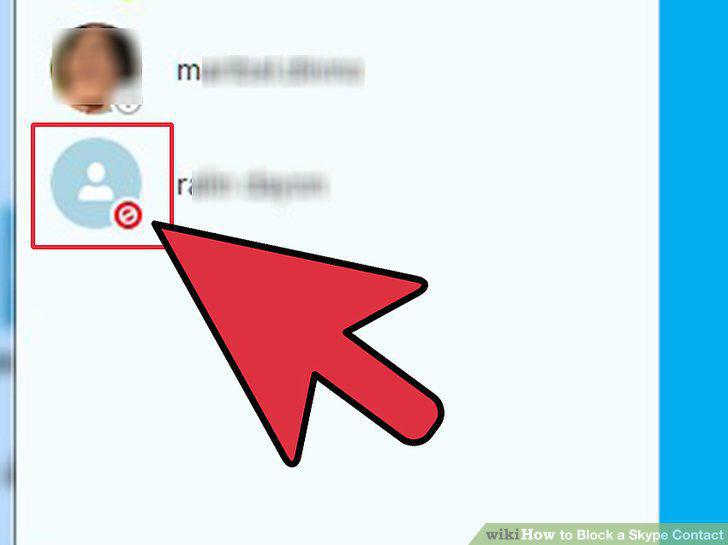
You will now see a crossed red circle over their Skype activity cloud.
5
To unblock:
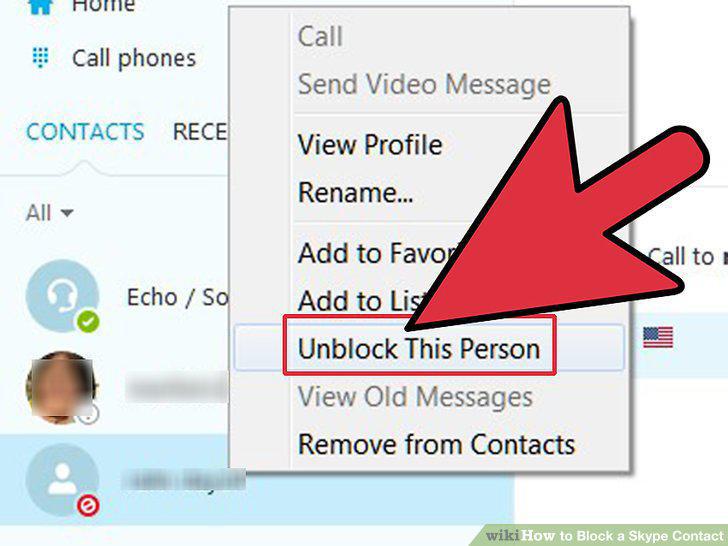
To unblock:
Comments (0)
No comments yet. Be the first to share your thoughts!