How to Disable Automatic iCloud Uploads of New Photos on an iPhone
Open your iPhone's Settings.. Scroll to the fourth group of options and select iCloud.. Select Photos.
Steps
1
Open your iPhone's Settings.
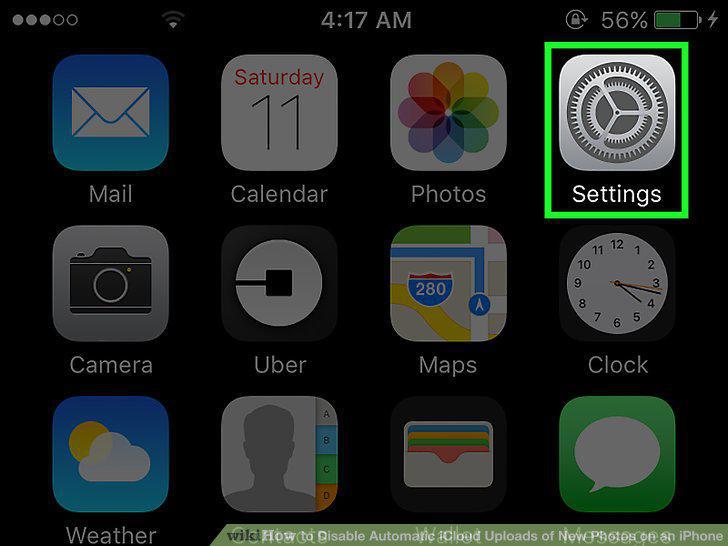
Open your iPhone's Settings.
2
Scroll to the fourth group of options and select iCloud.
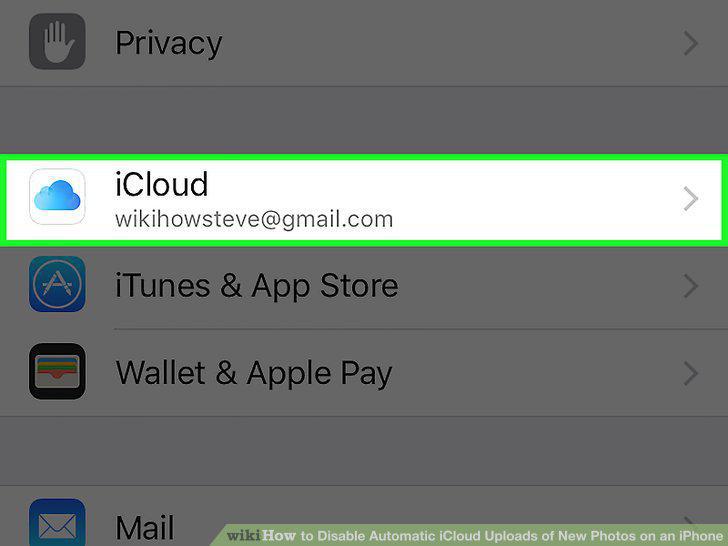
Scroll to the fourth group of options and select iCloud.
3
Select Photos.
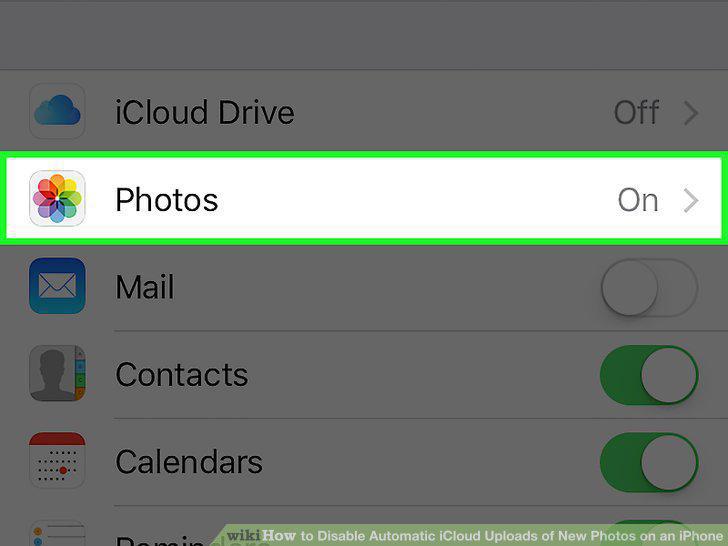
Select Photos.
4
Slide the My Photo Stream switch left to the "Off" position.
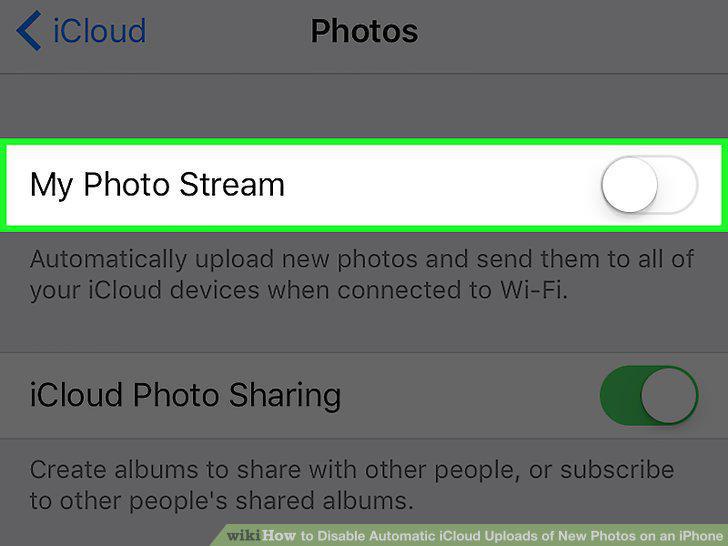
Slide the My Photo Stream switch left to the "Off" position.
Comments (0)
No comments yet. Be the first to share your thoughts!