How to Block Coreldraw from the Internet
Open Windows Defender Firewall with Advanced Security.. Click Outbound Rules.. Click New Rule.
Steps
1
Open Windows Defender Firewall with Advanced Security.
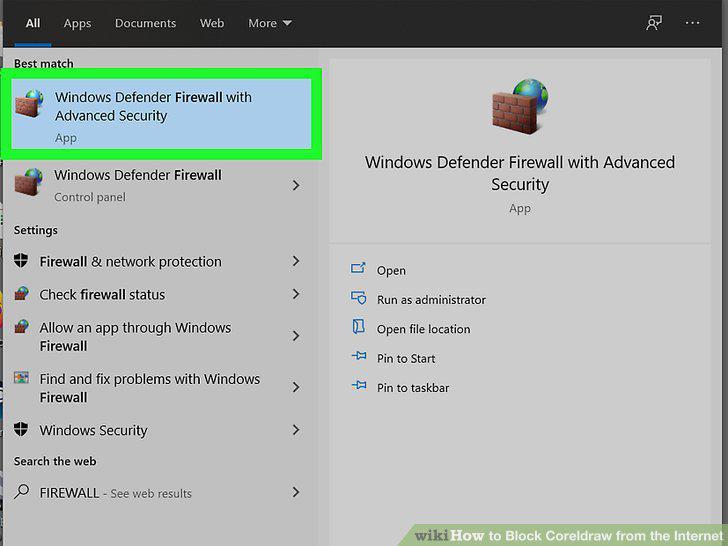
Open Windows Defender Firewall with Advanced Security.
2
Click Outbound Rules.
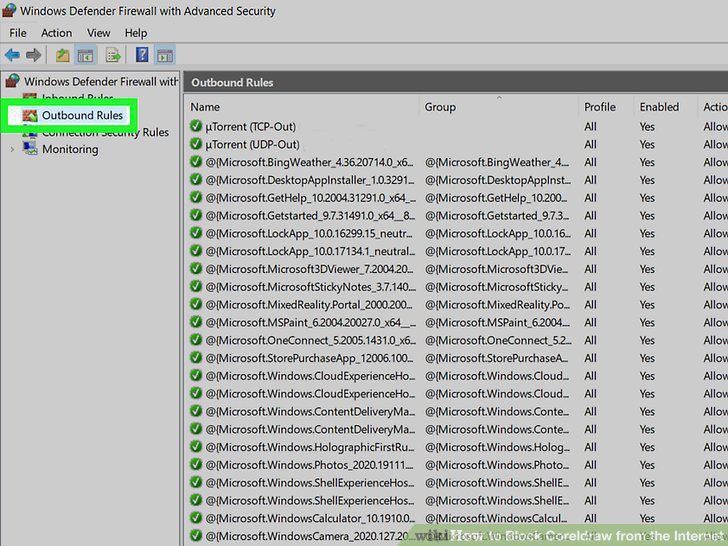
Click Outbound Rules.
3
Click New Rule.
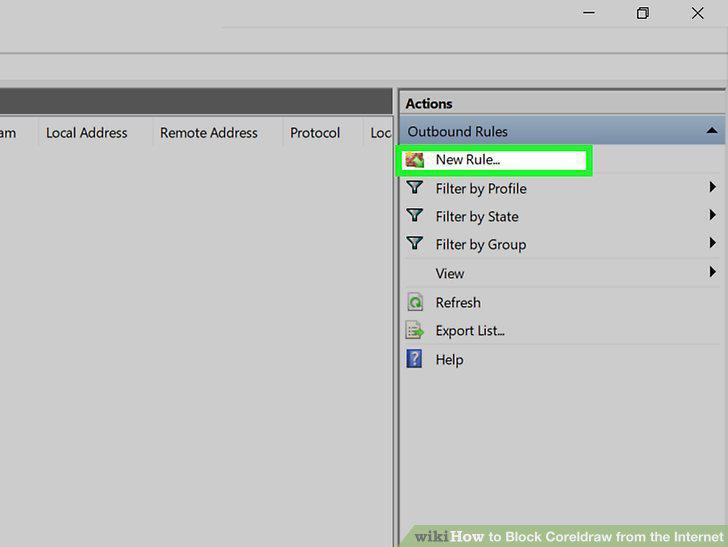
Click New Rule.
4
Select Program.
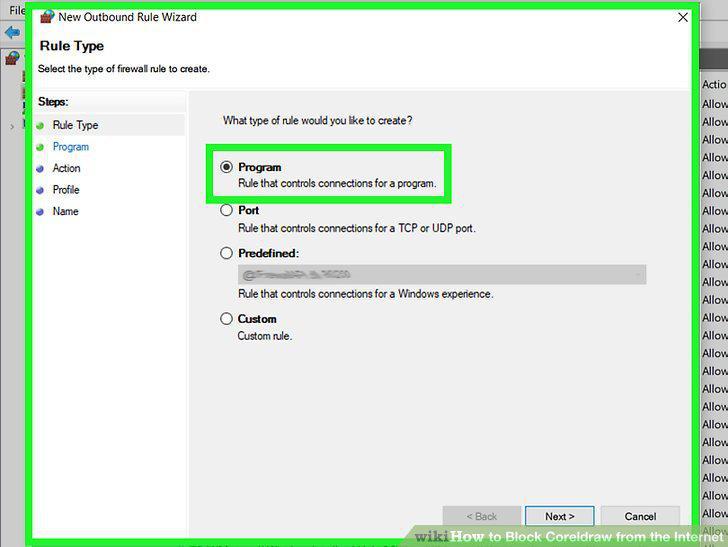
Select Program.
5
Click the Browse button.
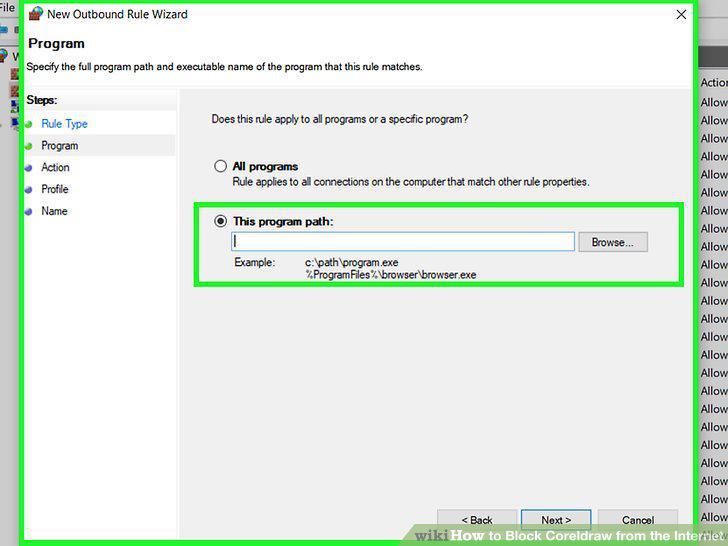
Click the Browse button.
6
Double-click CorelDRW.exe.
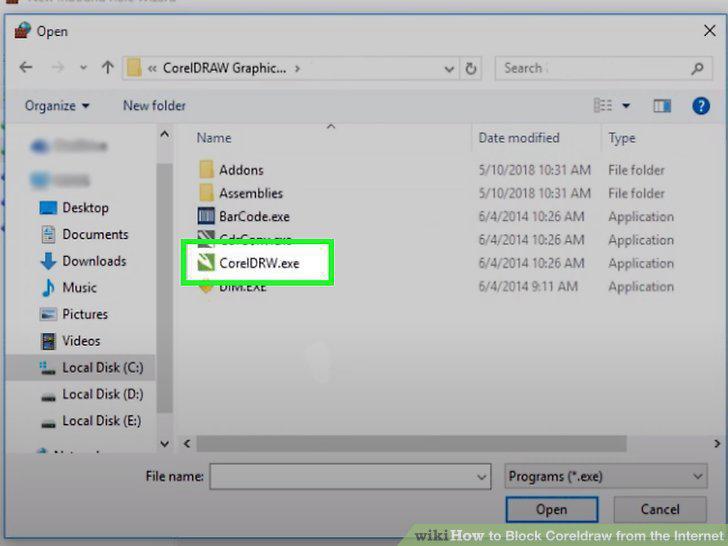
Double-click CorelDRW.exe.
7
Select Block the connection.
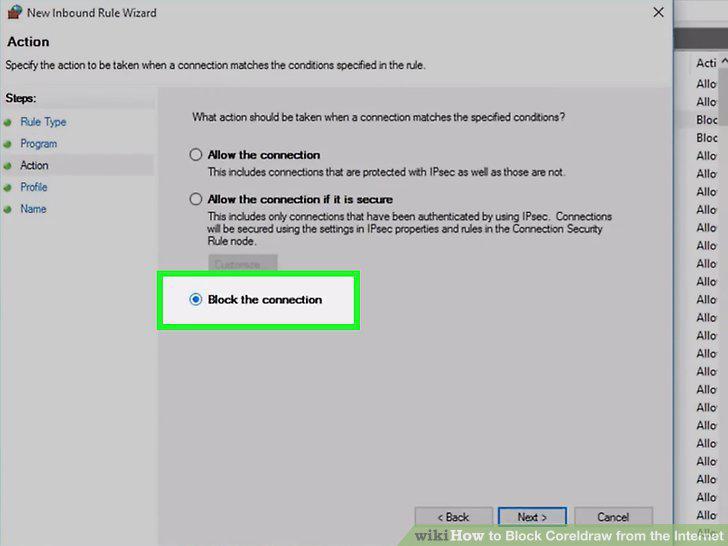
Select Block the connection.
8
Make sure all options are checked.
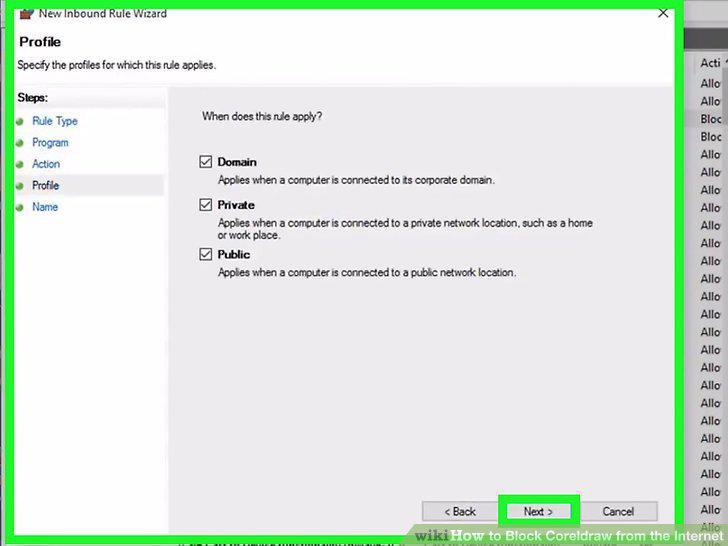
Make sure all options are checked.
9
Enter a name for your new rule and click Finish.
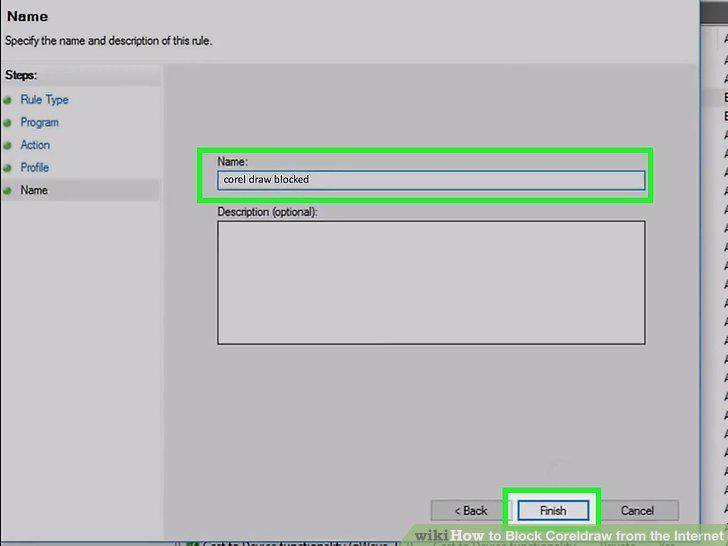
Enter a name for your new rule and click Finish.
Comments (0)
No comments yet. Be the first to share your thoughts!