How to Remove an Apple ID Phone Number on an iPhone
Open your iPhone's Settings .. Tap your name.. Tap Name, Phone Numbers, Email.
Steps
1
Open your iPhone's Settings .
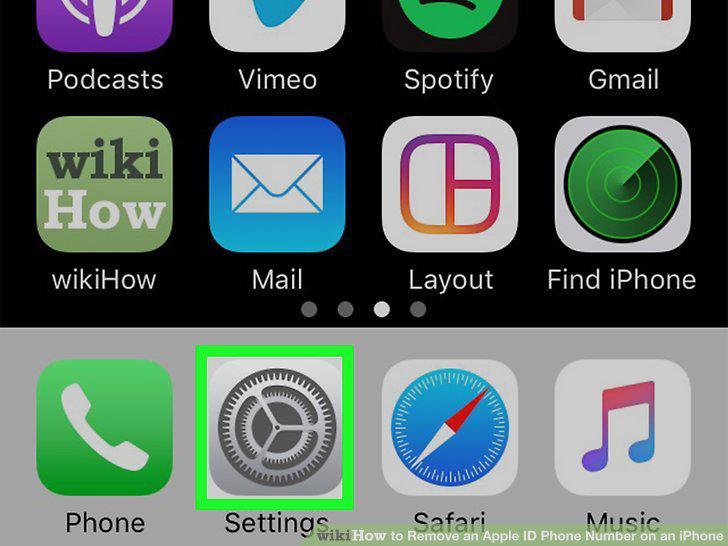
Open your iPhone's Settings .
2
Tap your name.
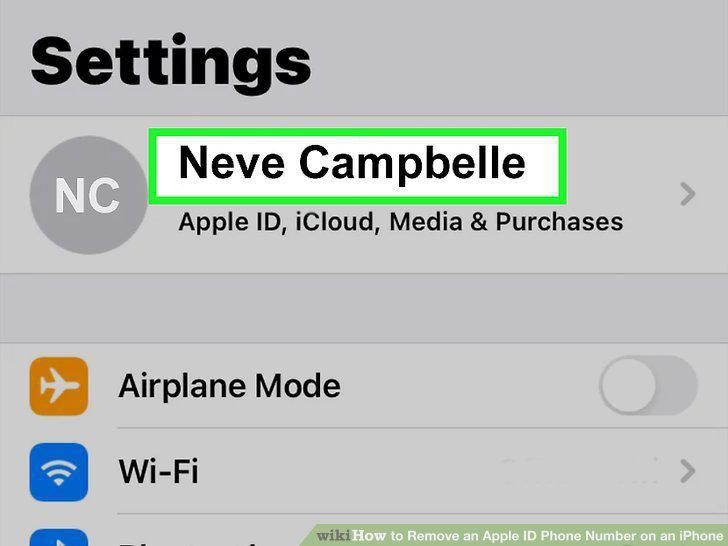
Tap your name.
3
Tap Name, Phone Numbers, Email.
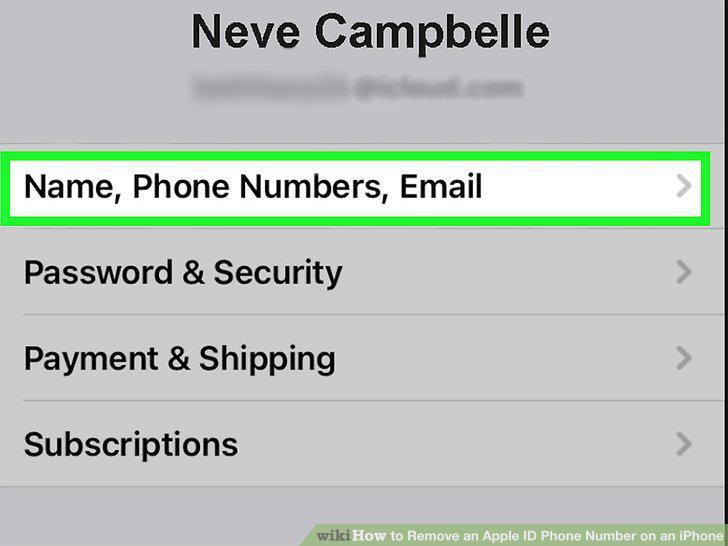
Tap Name, Phone Numbers, Email.
4
Tap Edit next to "Reachable At.
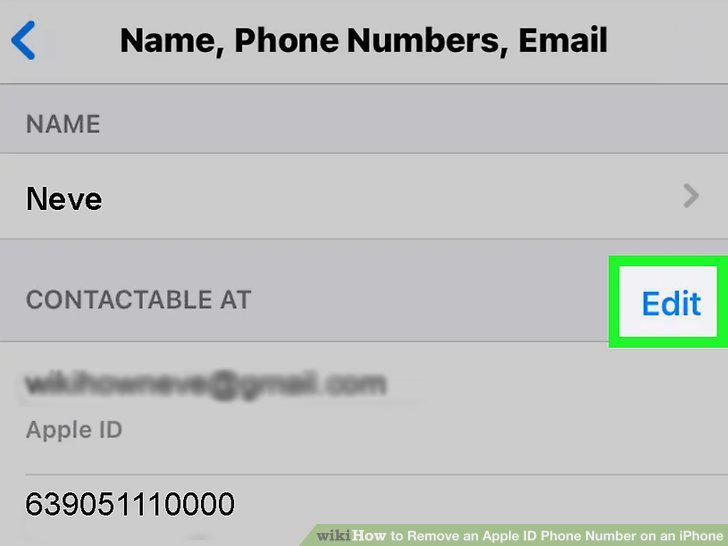
Tap Edit next to "Reachable At.
5
Tap the minus sign next to the number you want to remove.
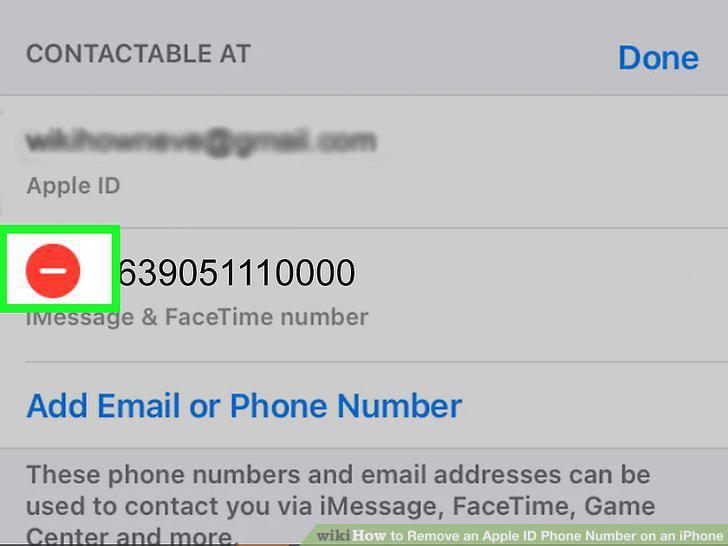
Tap the minus sign next to the number you want to remove.
6
Tap the red Delete button.
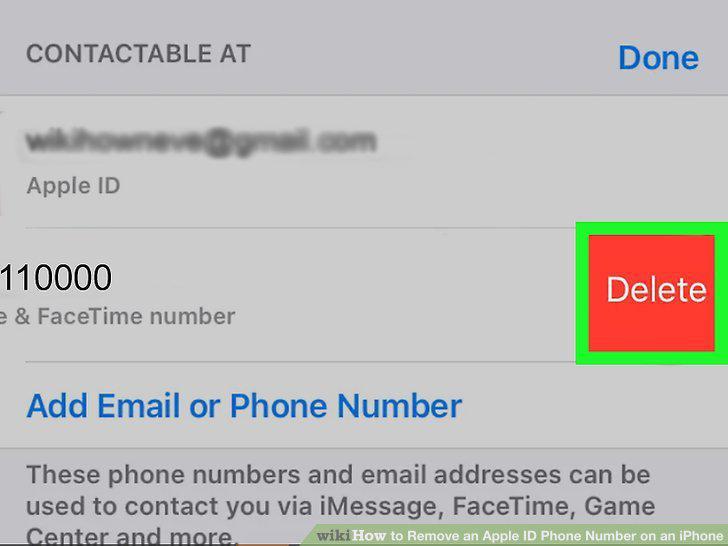
Tap the red Delete button.
7
Tap Remove on the confirmation pop-up.
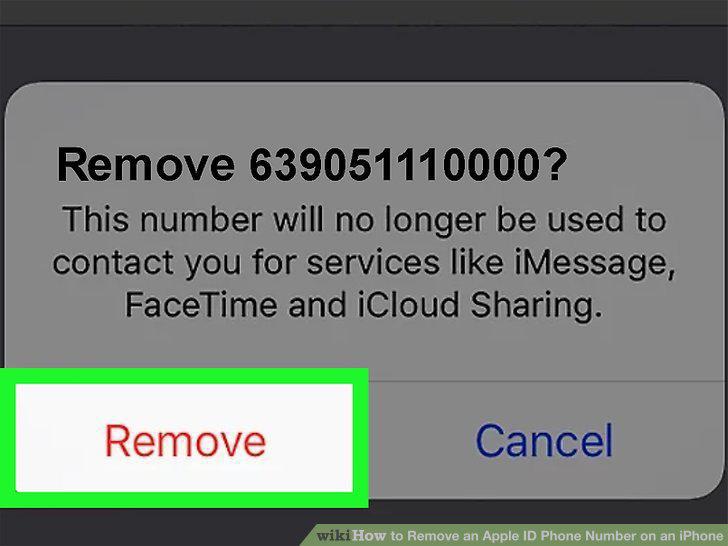
Tap Remove on the confirmation pop-up.
Comments (0)
No comments yet. Be the first to share your thoughts!