How to Stop iTunes from Opening Automatically when You Connect Your iPhone
Open your computer's iTunes.. Click iTunes.. Click Preferences.
Steps
1
Open your computer's iTunes.
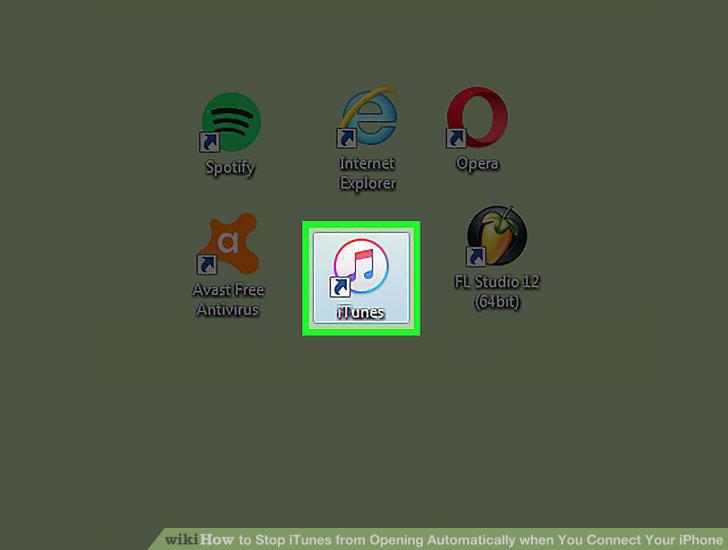
Open your computer's iTunes.
2
Click iTunes.
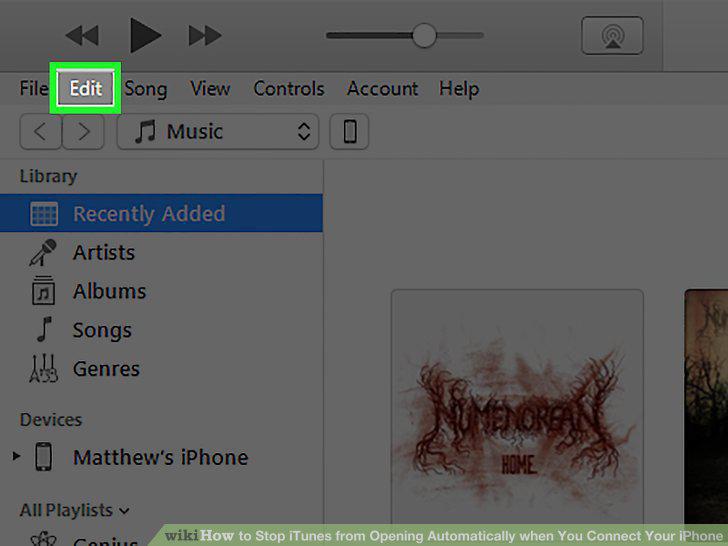
Click iTunes.
3
Click Preferences.
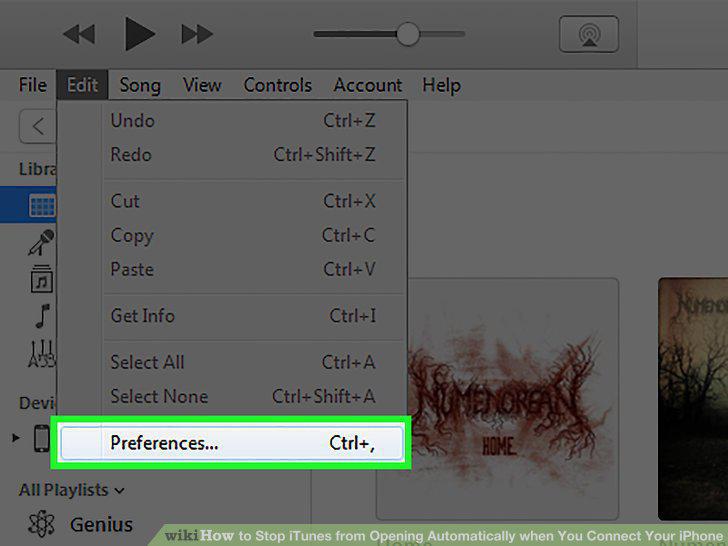
Click Preferences.
4
Select the Devices tab.
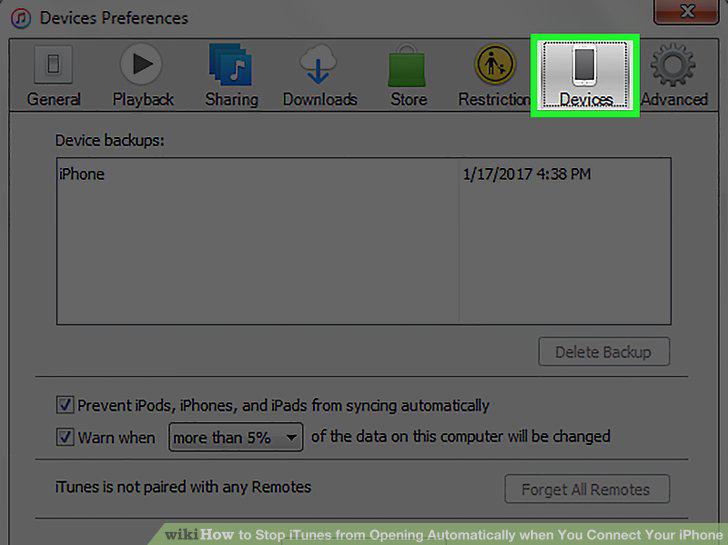
Select the Devices tab.
5
Click the box at the bottom of the window.
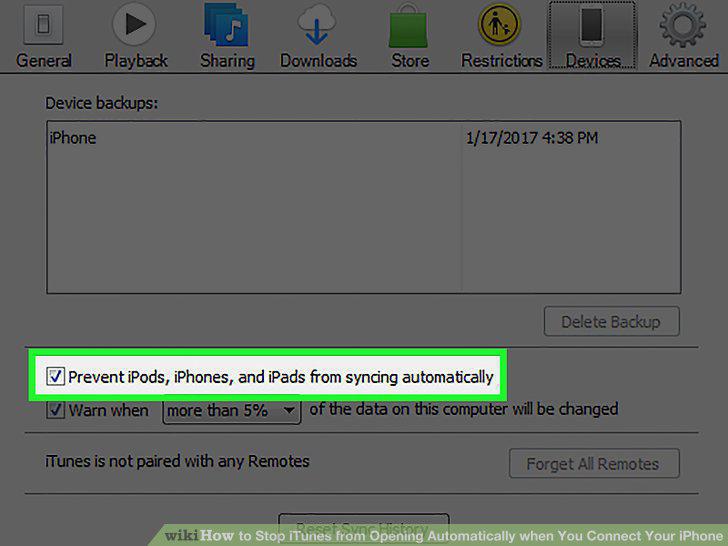
Click the box at the bottom of the window.
6
Click OK.
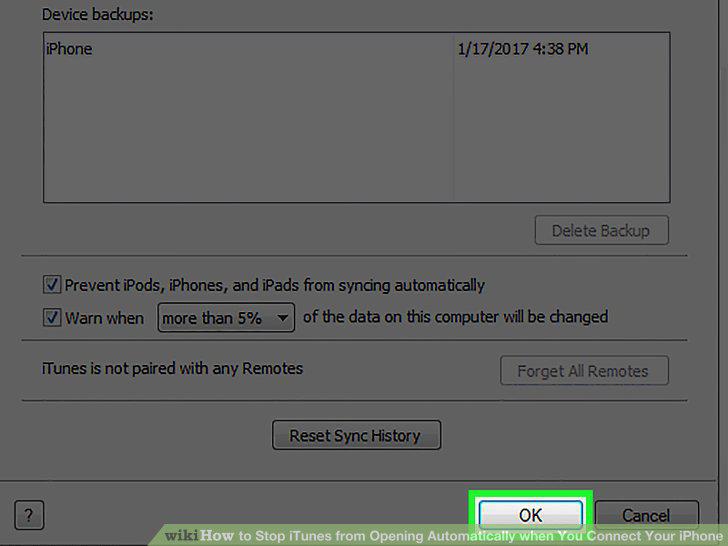
Click OK.
Comments (0)
No comments yet. Be the first to share your thoughts!