How to View Your Passwords in Credential Manager on Windows
Open Credential Manager.. Click Web Credentials or Windows Credentials.. Click the arrow next to the account you want to view.
Steps
1
Open Credential Manager.
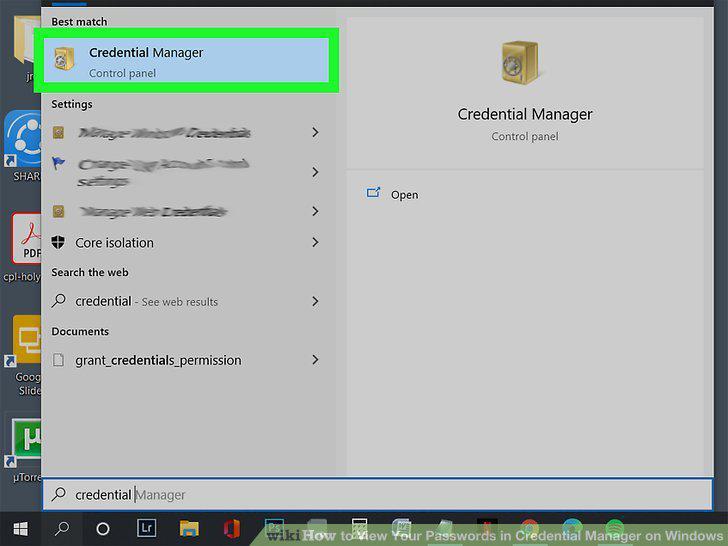
Open Credential Manager.
2
Click Web Credentials or Windows Credentials.
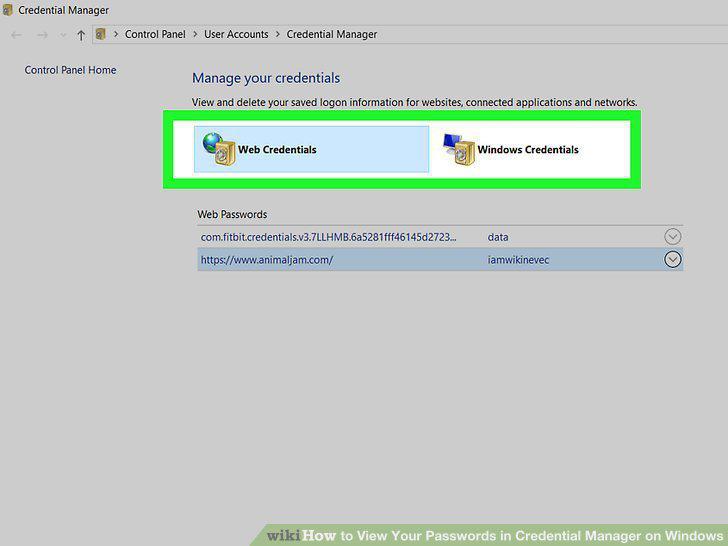
Click Web Credentials or Windows Credentials.
3
Click the arrow next to the account you want to view.
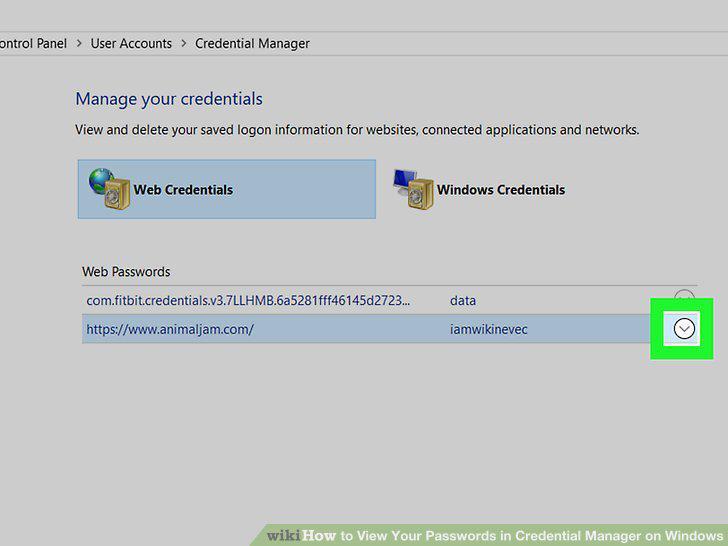
Click the arrow next to the account you want to view.
4
Click Show next to the password you want to see.
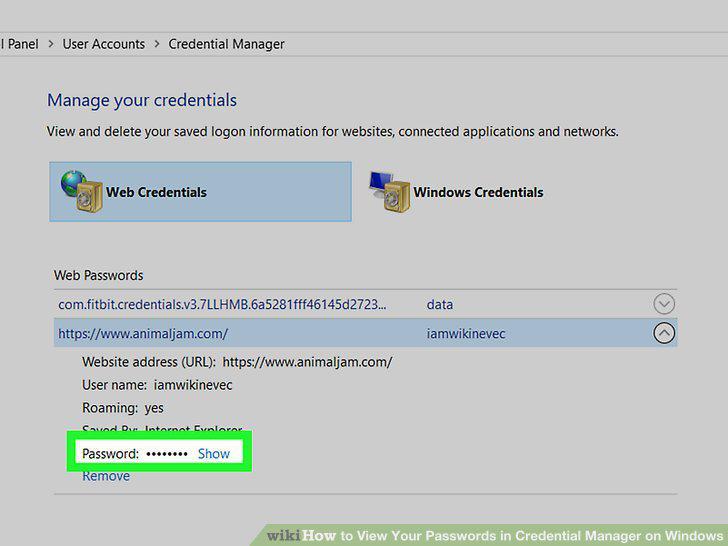
Click Show next to the password you want to see.
5
Enter your password or PIN.
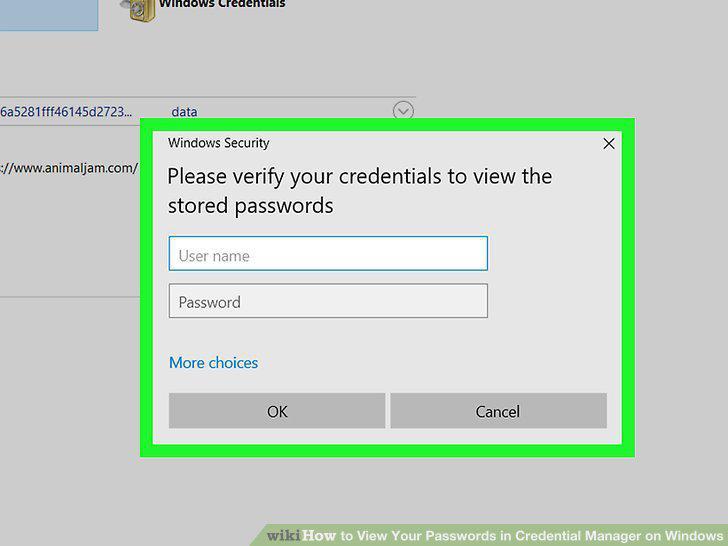
Enter your password or PIN.
Comments (0)
No comments yet. Be the first to share your thoughts!