How to Switch Monitors 1 and 2 on a PC
Right-click any blank space on your desktop.. Click Display Settings.. Click and drag Display 1 to the other side of Display 2.
Steps
1
Right-click any blank space on your desktop.
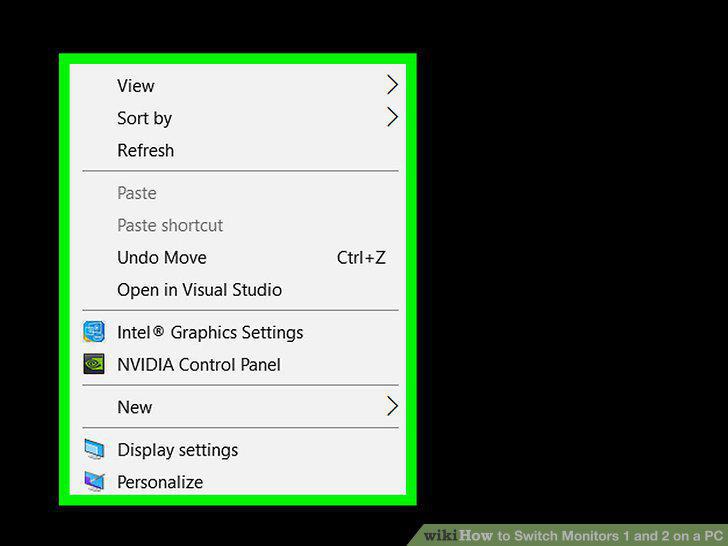
Right-click any blank space on your desktop.
2
Click Display Settings.
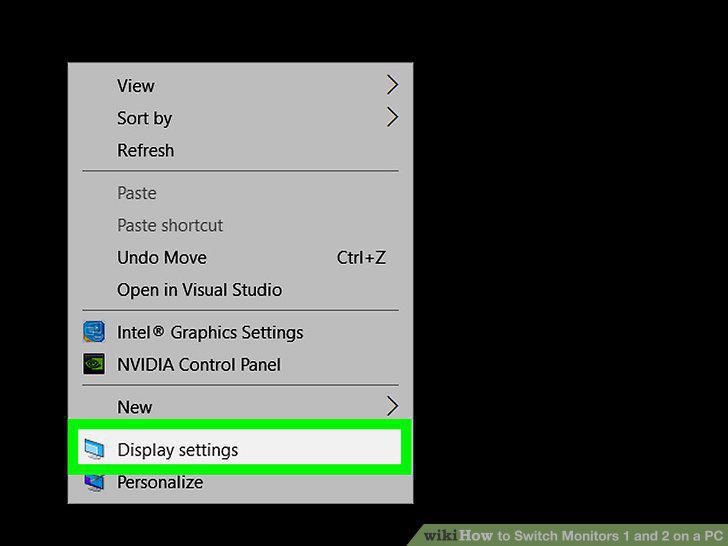
Click Display Settings.
3
Click and drag Display 1 to the other side of Display 2.
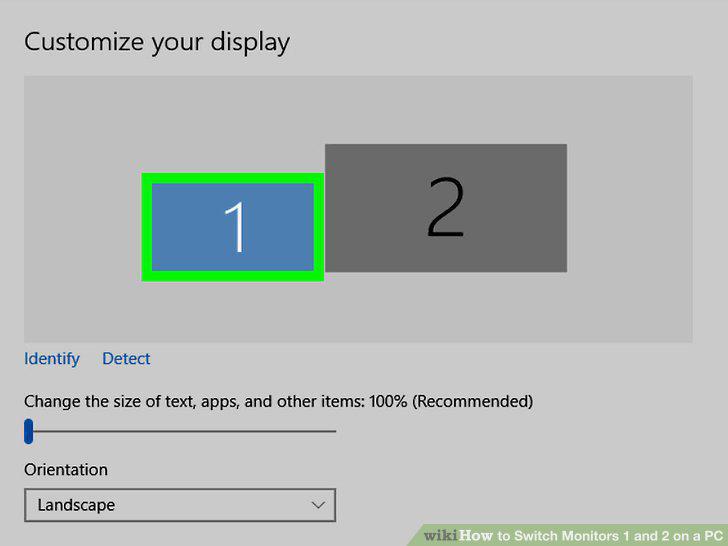
Click and drag Display 1 to the other side of Display 2.
4
Click the checkbox for "Make this my main display".
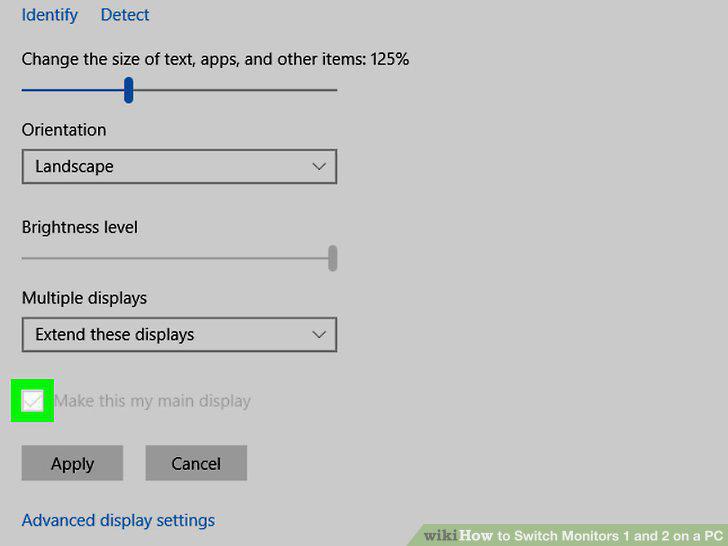
Click the checkbox for "Make this my main display".
5
Click Apply.
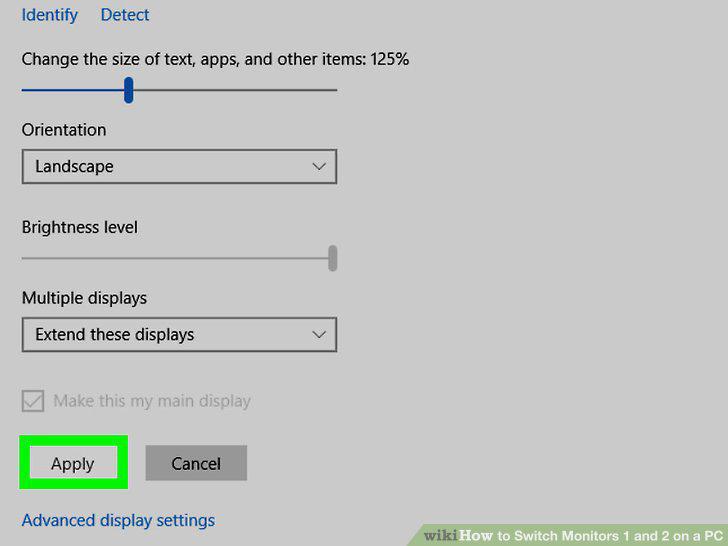
Click Apply.
Comments (0)
No comments yet. Be the first to share your thoughts!