How to Find Online Skype Users
Look for contacts with a green checkmark.. Toggle your contact list view.. Connect your Facebook profile.
Steps
1
Look for contacts with a green checkmark.
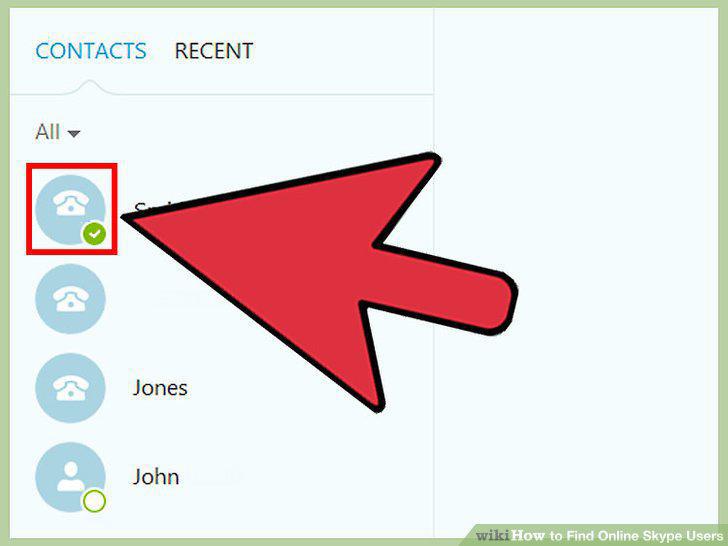
Look for contacts with a green checkmark.
2
Toggle your contact list view.
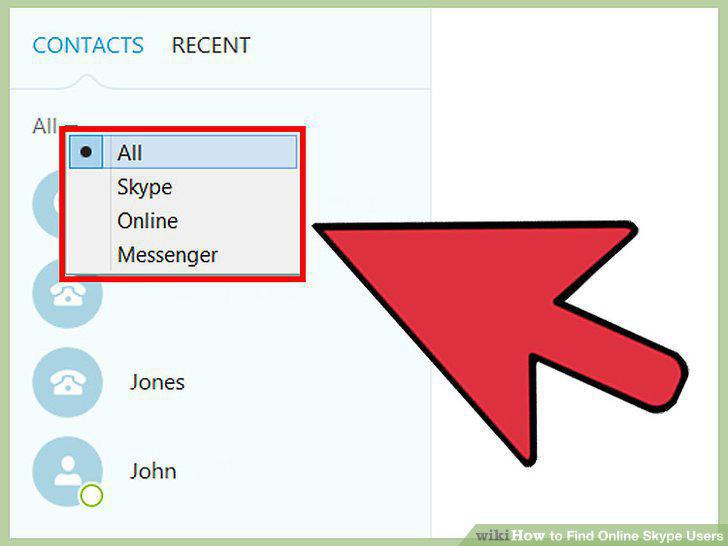
Toggle your contact list view.
3
Connect your Facebook profile.
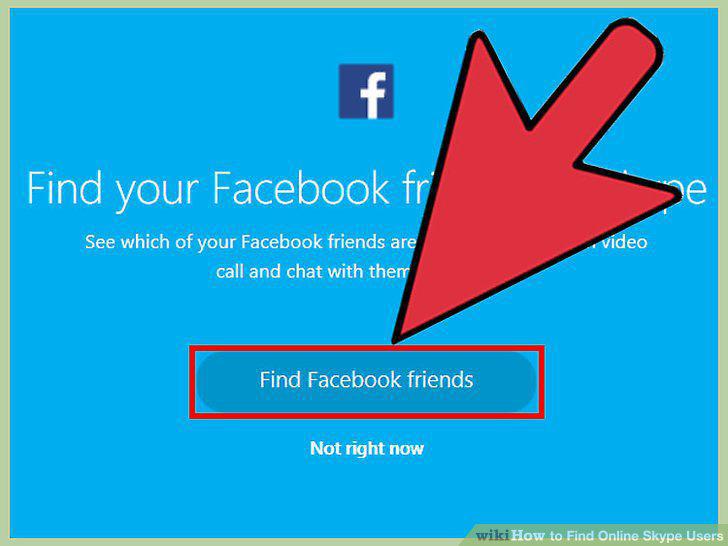
Connect your Facebook profile.
4
Add friends from your address book.
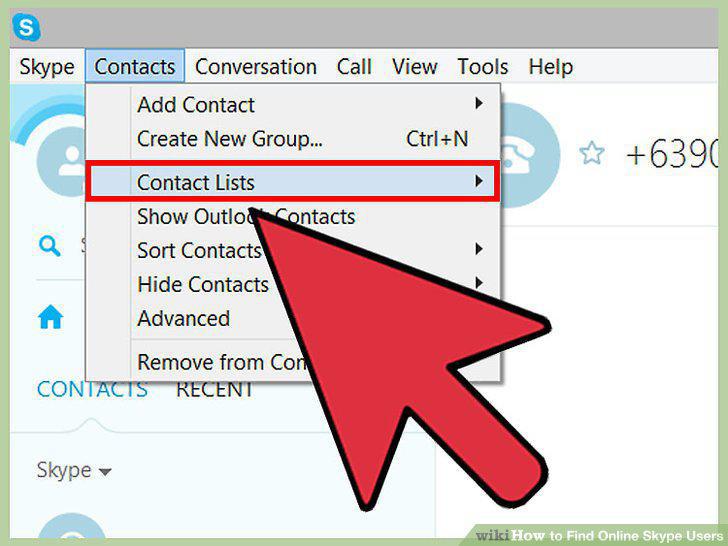
Add friends from your address book.
5
Add contact information manually.
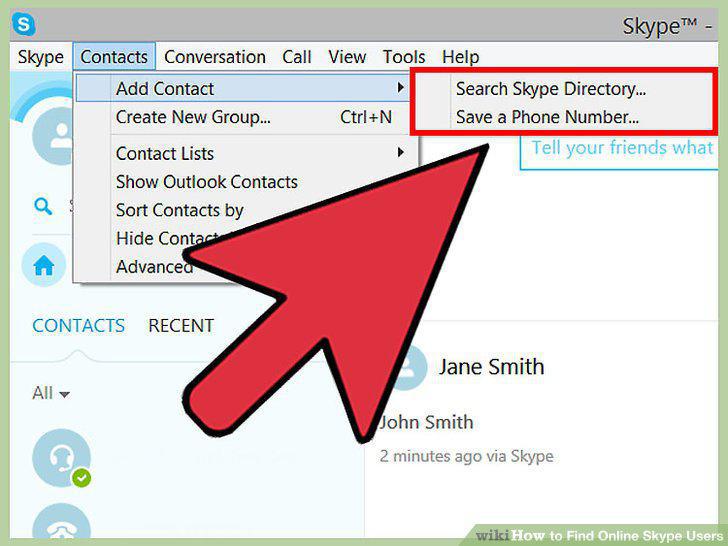
Add contact information manually.
6
Invite friends to chat via email.
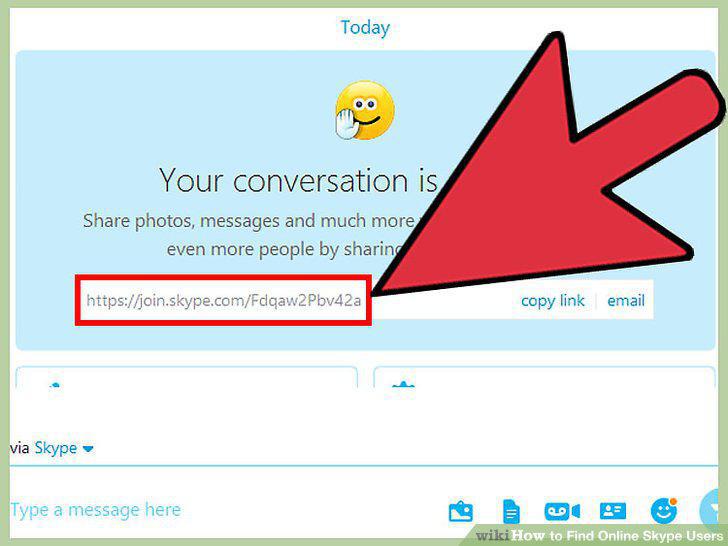
Invite friends to chat via email.
7
Access the Add Contacts page.
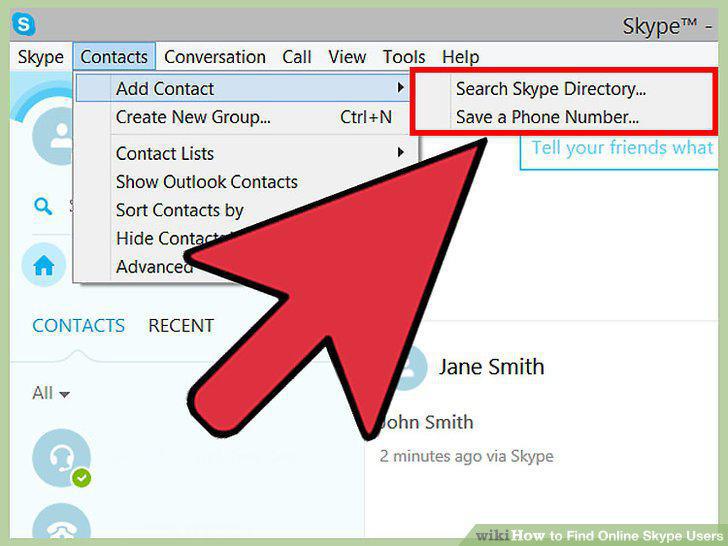
Access the Add Contacts page.
8
Use the search bar.
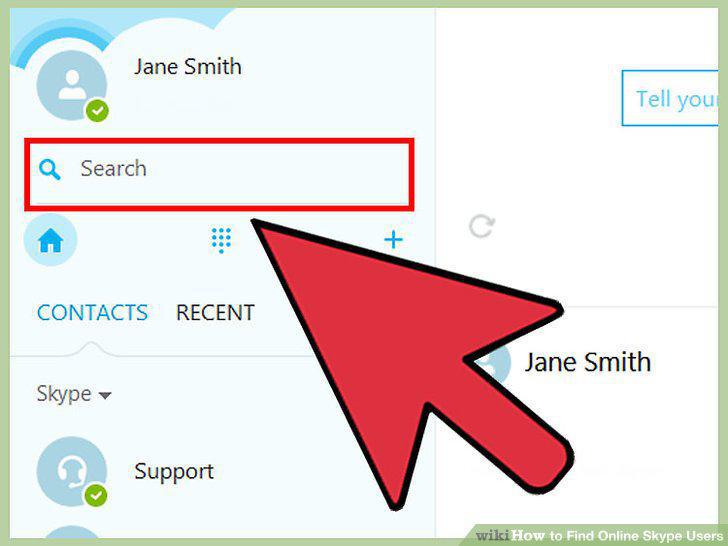
Use the search bar.
9
Set your search parameters.
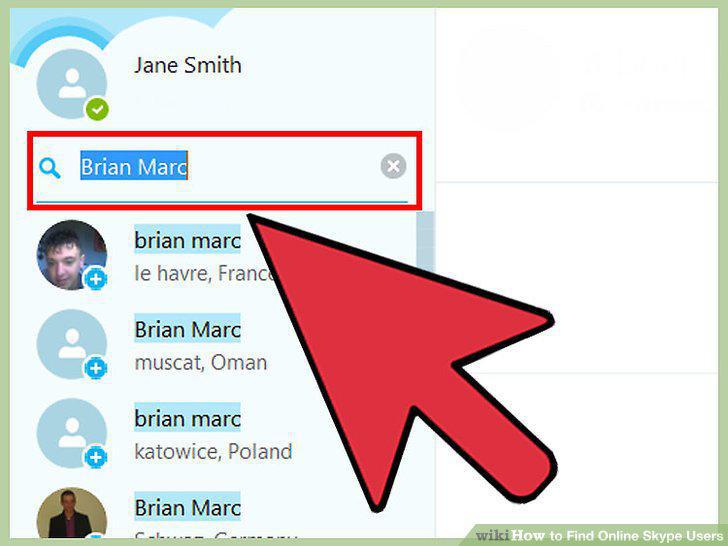
Set your search parameters.
10
Send an Add Contact request.
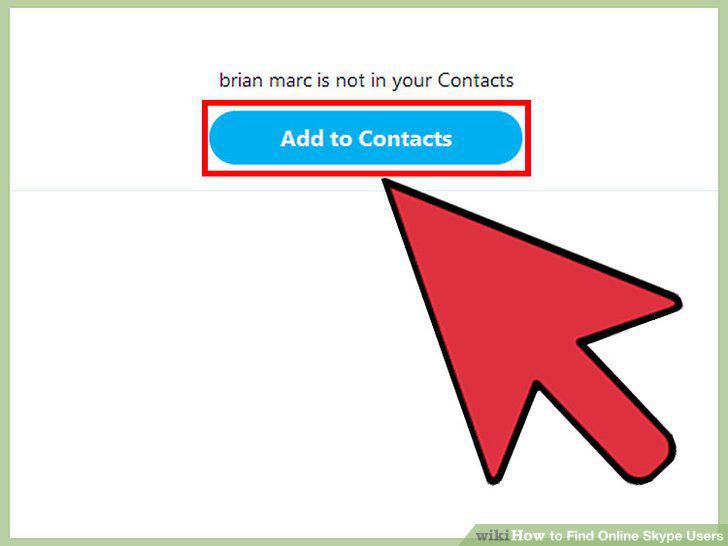
Send an Add Contact request.
11
Start chatting.
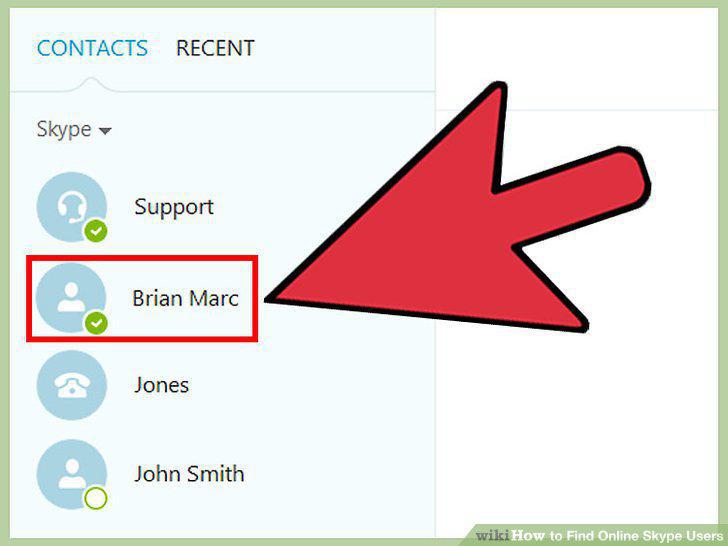
Start chatting.
Comments (0)
No comments yet. Be the first to share your thoughts!