How to Activate Cortana in Windows 10
Click the Cortana icon, which is a white circle.. Click the settings icon .. Click the switch to enable it under "Hey Cortana.
Steps
1
Click the Cortana icon, which is a white circle.
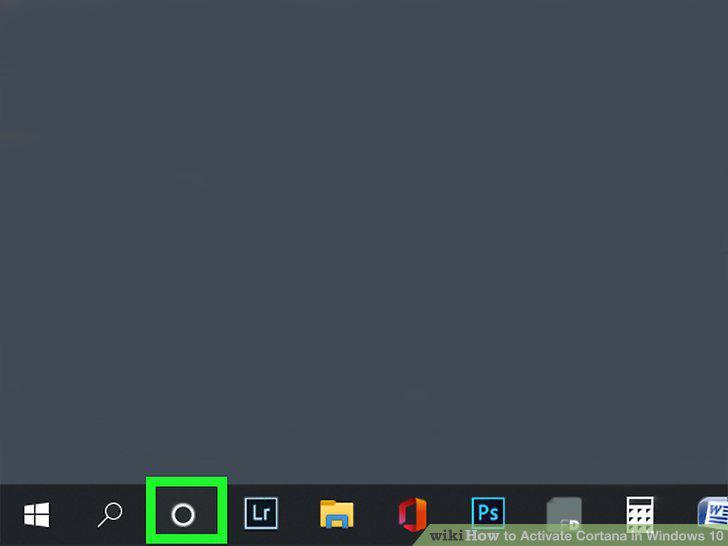
Click the Cortana icon, which is a white circle.
2
Click the settings icon .
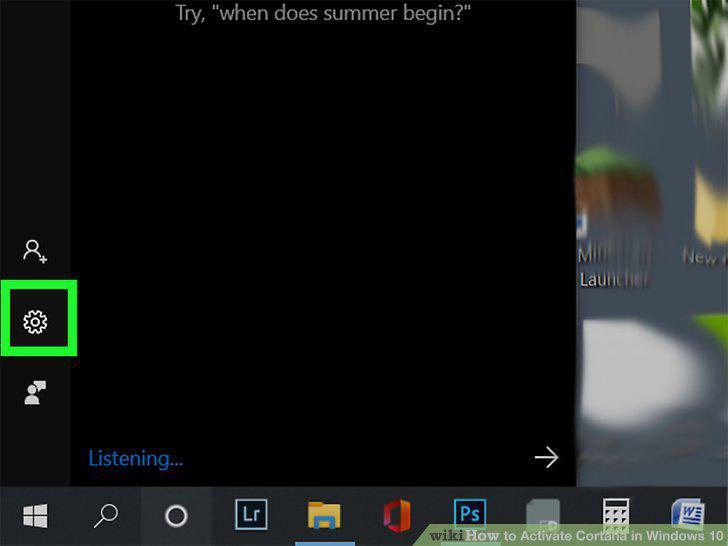
Click the settings icon .
3
Click the switch to enable it under "Hey Cortana.
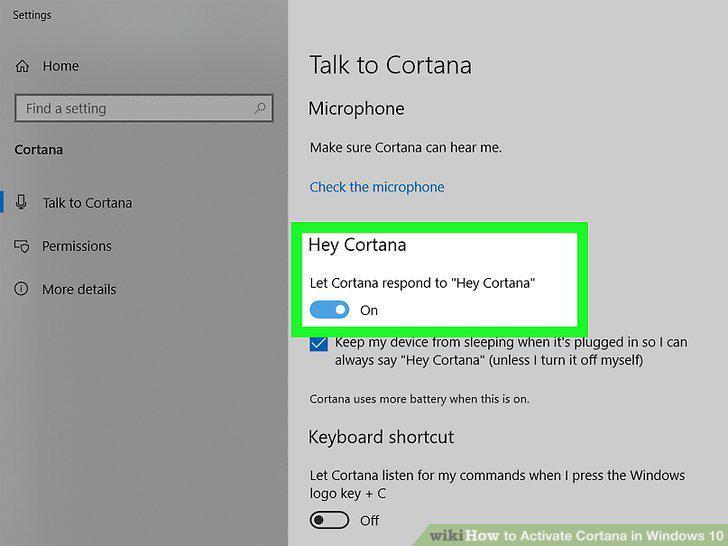
Click the switch to enable it under "Hey Cortana.
Comments (0)
No comments yet. Be the first to share your thoughts!