How to Uninstall Twitch on PC or Mac
Right-click the Start menu.. Click Control Panel on the right-click menu.. Click Programs and Features.
Steps
1
Right-click the Start menu.
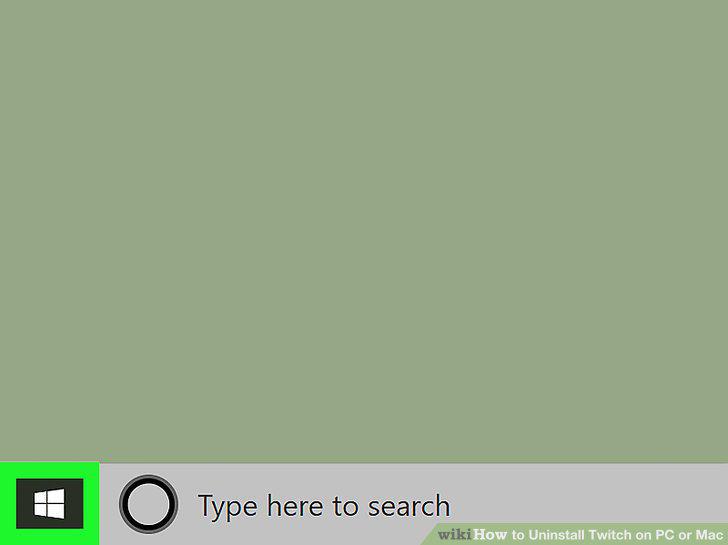
Right-click the Start menu.
2
Click Control Panel on the right-click menu.
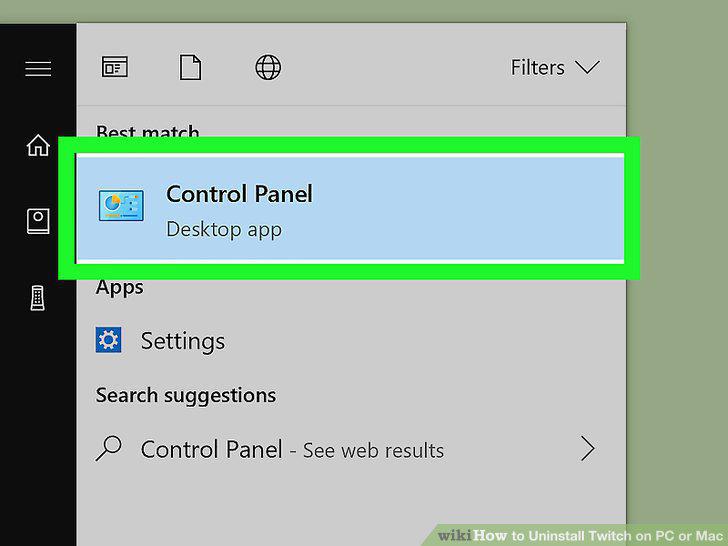
Click Control Panel on the right-click menu.
3
Click Programs and Features.
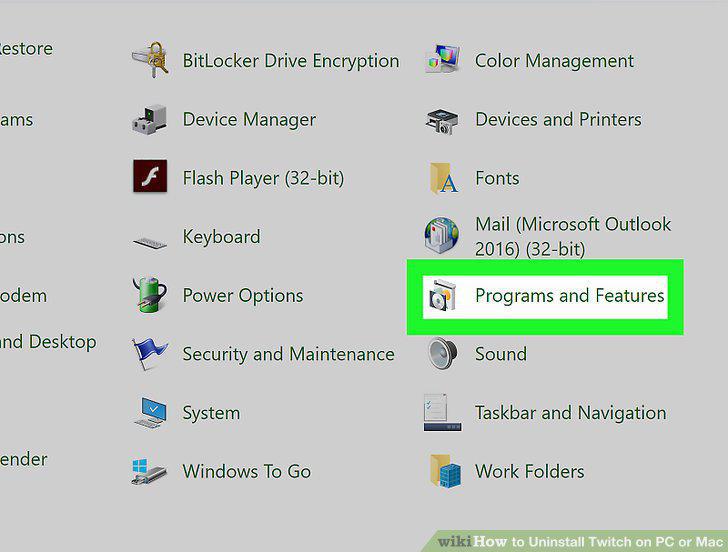
Click Programs and Features.
4
Scroll down and click Twitch on the list.
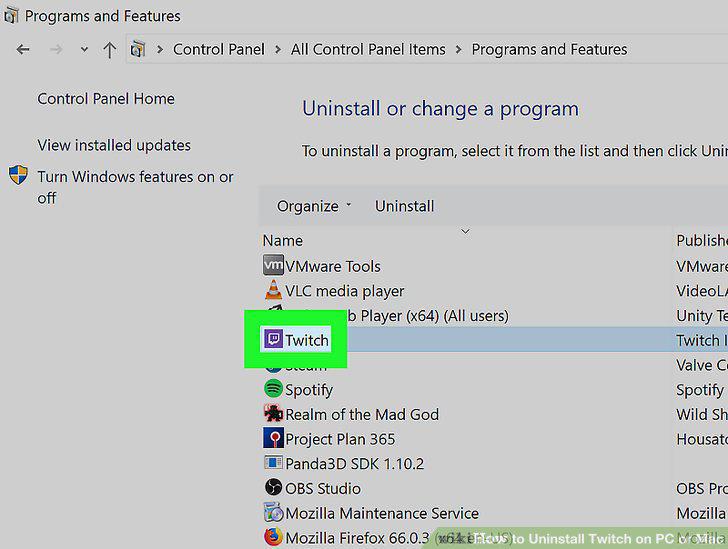
Scroll down and click Twitch on the list.
5
Click Uninstall at the top.
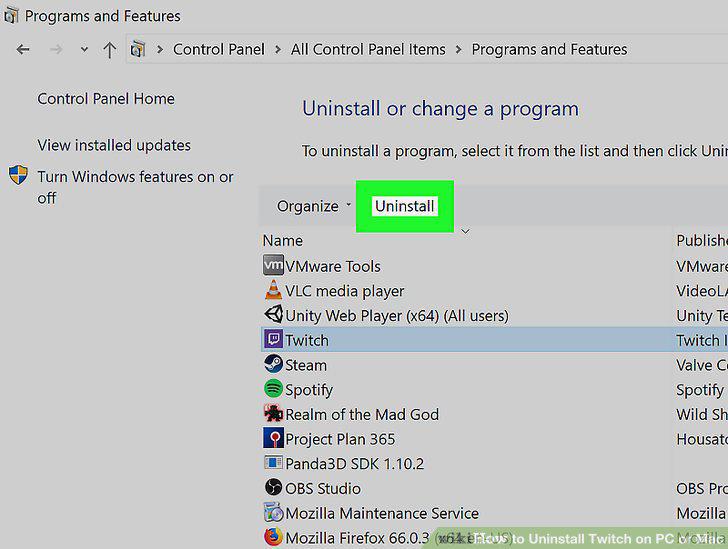
Click Uninstall at the top.
6
Follow the prompts in the uninstall window.
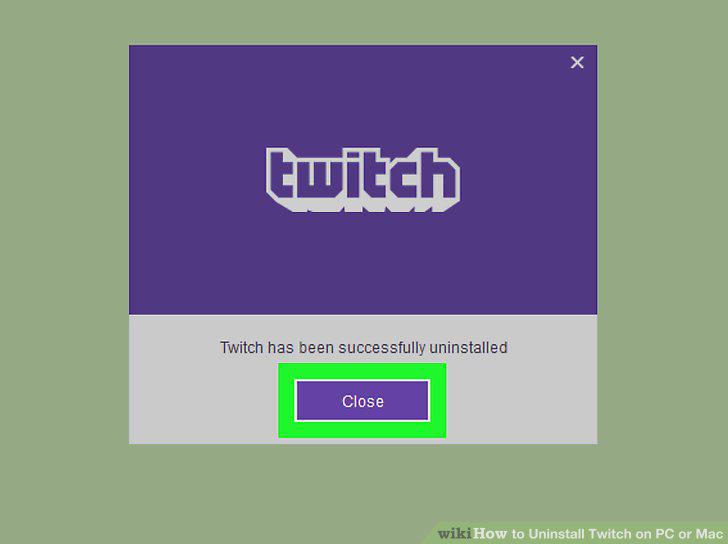
Follow the prompts in the uninstall window.
7
Open your Applications folder.
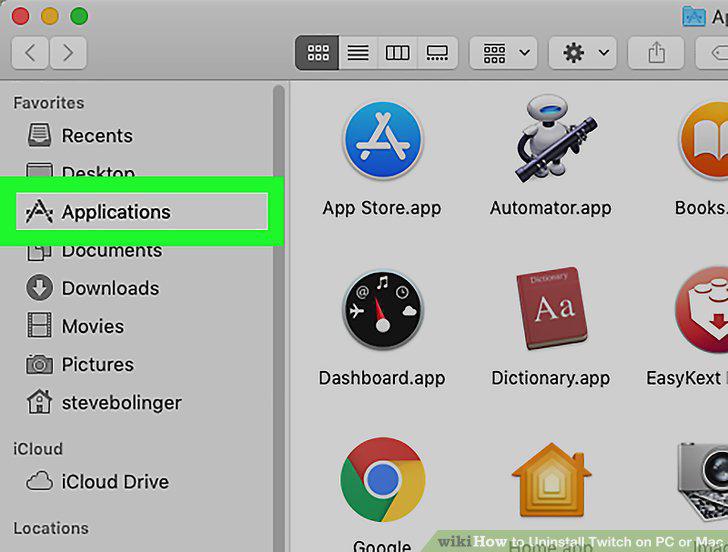
Open your Applications folder.
8
Find the Twitch app in Applications.
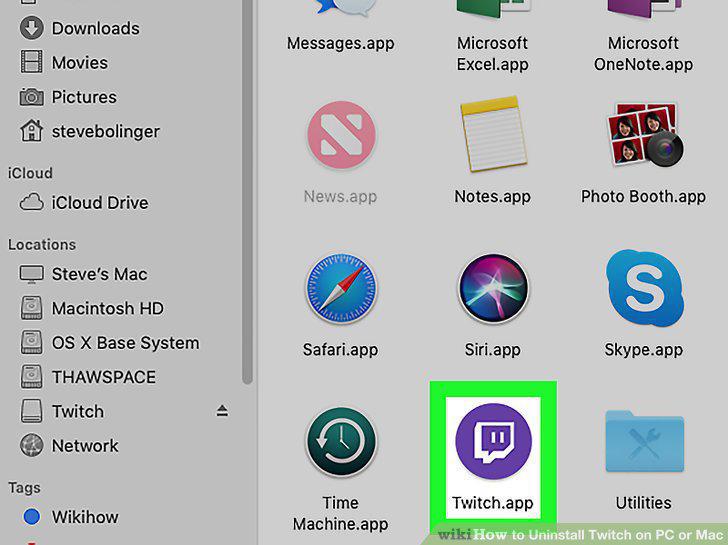
Find the Twitch app in Applications.
9
Drag and drop the Twitch icon to the Trash bin on the Dock.
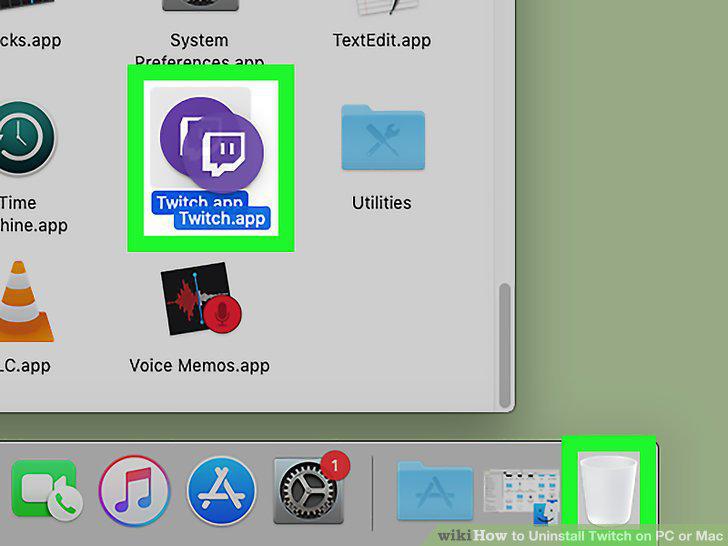
Drag and drop the Twitch icon to the Trash bin on the Dock.
10
Click the Trash bin icon on the Dock.
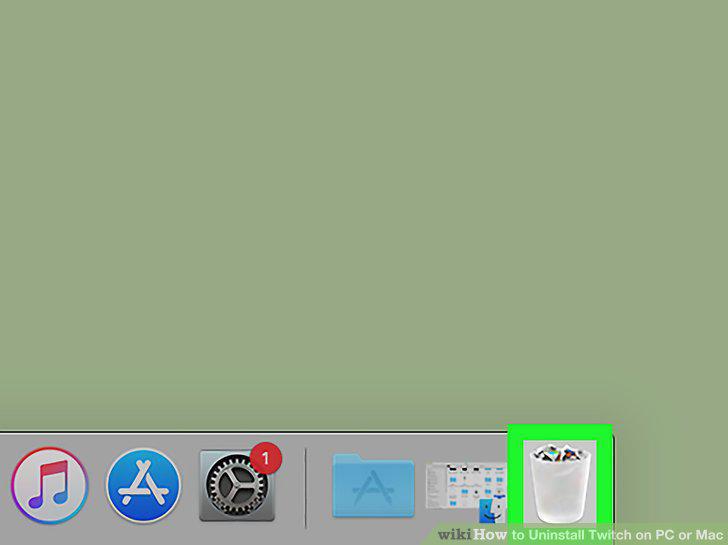
Click the Trash bin icon on the Dock.
11
Right-click Twitch in the Trash bin.
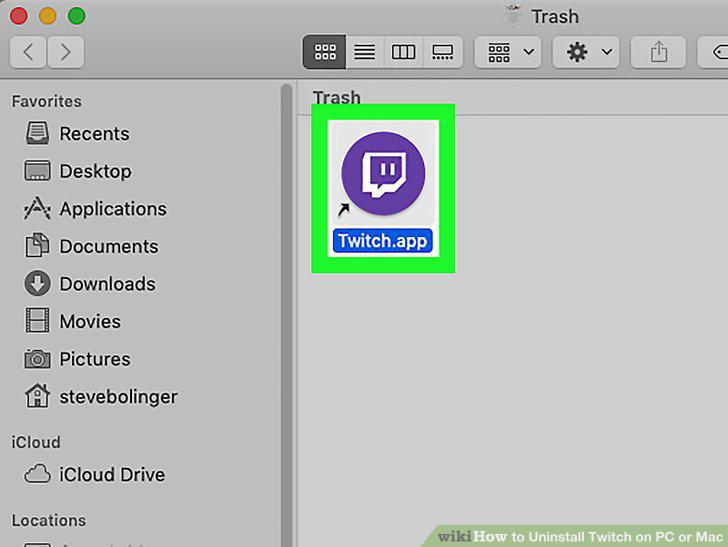
Right-click Twitch in the Trash bin.
12
Select Delete Immediately on the right-click menu.
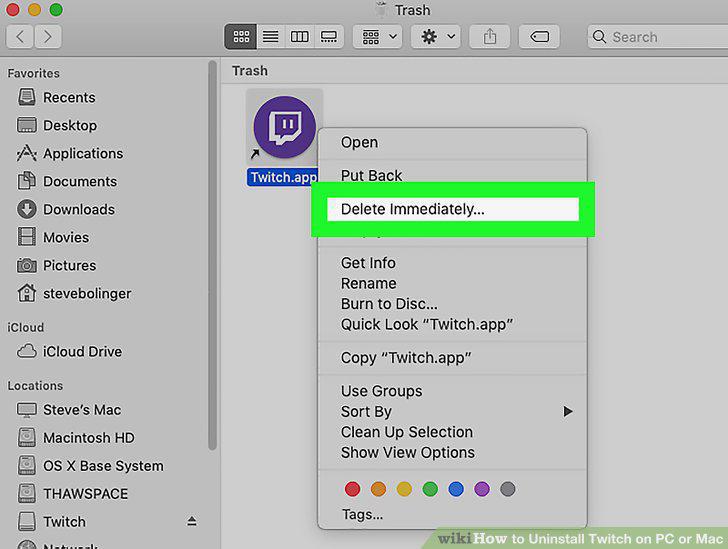
Select Delete Immediately on the right-click menu.
13
Click OK in the pop-up.
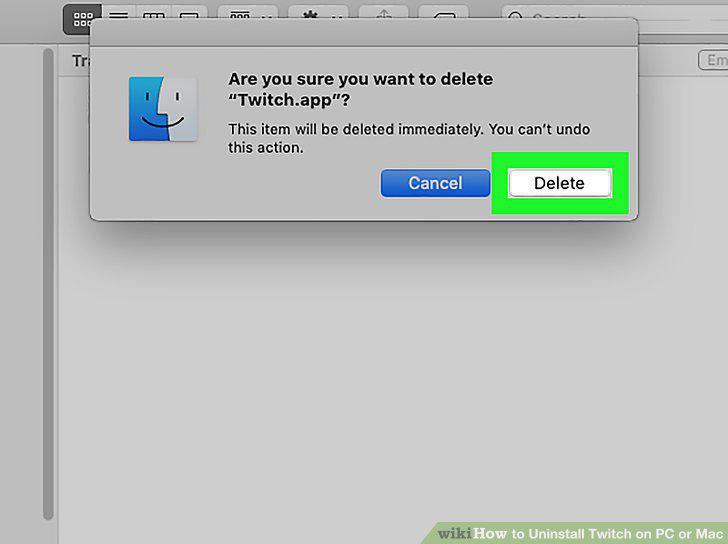
Click OK in the pop-up.
Comments (0)
No comments yet. Be the first to share your thoughts!