How to Respond to Incoming Calls with a Message on an iPhone
Receive a call on your iPhone.. Tap the Message button on the incoming call screen.. Tap one of the preconfigured messages.
Steps
1
Receive a call on your iPhone.
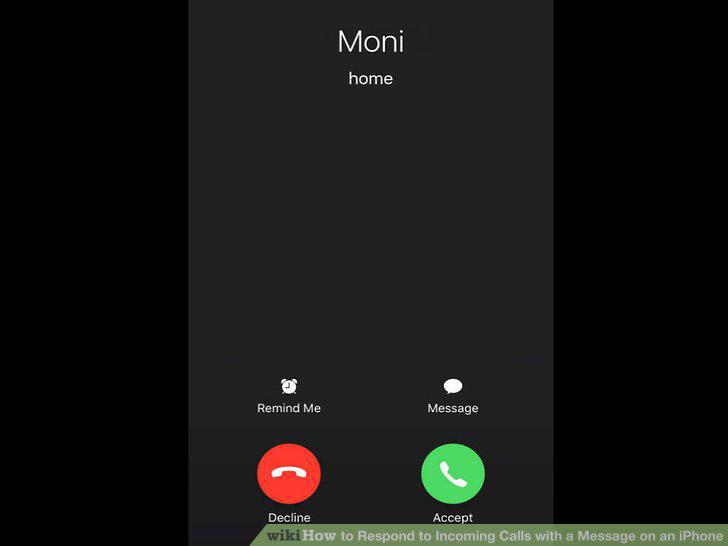
Receive a call on your iPhone.
2
Tap the Message button on the incoming call screen.
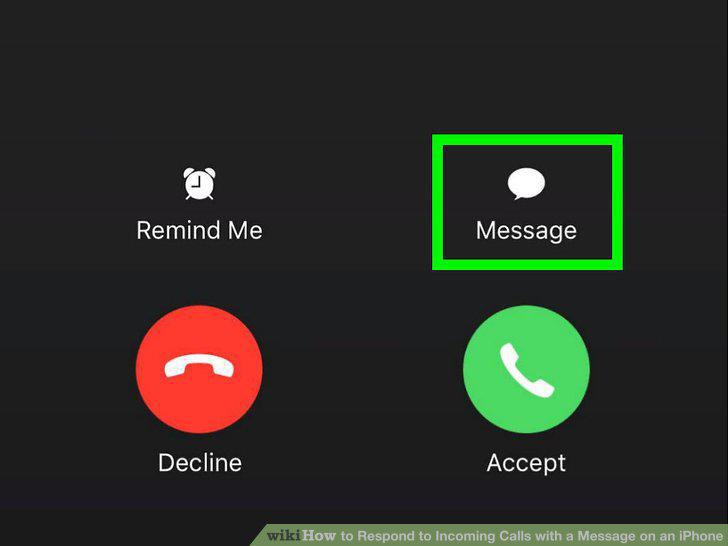
Tap the Message button on the incoming call screen.
3
Tap one of the preconfigured messages.
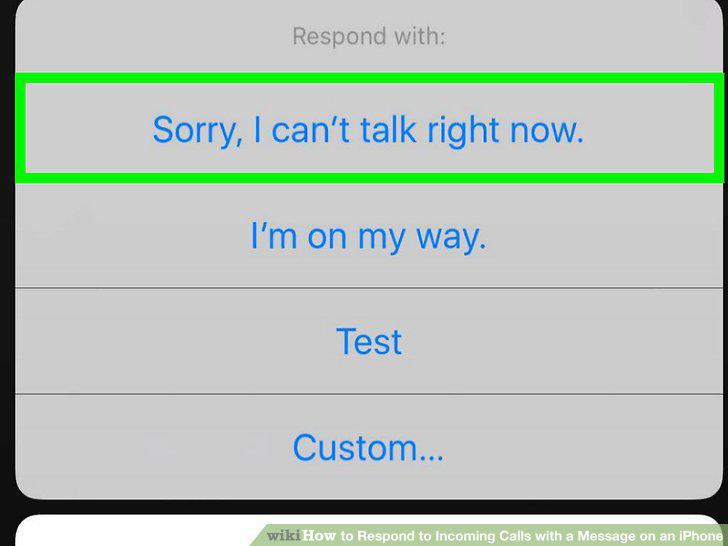
Tap one of the preconfigured messages.
4
Tap Custom to write your own message.
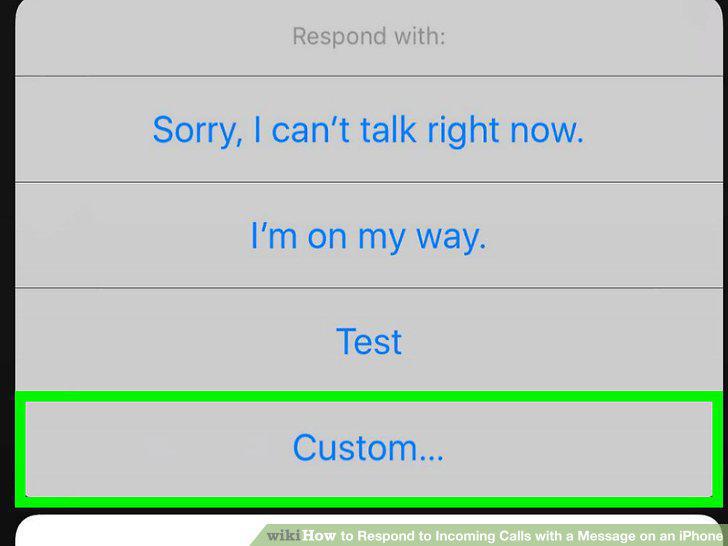
Tap Custom to write your own message.
5
Tap the Settings app.
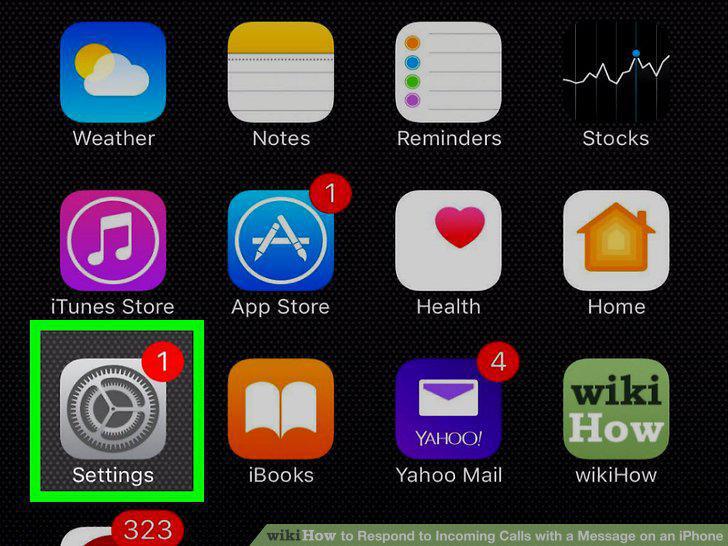
Tap the Settings app.
6
Tap Phone.
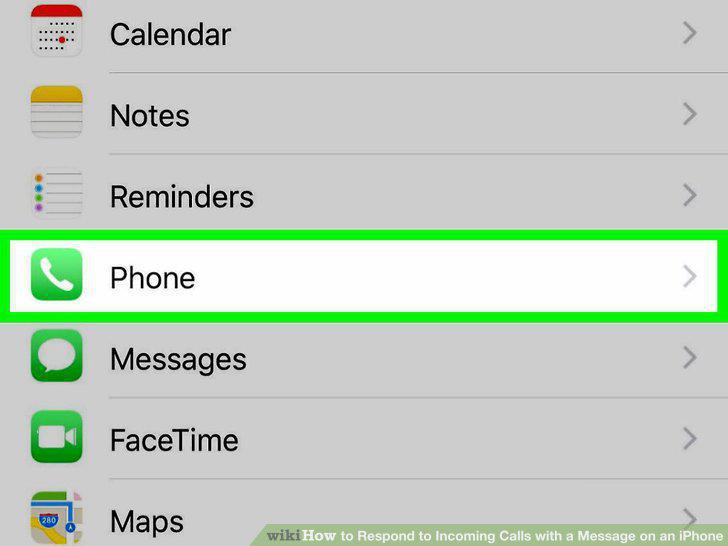
Tap Phone.
7
Tap Respond with Text.
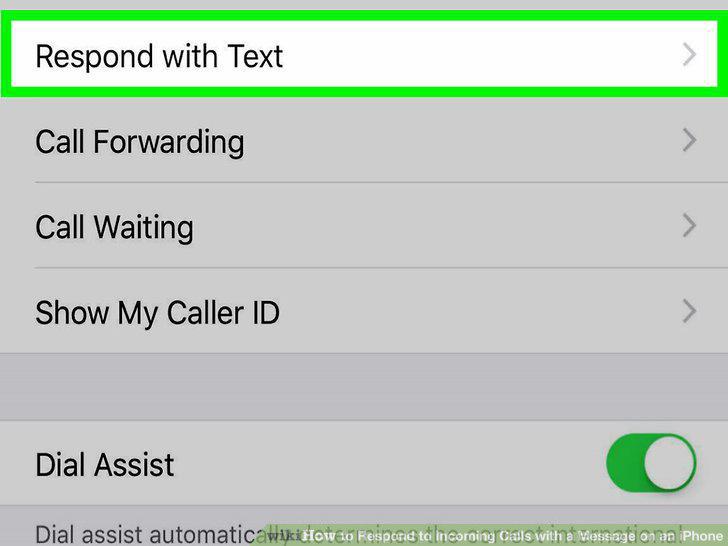
Tap Respond with Text.
8
Tap one of the message fields.
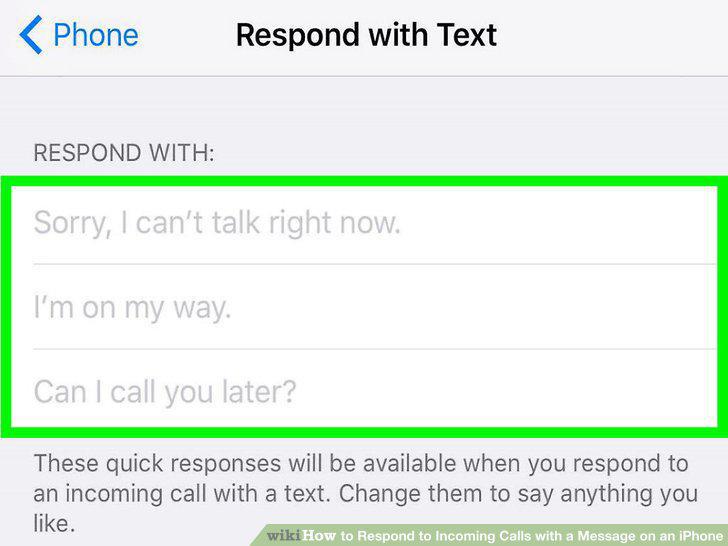
Tap one of the message fields.
9
Type the message you want to use.
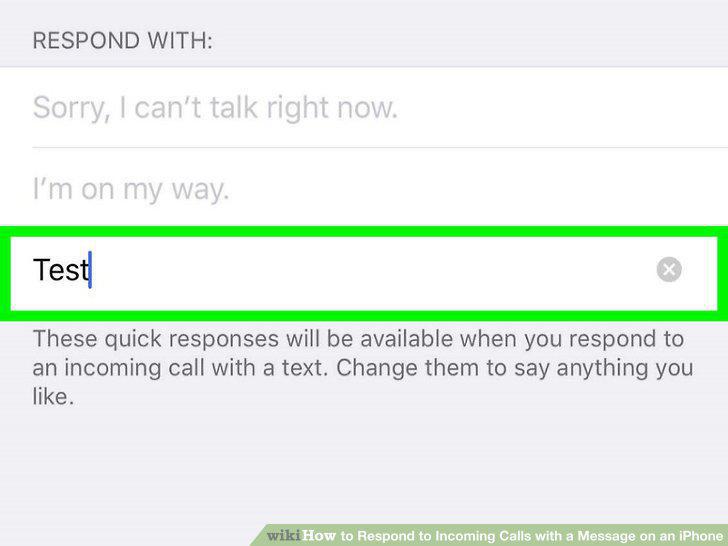
Type the message you want to use.
10
Tap the X to delete a custom message.
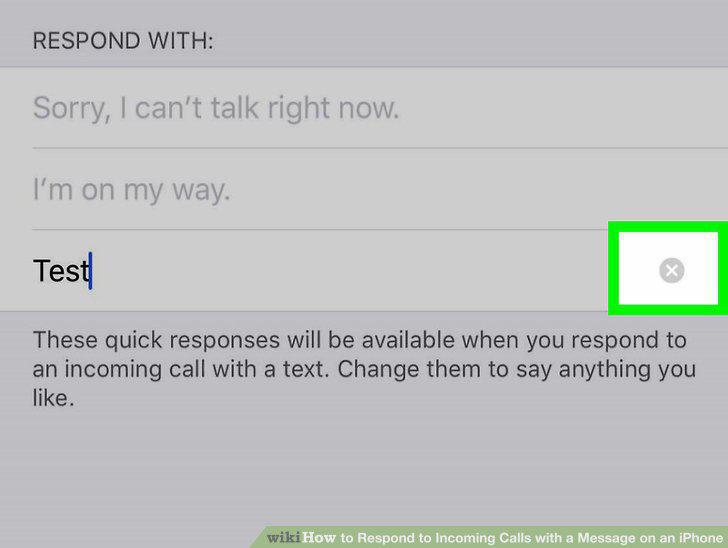
Tap the X to delete a custom message.
11
Tap your new messages when responding to a call.
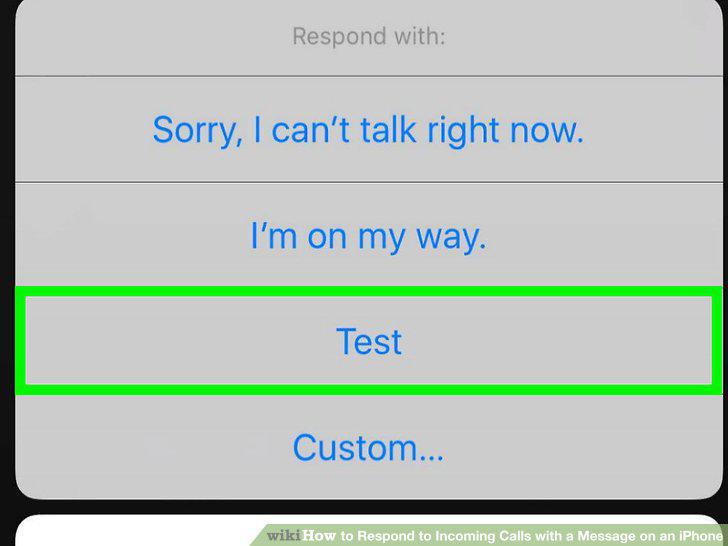
Tap your new messages when responding to a call.
Comments (0)
No comments yet. Be the first to share your thoughts!