How to Check Email with Telnet
Open the Command Prompt window.. Access Telnet.. Specify your user name.
Steps
1
Open the Command Prompt window.
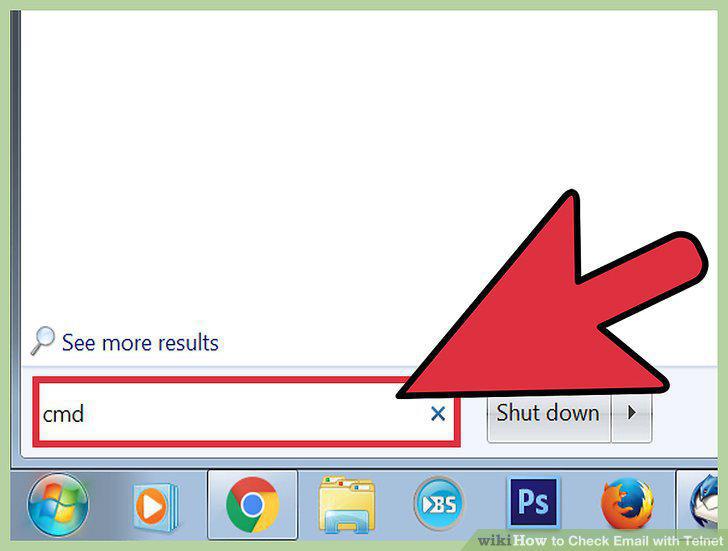
Open the Command Prompt window.
2
Access Telnet.
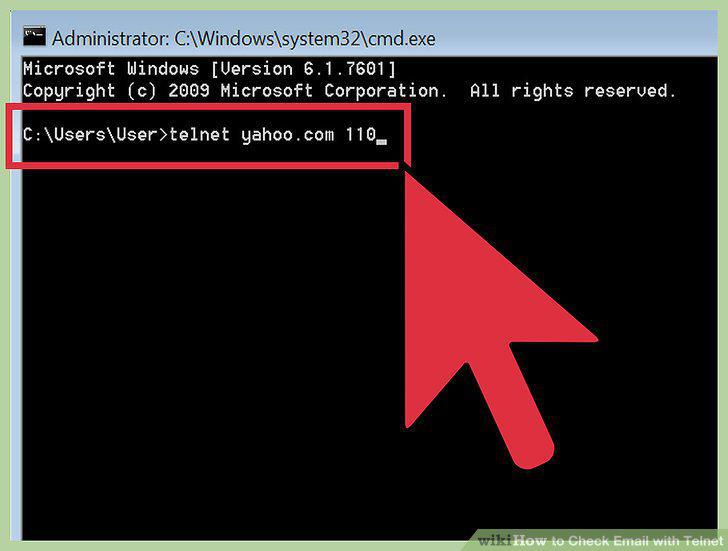
Access Telnet.
3
Specify your user name.
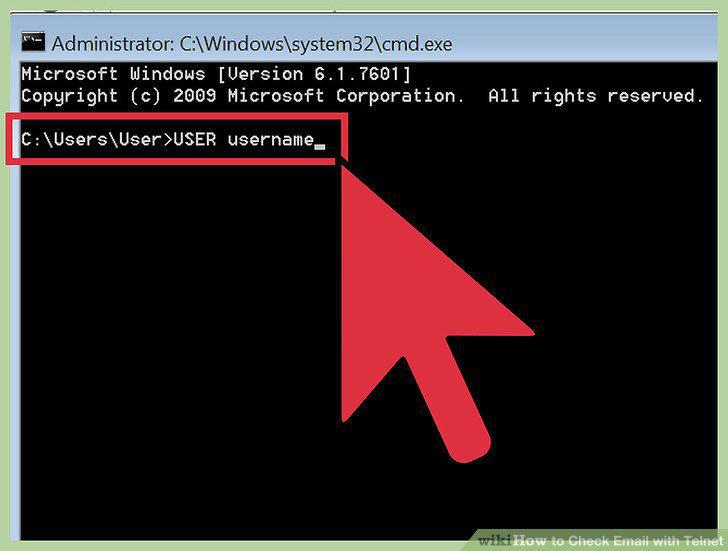
Specify your user name.
4
Input your password.
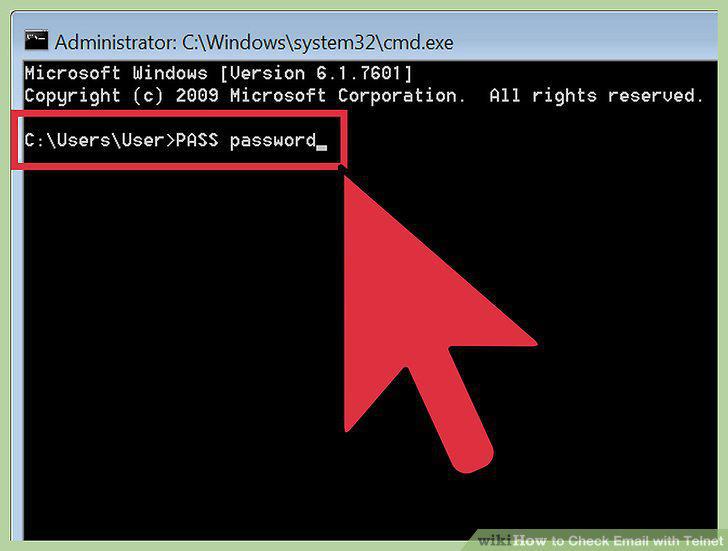
Input your password.
5
View a list of your messages.
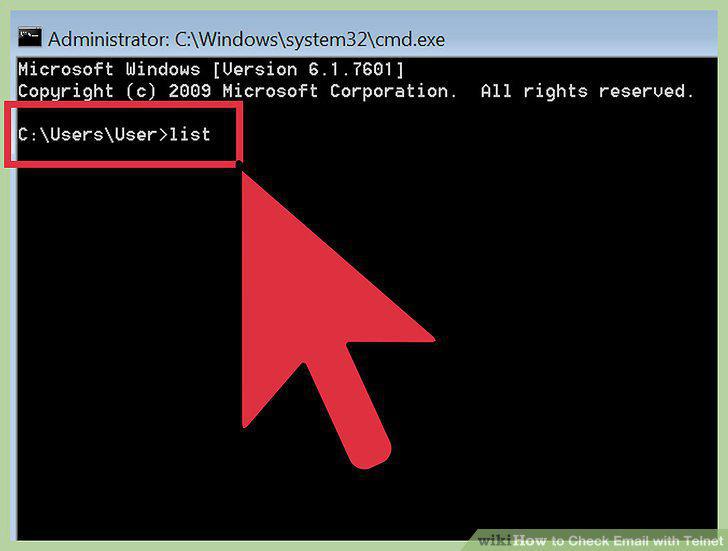
View a list of your messages.
6
View individual messages from this list.
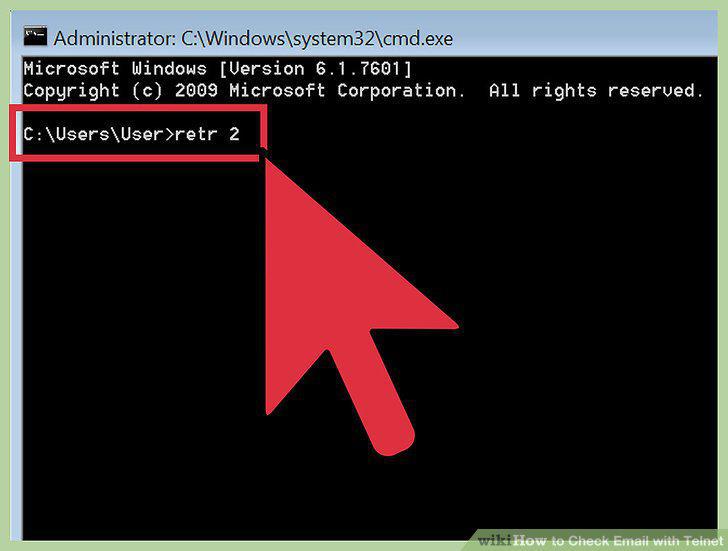
View individual messages from this list.
7
Delete messages you no longer want.
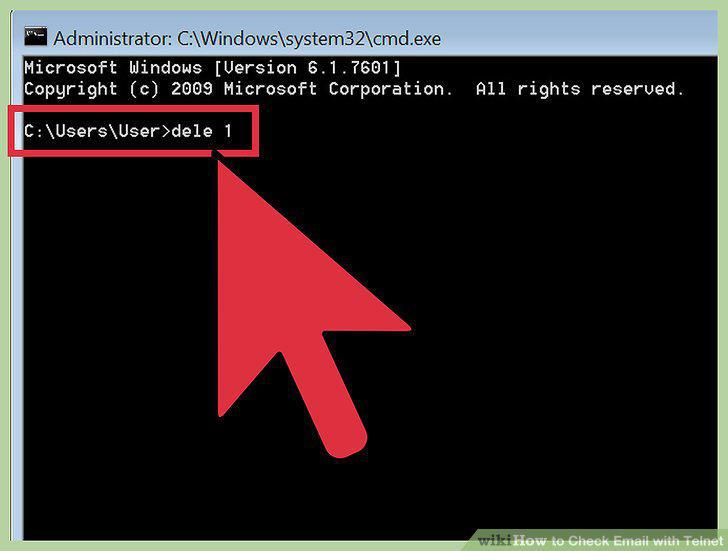
Delete messages you no longer want.
8
Disconnect when you are finished.
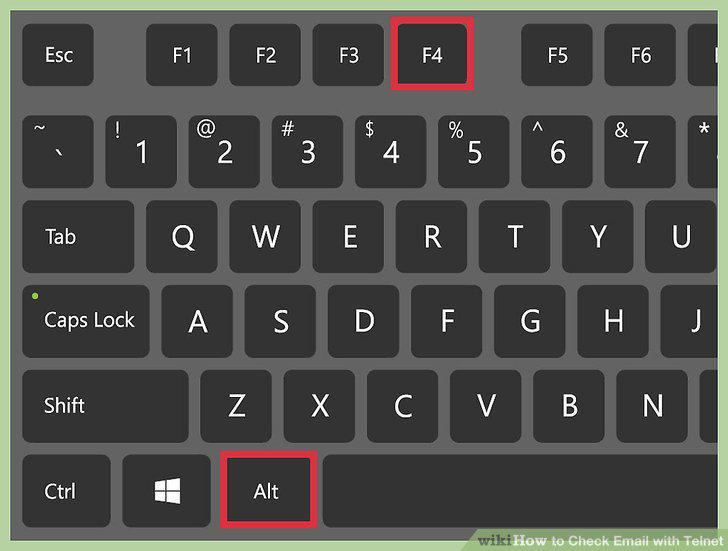
Disconnect when you are finished.
Comments (0)
No comments yet. Be the first to share your thoughts!