How to Convert MP4 to Mov
Open ConvertFiles.com in your internet browser.. Click the Browse button in the green box.. Upload the MP4 file you want to convert from your computer.
Steps
1
Open ConvertFiles.com in your internet browser.

Open ConvertFiles.com in your internet browser.
2
Click the Browse button in the green box.
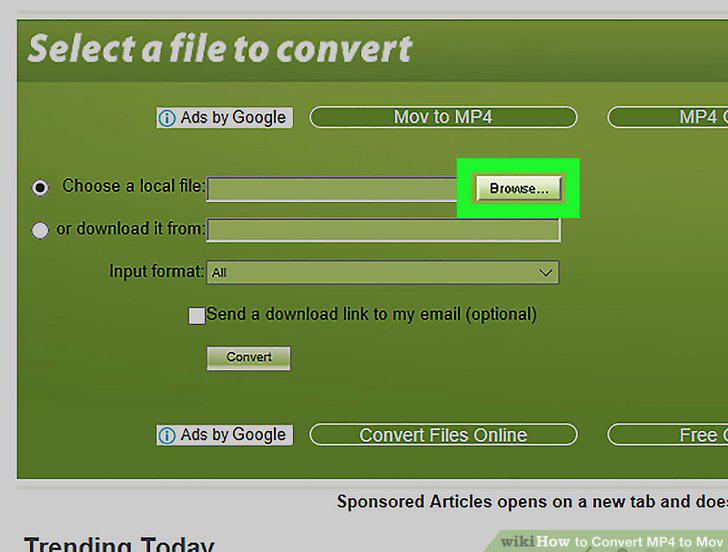
Click the Browse button in the green box.
3
Upload the MP4 file you want to convert from your computer.
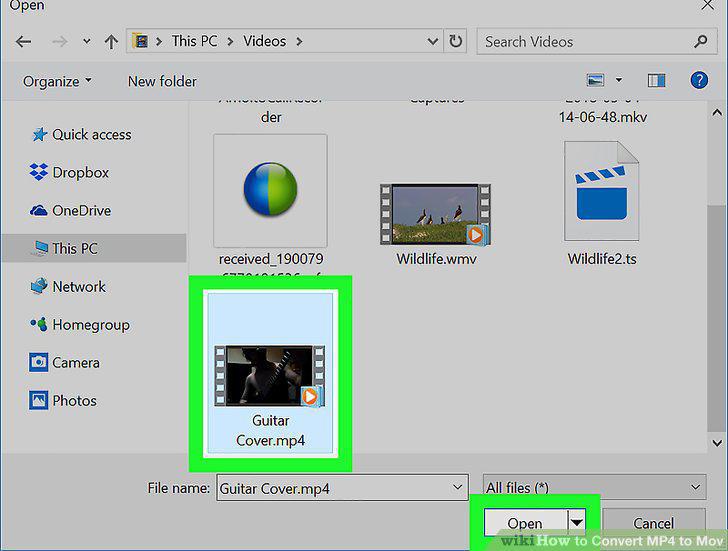
Upload the MP4 file you want to convert from your computer.
4
Select MPEG-4 Video File(.mp4) as Input format.
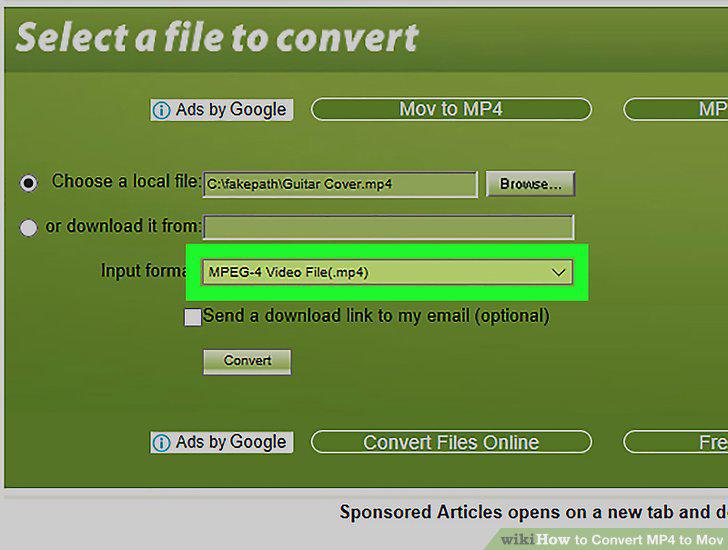
Select MPEG-4 Video File(.mp4) as Input format.
5
Select QuickTime Movie File(.mov) as Output format.
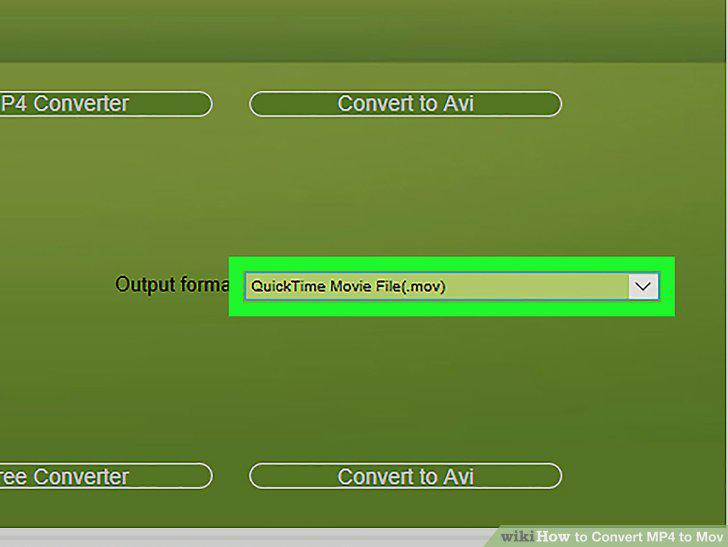
Select QuickTime Movie File(.mov) as Output format.
6
Click the Convert button.
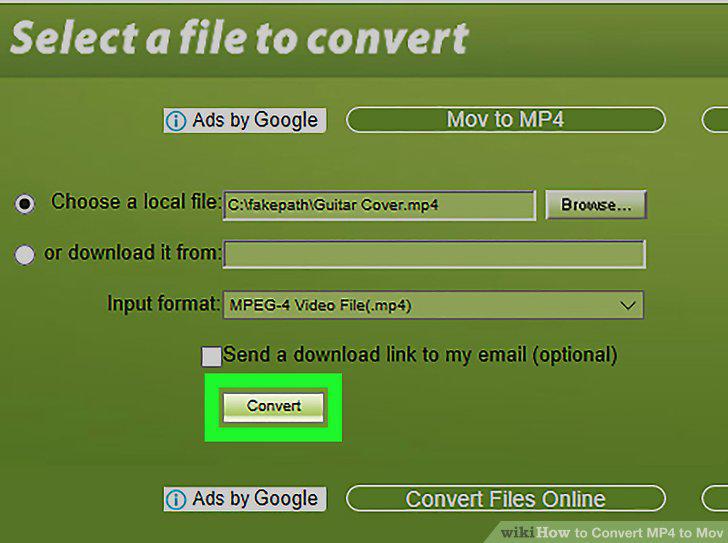
Click the Convert button.
7
Click the Click here to go to the download page link.
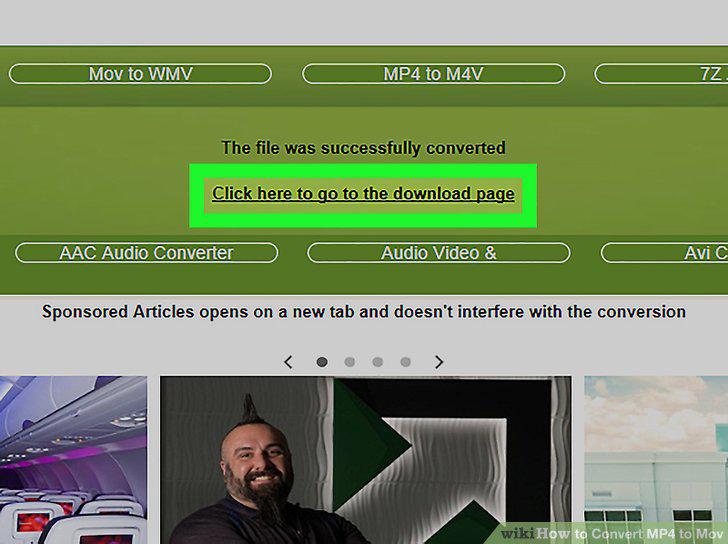
Click the Click here to go to the download page link.
8
Right-click the download link.

Right-click the download link.
9
Click Save Link As on the right-click menu.
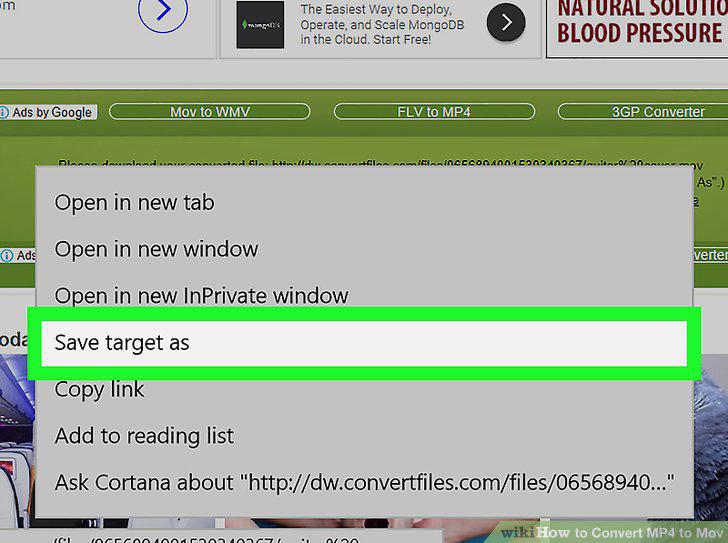
Click Save Link As on the right-click menu.
10
Click the Save button in the pop-up window.
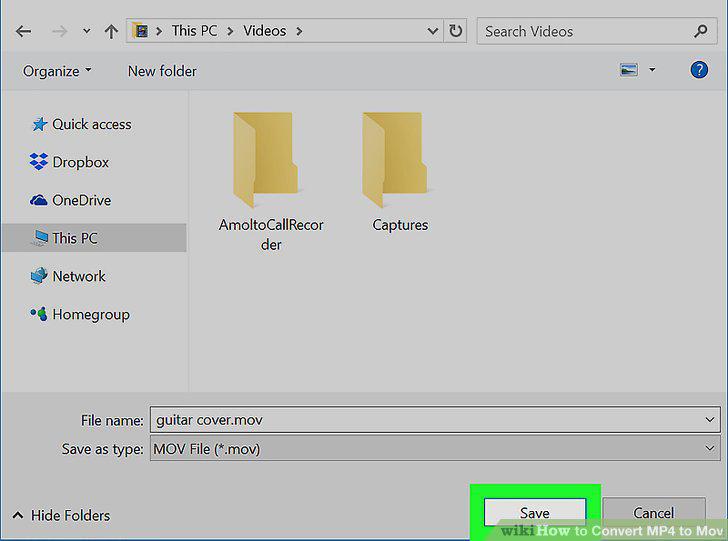
Click the Save button in the pop-up window.
Comments (0)
No comments yet. Be the first to share your thoughts!