How to Remove an App from the Mac Notification Center
Click on the Apple icon.. Click System Preferences.. Click the "Notifications" icon.
Steps
1
Click on the Apple icon.
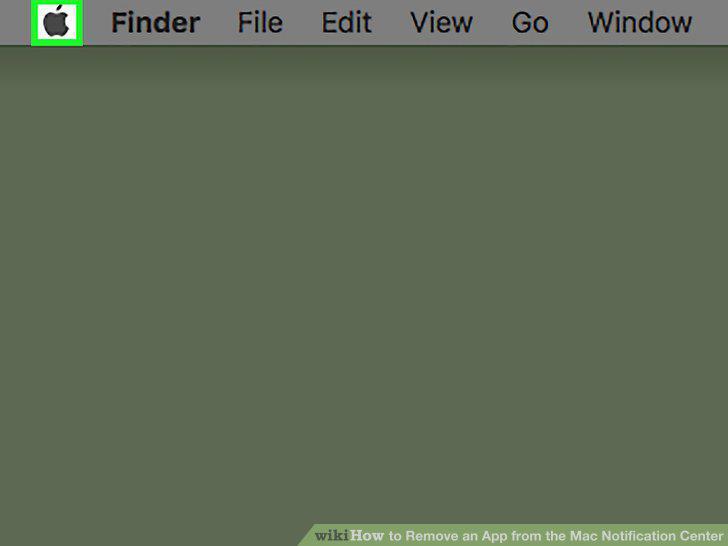
Click on the Apple icon.
2
Click System Preferences.
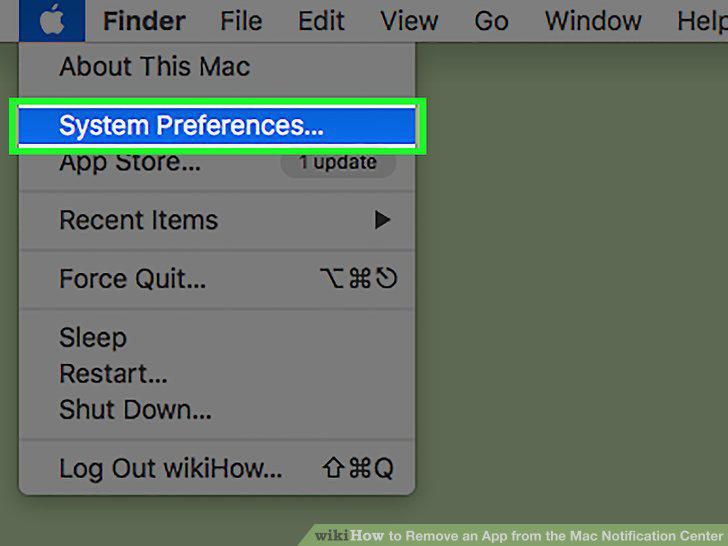
Click System Preferences.
3
Click the "Notifications" icon.
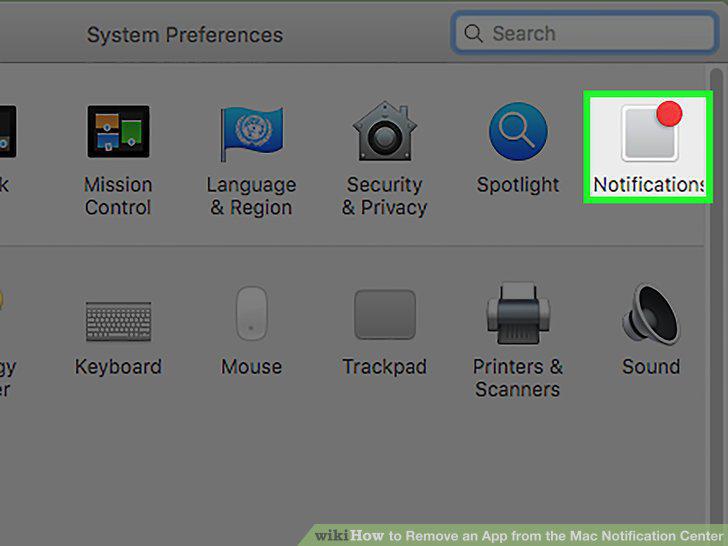
Click the "Notifications" icon.
4
Click on an app from the left side of the window.
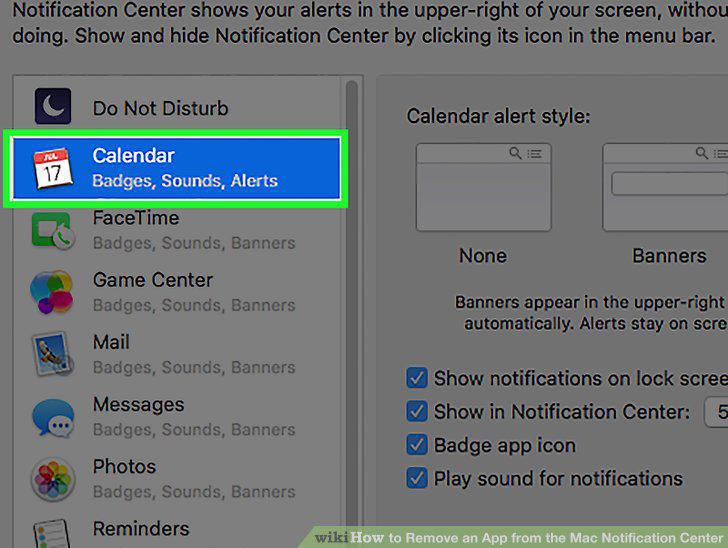
Click on an app from the left side of the window.
5
Click on the "Show in Notification Center" check box to uncheck it.
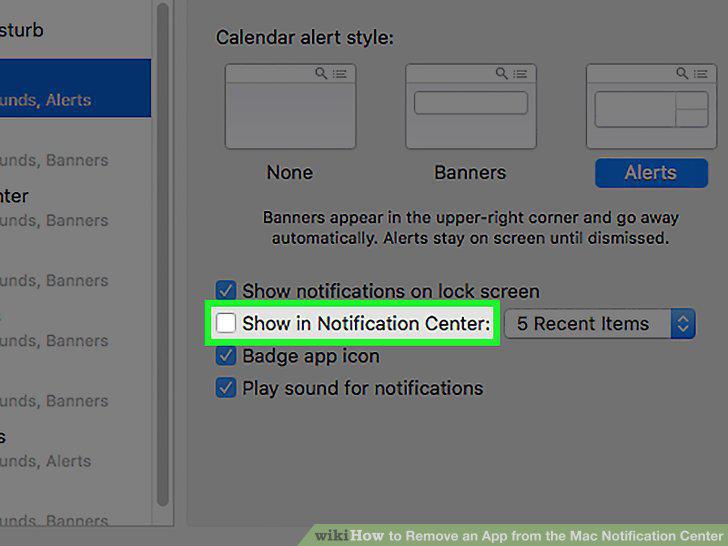
Click on the "Show in Notification Center" check box to uncheck it.
6
Click the red "x" button.
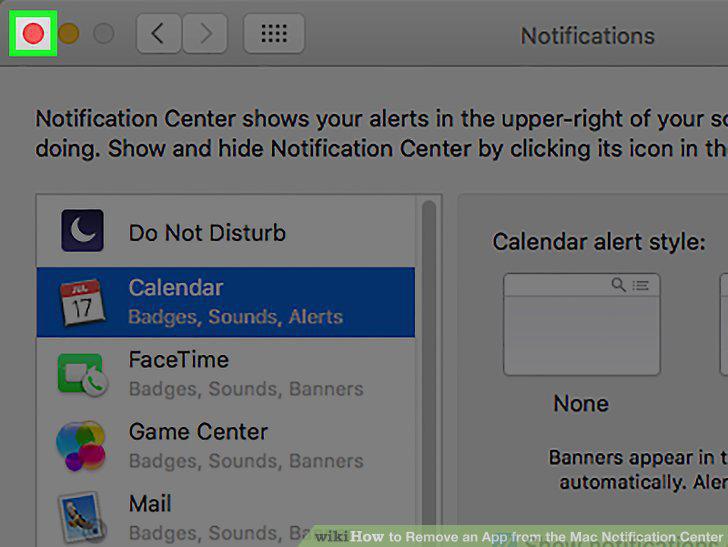
Click the red "x" button.
Comments (0)
No comments yet. Be the first to share your thoughts!