How to Add a Facebook Account to a Mac
Click the Apple menu.. Click System Preferences.. Click the Internet Accounts option.
Steps
1
Click the Apple menu.
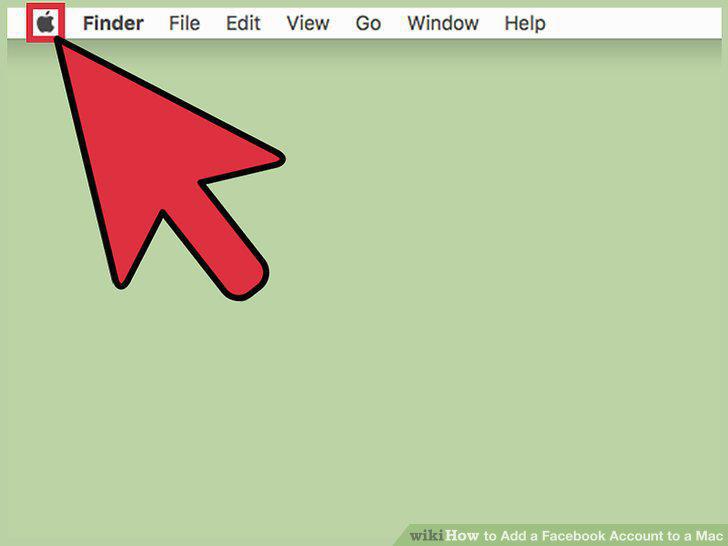
Click the Apple menu.
2
Click System Preferences.
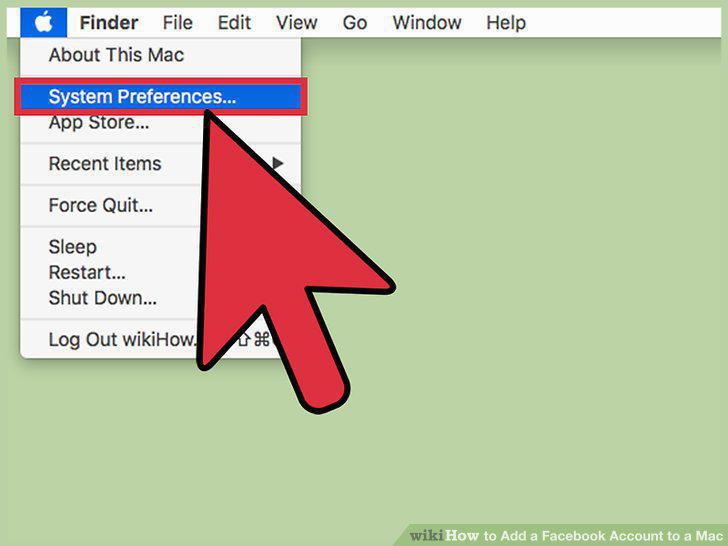
Click System Preferences.
3
Click the Internet Accounts option.
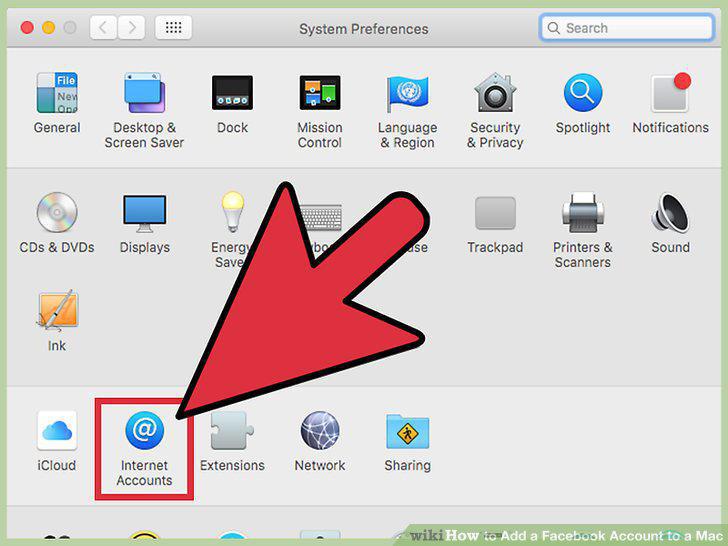
Click the Internet Accounts option.
4
Click the Facebook banner.
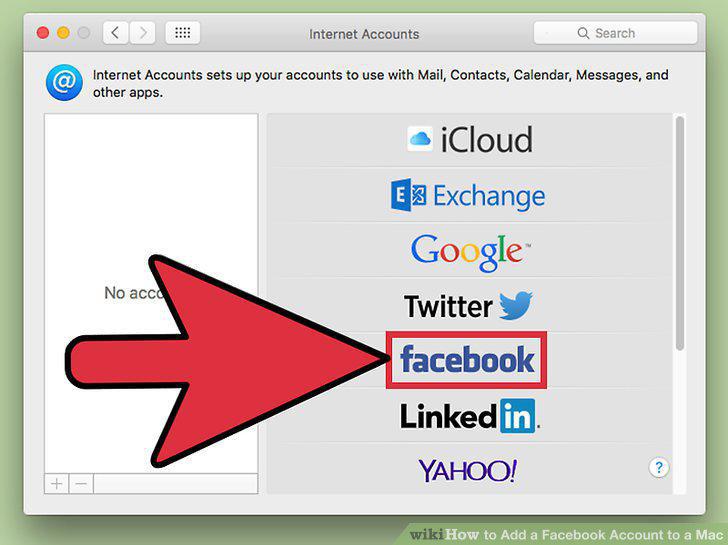
Click the Facebook banner.
5
Type your Facebook login email and password.
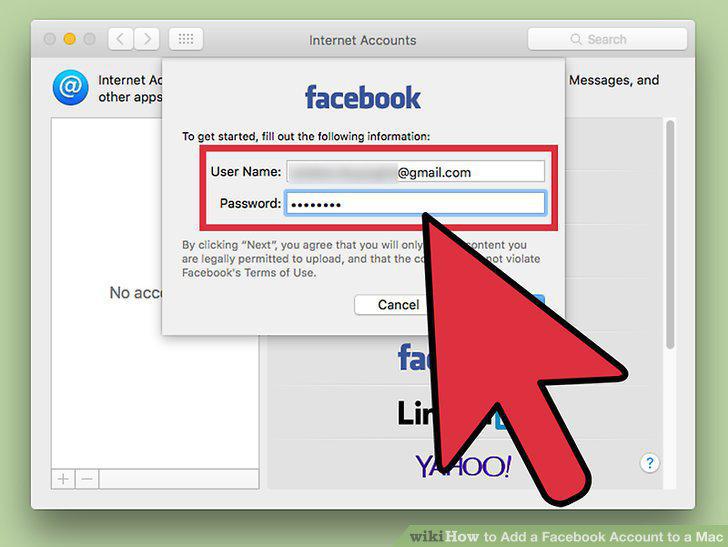
Type your Facebook login email and password.
6
Review the information that will be synced.
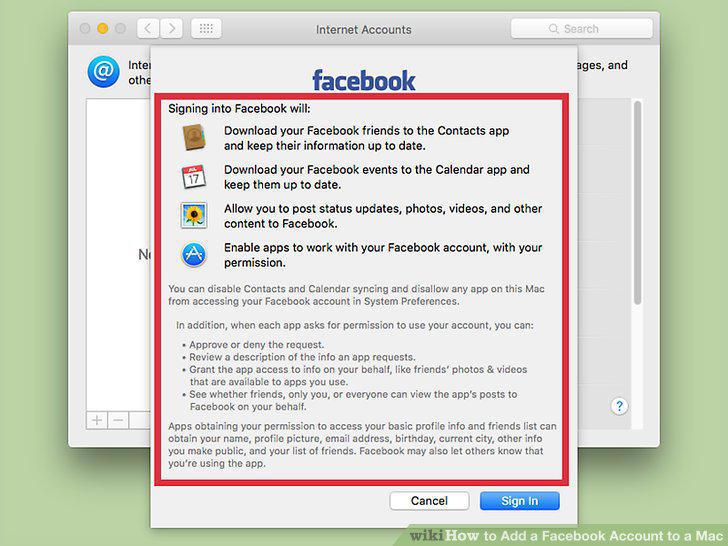
Review the information that will be synced.
7
Click Sign In to confirm.
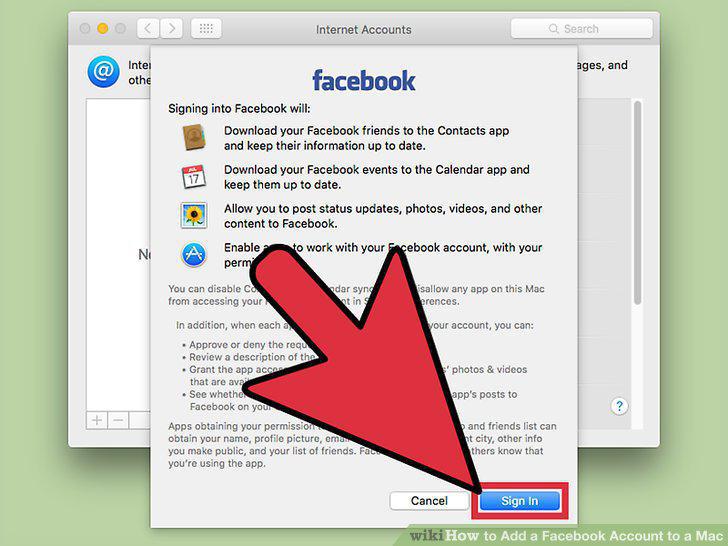
Click Sign In to confirm.
8
Click the Contacts box to toggle contact syncing.
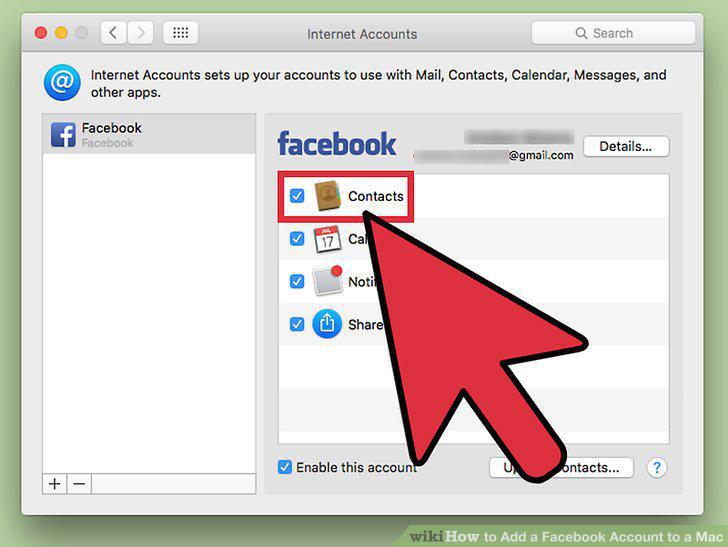
Click the Contacts box to toggle contact syncing.
9
Click the Calendar box to toggle Facebook events.
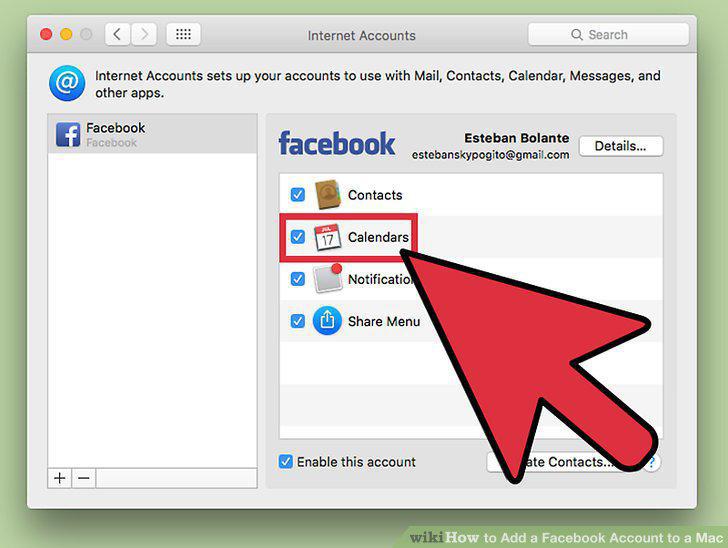
Click the Calendar box to toggle Facebook events.
Comments (0)
No comments yet. Be the first to share your thoughts!