How to Download Skype for Mac
Navigate to https://www.skype.com/en/get-skype/ in a web browser.. Click Get Skype for Mac.. Double-click the installer you just downloaded.
Steps
1
Navigate to https://www.skype.com/en/get-skype/ in a web browser.

Navigate to https://www.skype.com/en/get-skype/ in a web browser.
2
Click Get Skype for Mac.
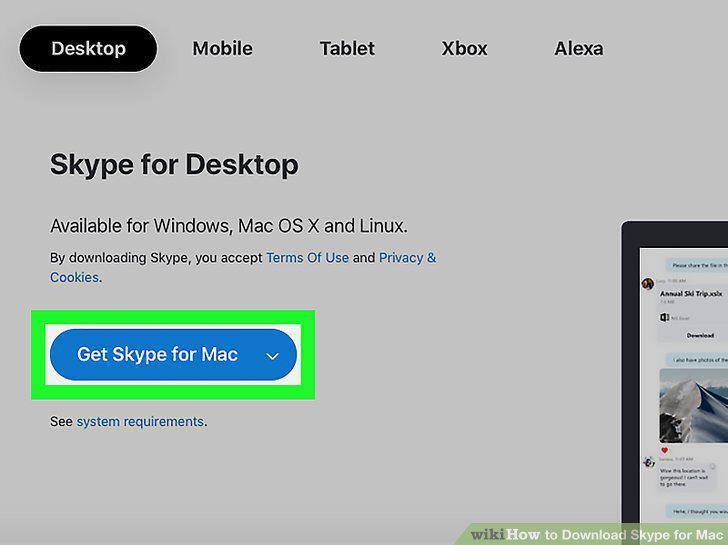
Click Get Skype for Mac.
3
Double-click the installer you just downloaded.
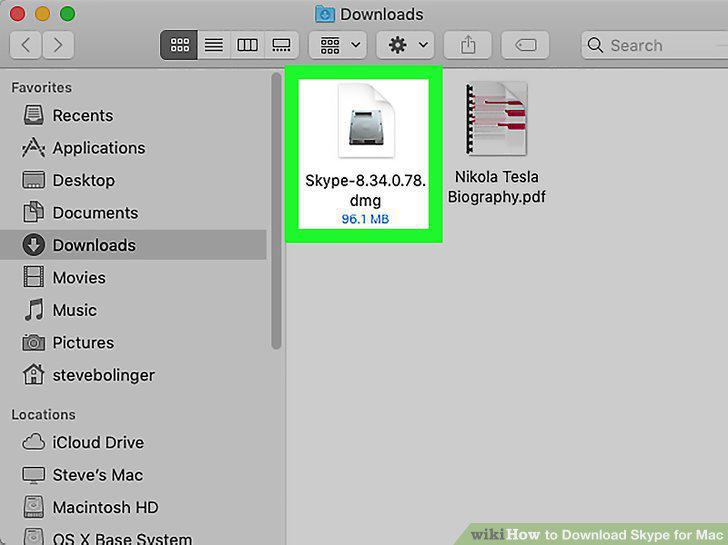
Double-click the installer you just downloaded.
4
Drag the Skype icon to the "Applications" folder.
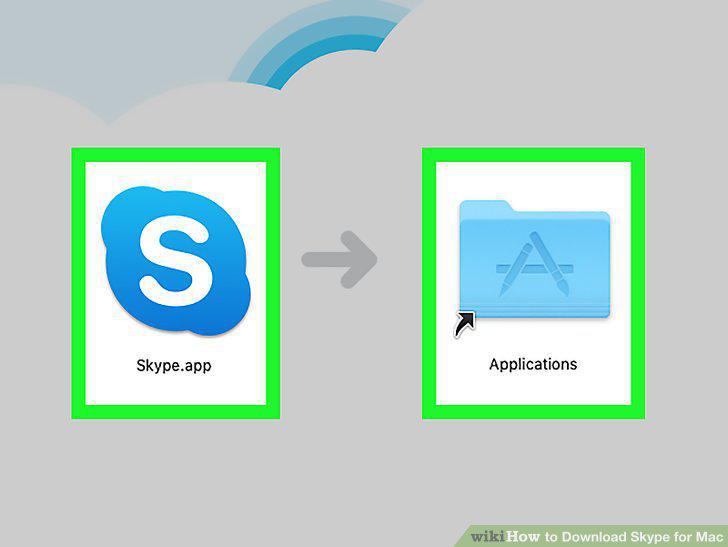
Drag the Skype icon to the "Applications" folder.
5
Open Skype.
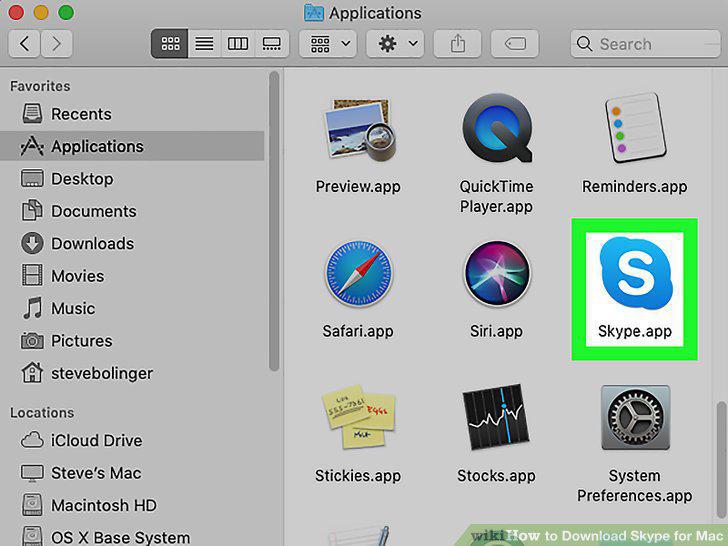
Open Skype.
6
Follow the on-screen instructions to sign in.

Follow the on-screen instructions to sign in.
Comments (0)
No comments yet. Be the first to share your thoughts!