How to Uninstall Facebook on iPhone or iPad
Tap and hold the Facebook icon on the home screen.. Lift your finger from the screen.. Tap the x on Facebook.
Steps
1
Tap and hold the Facebook icon on the home screen.
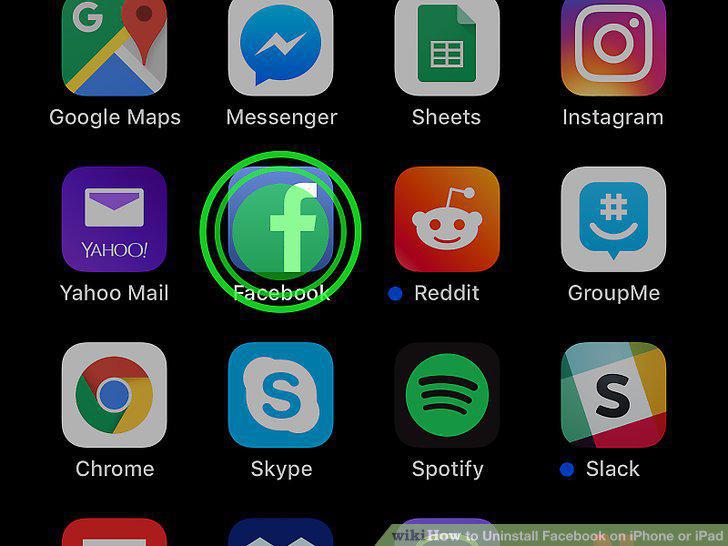
Tap and hold the Facebook icon on the home screen.
2
Lift your finger from the screen.
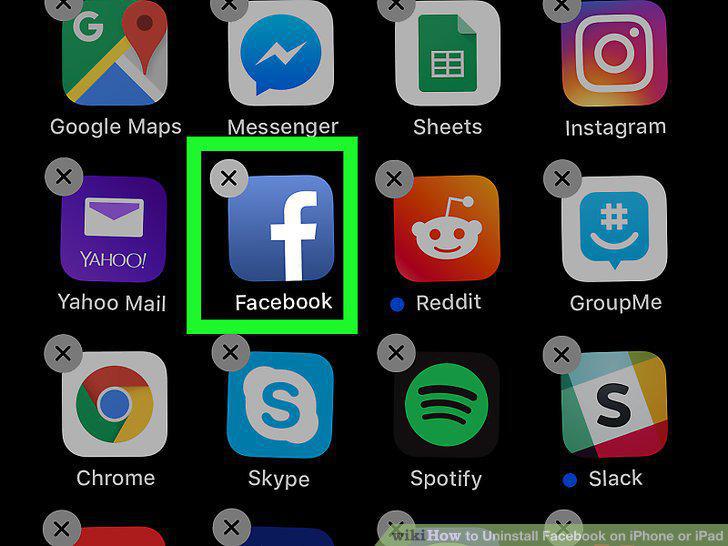
Lift your finger from the screen.
3
Tap the x on Facebook.
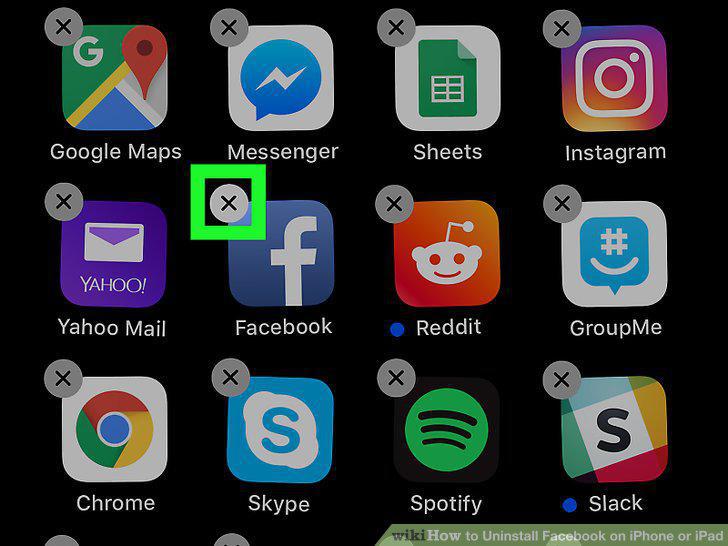
Tap the x on Facebook.
4
Tap Delete.
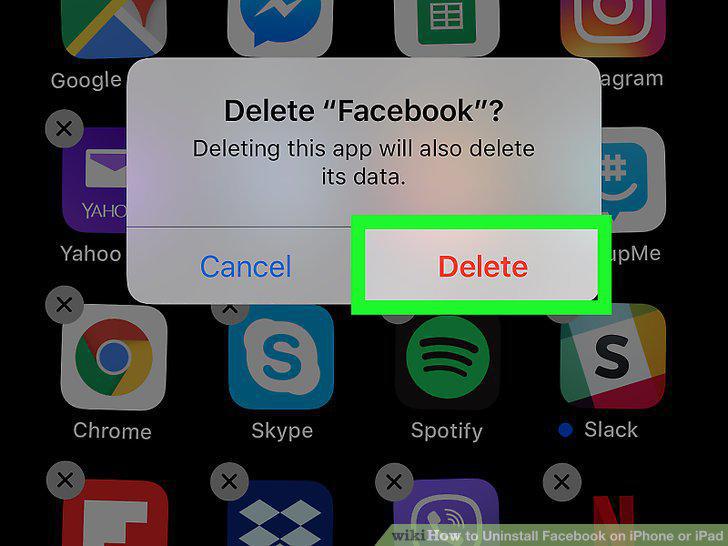
Tap Delete.
5
Press the Home button.
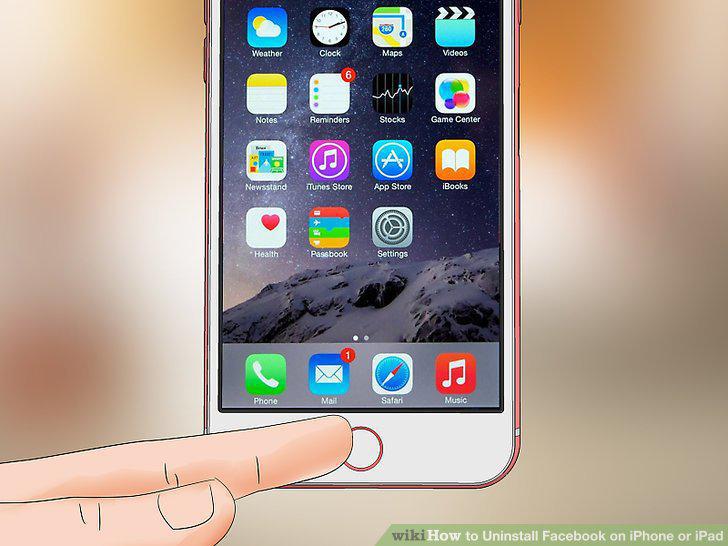
Press the Home button.
6
Open your iPhone or iPad's Settings .
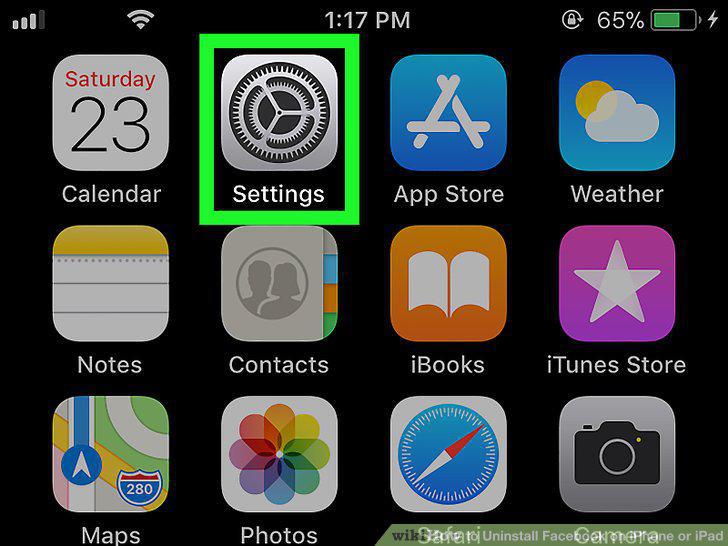
Open your iPhone or iPad's Settings .
7
Scroll down and tap General.
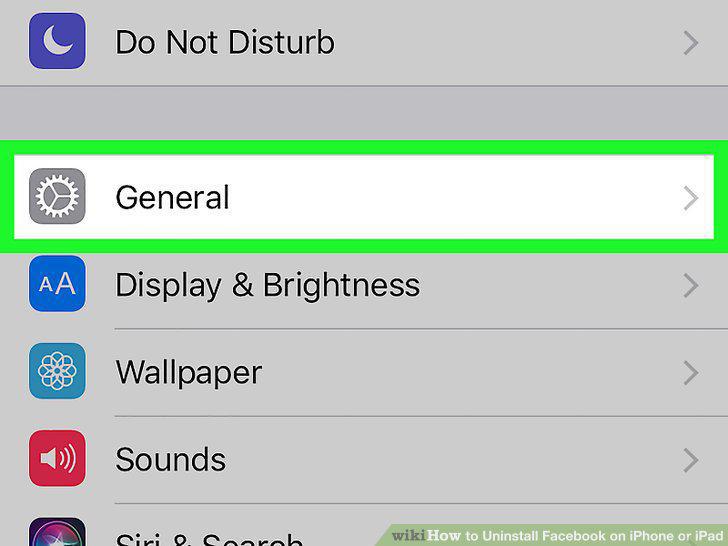
Scroll down and tap General.
8
Tap iPhone Storage.
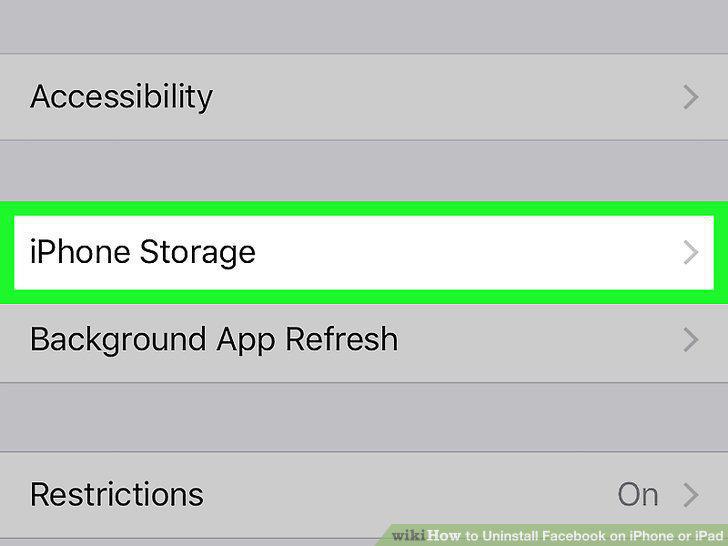
Tap iPhone Storage.
9
Scroll down and tap Facebook.
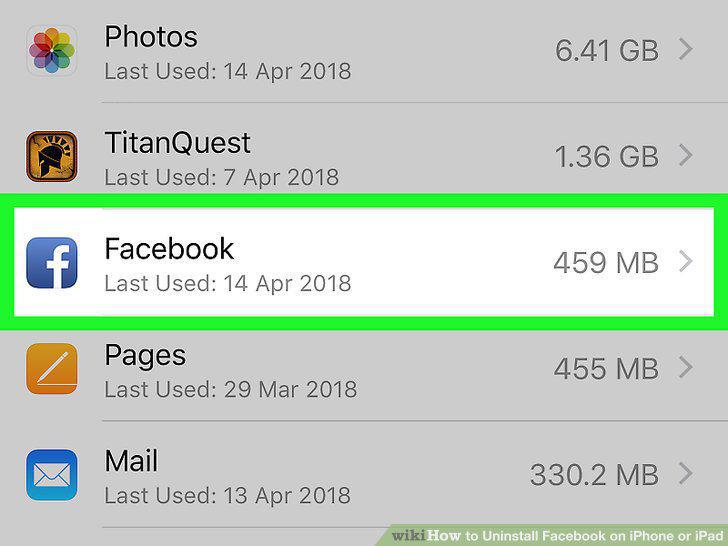
Scroll down and tap Facebook.
10
Tap Offload App.
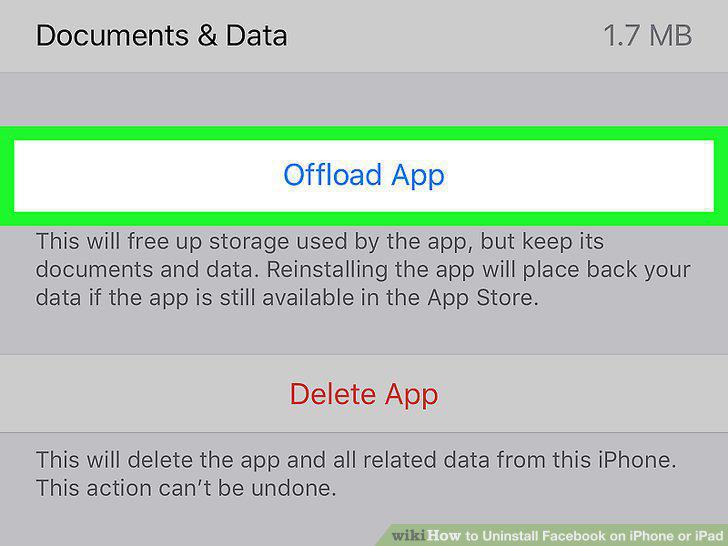
Tap Offload App.
11
Tap Offload App.
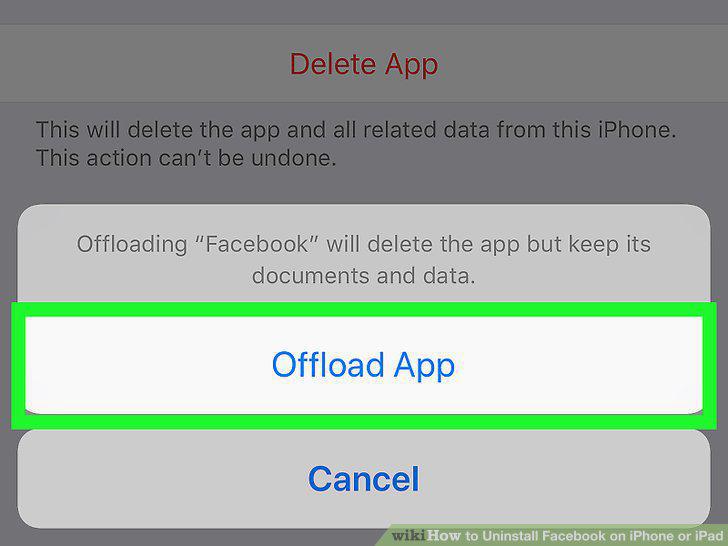
Tap Offload App.
Comments (0)
No comments yet. Be the first to share your thoughts!