How to Cite Nber Working Papers
Start your Works Cited entry with the name of the author.. Provide the title of the paper in quotation marks.. Add publication information for the working paper.
Steps
Start your Works Cited entry with the name of the author.

Start your Works Cited entry with the name of the author.
Provide the title of the paper in quotation marks.

Provide the title of the paper in quotation marks.
Add publication information for the working paper.

Add publication information for the working paper.
Use the "optional element" slot to identify the source as a working paper.

Use the "optional element" slot to identify the source as a working paper.
Provide the author and page number for in-text citations.

Provide the author and page number for in-text citations.
Start your Reference List entry with the name of the author or authors.

Start your Reference List entry with the name of the author or authors.
Provide the year the paper was published.
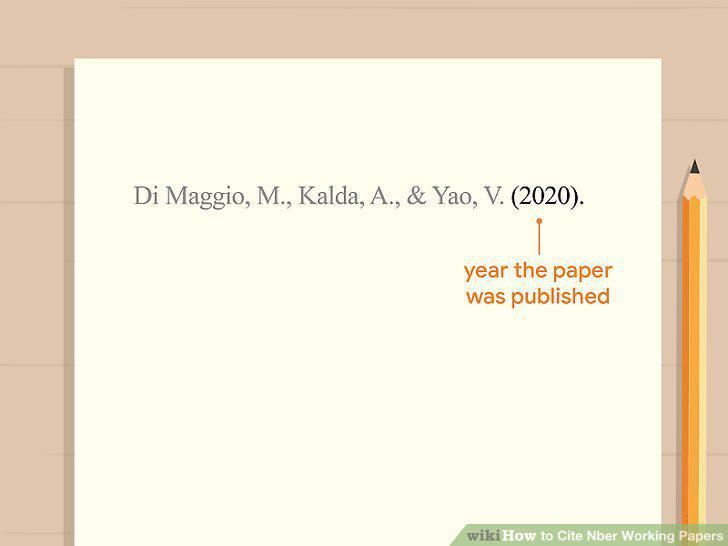
Provide the year the paper was published.
Add the title and number of the paper.

Add the title and number of the paper.
Close with the name of the NBER and the URL.

Close with the name of the NBER and the URL.
Use the author and the date for in-text citations.

Use the author and the date for in-text citations.
Start your Bibliography entry with the author's last name.

Start your Bibliography entry with the author's last name.
Include the title of the working paper in quotation marks.

Include the title of the working paper in quotation marks.
Provide the type of working paper it is, including the number.

Provide the type of working paper it is, including the number.
Close your entry with the URL for the paper and date of access.

Close your entry with the URL for the paper and date of access.
Adjust the punctuation and name order for footnotes and add the page number.

Adjust the punctuation and name order for footnotes and add the page number.
Comments (0)
No comments yet. Be the first to share your thoughts!