How to Edit Legend Entries in Excel
Open the Excel spreadsheet file you want to edit.. Click on the chart you want to edit.. Click the Design tab.
Steps
1
Open the Excel spreadsheet file you want to edit.
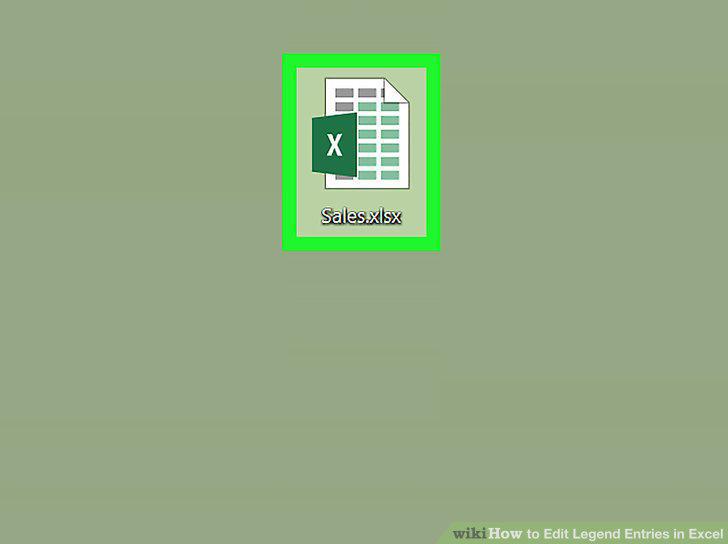
Open the Excel spreadsheet file you want to edit.
2
Click on the chart you want to edit.
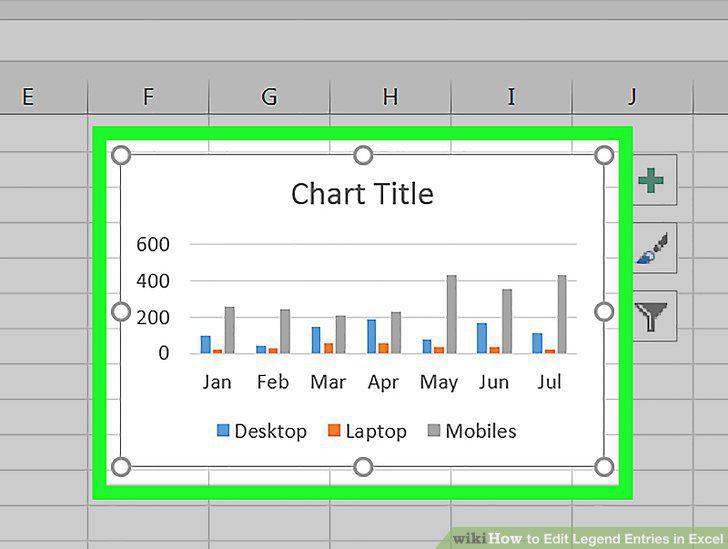
Click on the chart you want to edit.
3
Click the Design tab.
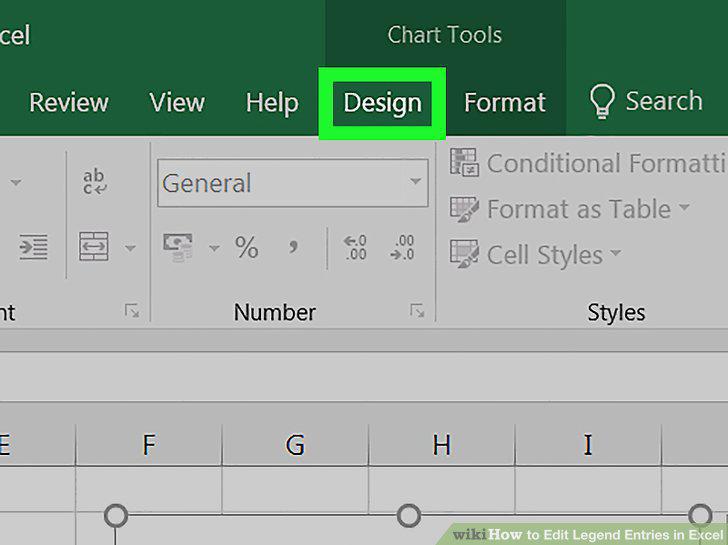
Click the Design tab.
4
Click Select Data in the Design toolbar.
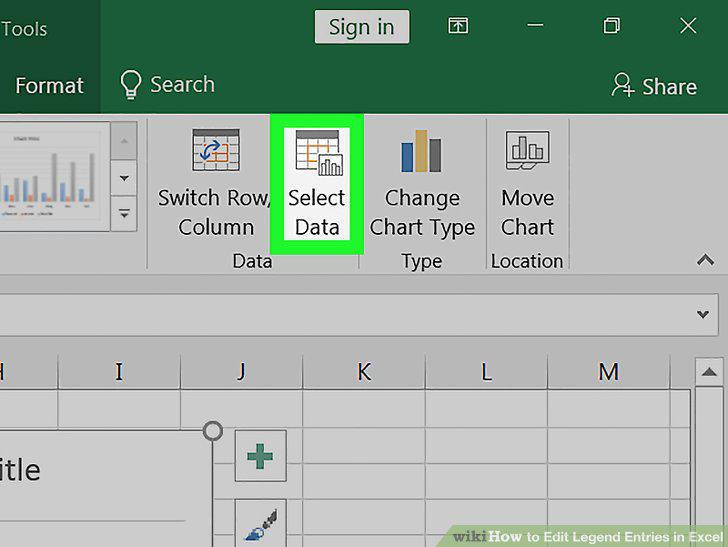
Click Select Data in the Design toolbar.
5
Select a legend entry in the "Legend entries (Series)" box.
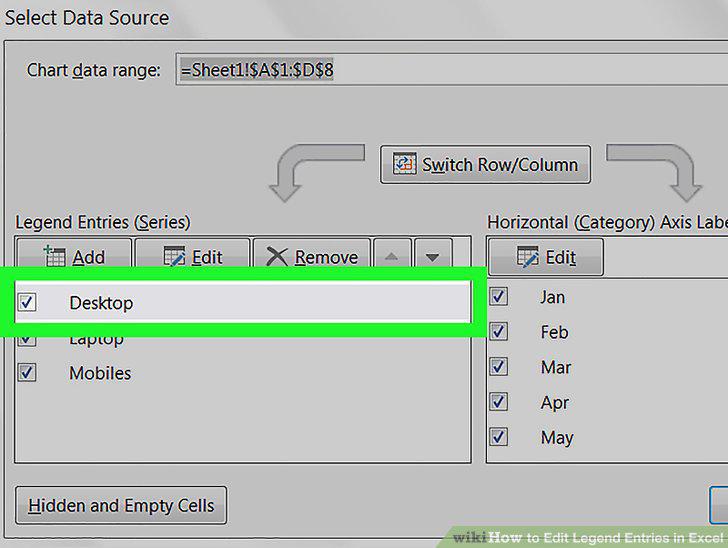
Select a legend entry in the "Legend entries (Series)" box.
6
Click the Edit button.
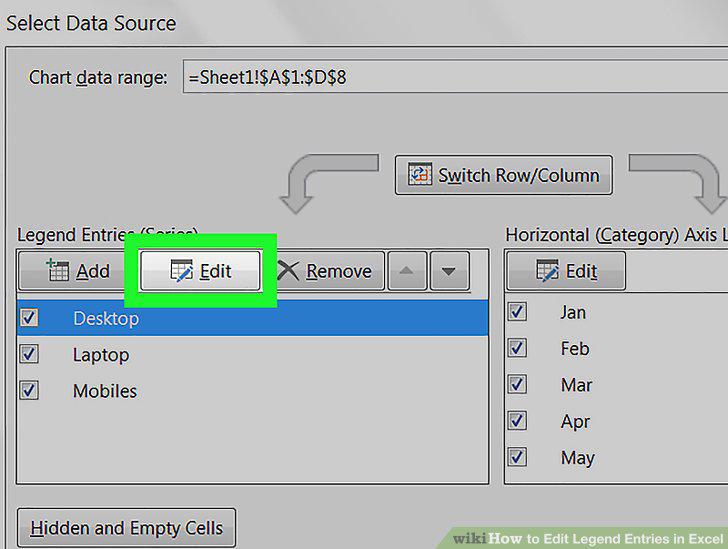
Click the Edit button.
7
Type in a new entry name into the Series Name box.
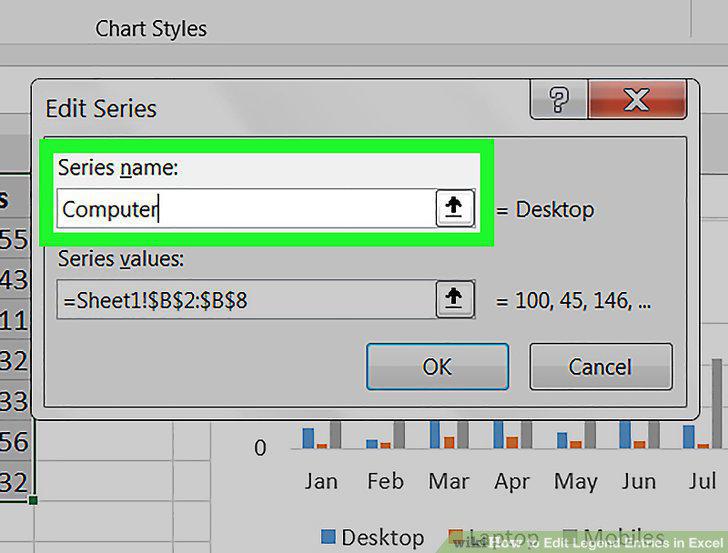
Type in a new entry name into the Series Name box.
8
Enter a new chart value into the Y values box.
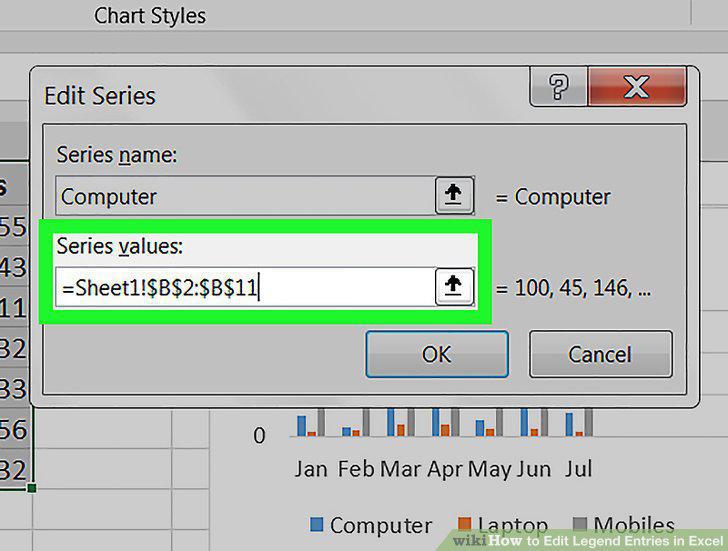
Enter a new chart value into the Y values box.
9
Click the OK button.
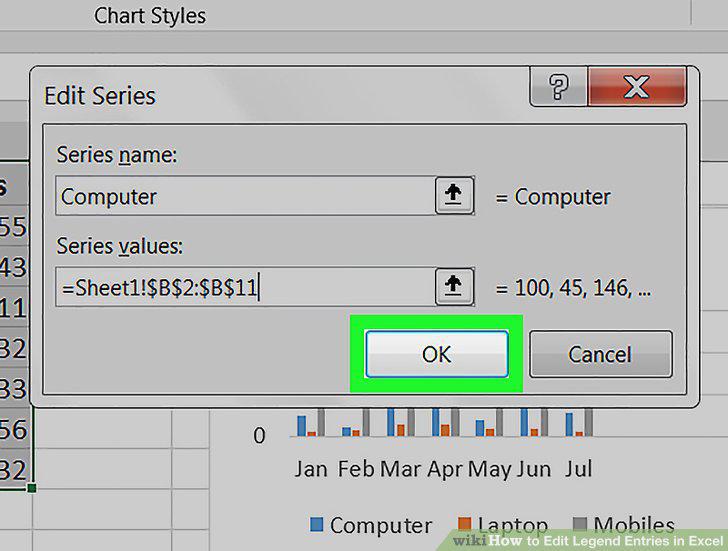
Click the OK button.
Comments (0)
No comments yet. Be the first to share your thoughts!