How to Import Xyz Coordinates from Excel to AutoCAD
Open your project in Excel.. Select and copy your data.. Paste the copied data to a Notepad or TextEdit file.
Steps
1
Open your project in Excel.

Open your project in Excel.
2
Select and copy your data.
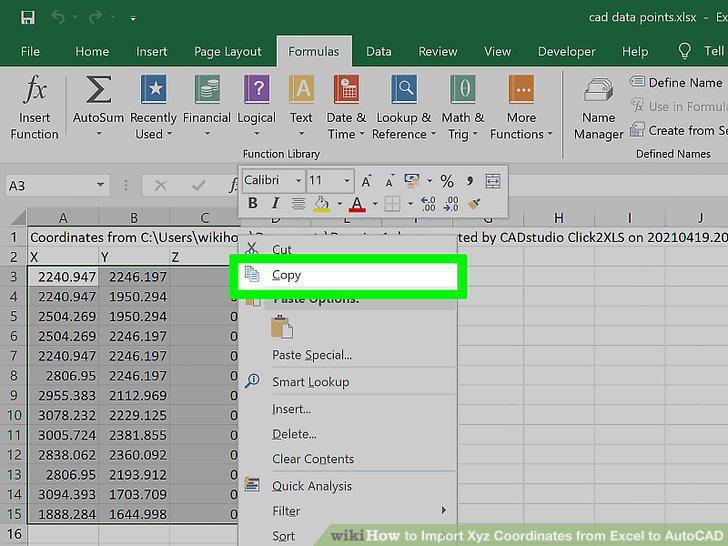
Select and copy your data.
3
Paste the copied data to a Notepad or TextEdit file.
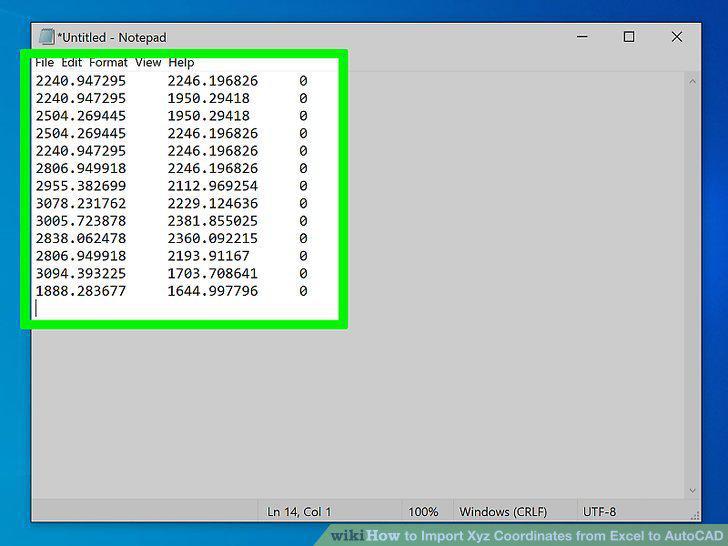
Paste the copied data to a Notepad or TextEdit file.
4
Use the "Find and Replace" tool to get rid of the spaces.
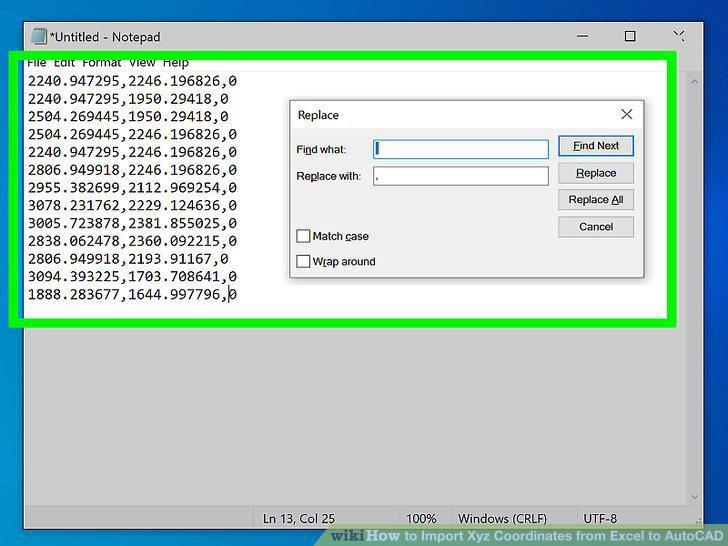
Use the "Find and Replace" tool to get rid of the spaces.
5
Add "_MULTIPLE _POINT" to the top of the list.
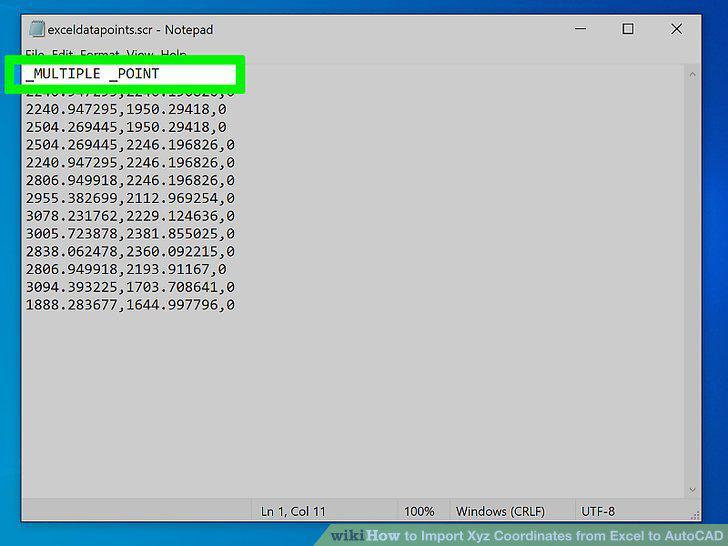
Add "_MULTIPLE _POINT" to the top of the list.
6
Save the file as an SCR file.
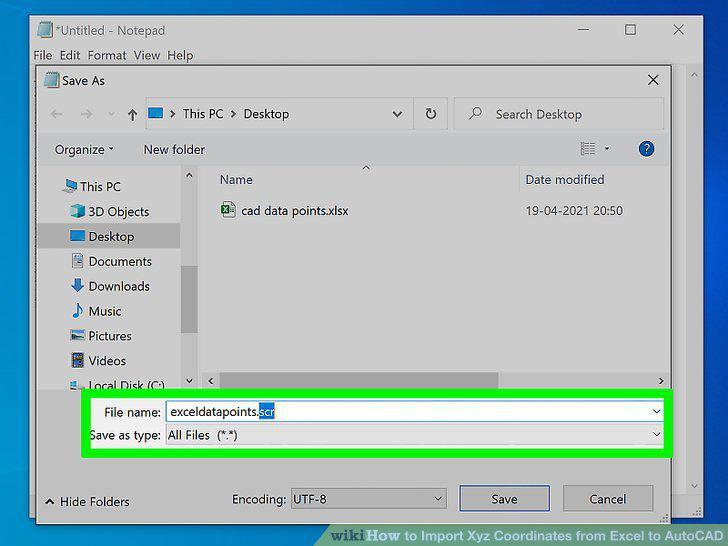
Save the file as an SCR file.
7
Open AutoCAD.
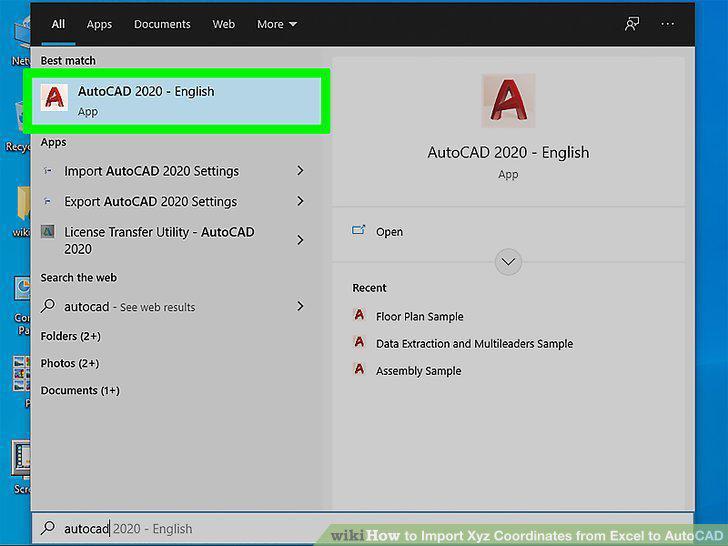
Open AutoCAD.
8
Type "SCR" and press Enter or Return.
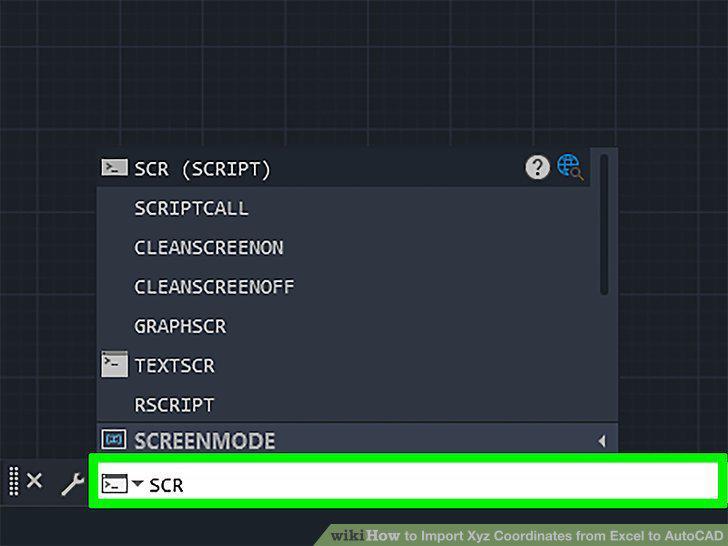
Type "SCR" and press Enter or Return.
9
Navigate to and double-click your SCR file.
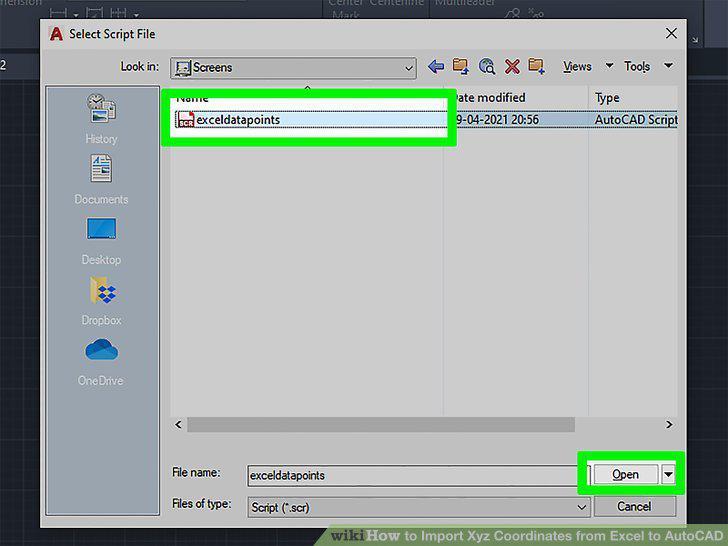
Navigate to and double-click your SCR file.
10
Press Esc and double-click your mouse in the drawing area.
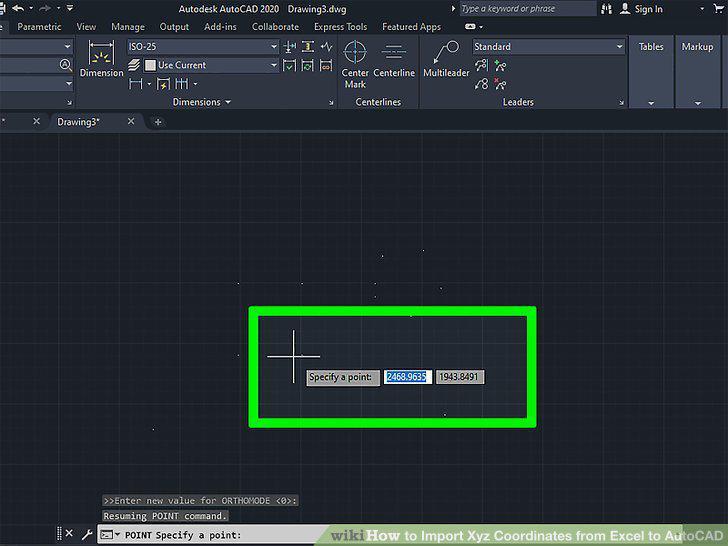
Press Esc and double-click your mouse in the drawing area.
Comments (0)
No comments yet. Be the first to share your thoughts!