How to Shrink a Photo in iPhoto
Open the photo you wish to compress.. Export your photos.. Wait for a window to appear.
Steps
1
Open the photo you wish to compress.
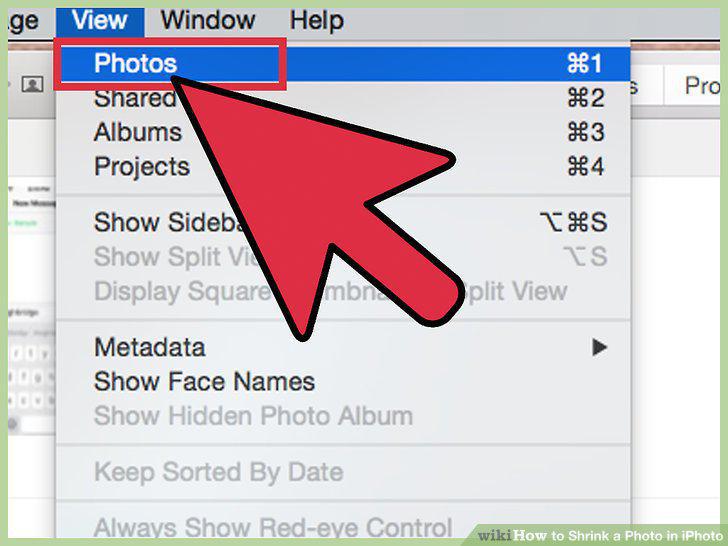
Open the photo you wish to compress.
2
Export your photos.
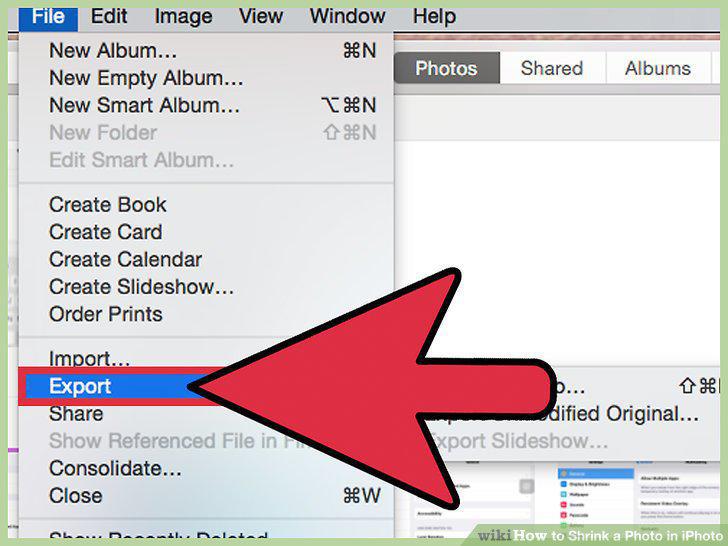
Export your photos.
3
Wait for a window to appear.
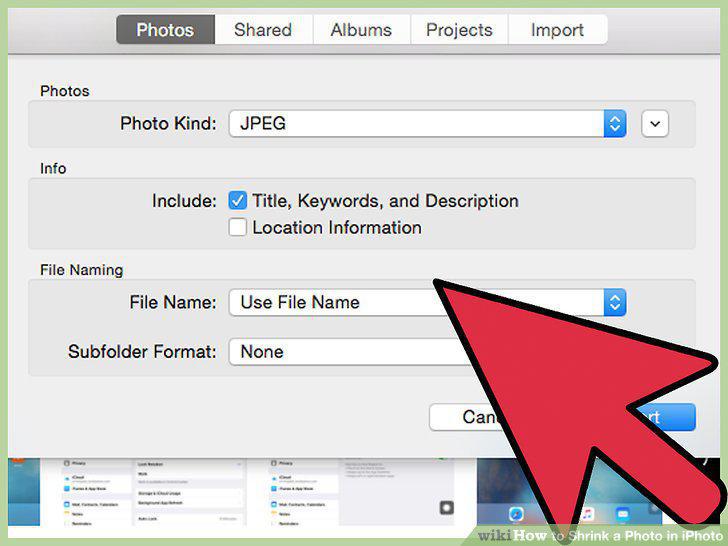
Wait for a window to appear.
4
Select a size.
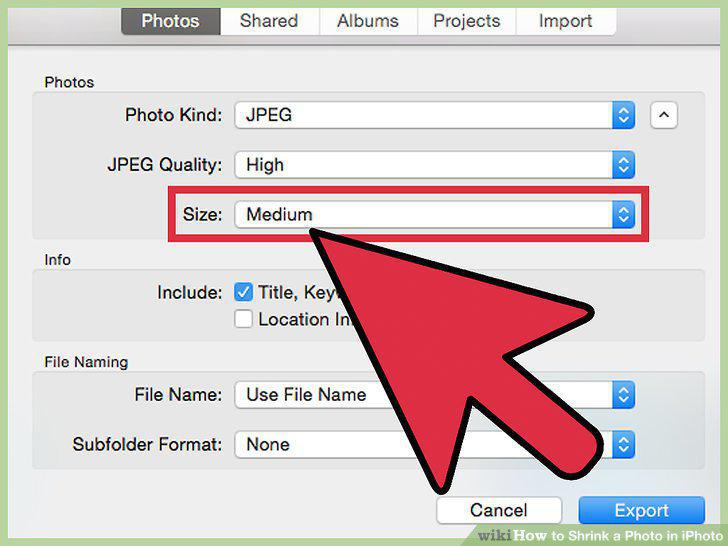
Select a size.
5
Select "Export.
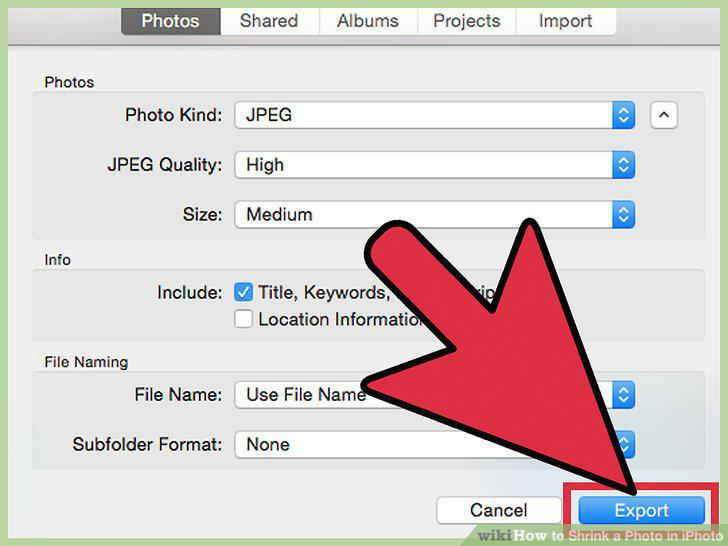
Select "Export.
6
Import the newly sized photos.
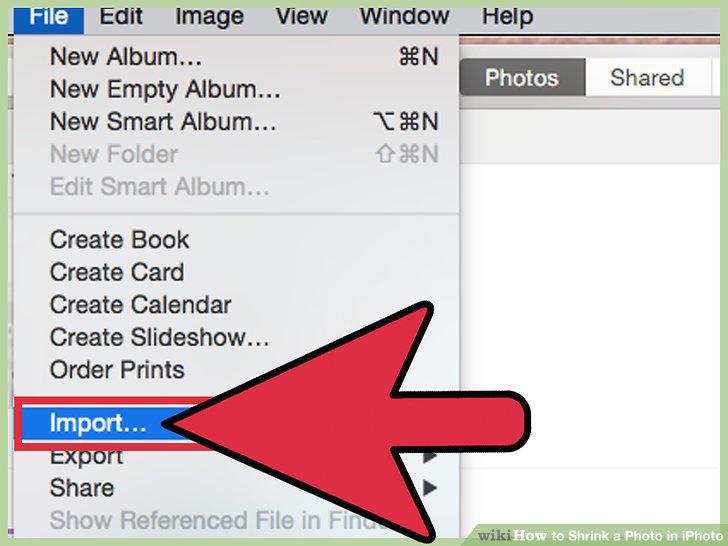
Import the newly sized photos.
7
Open the photo you wish to compress.
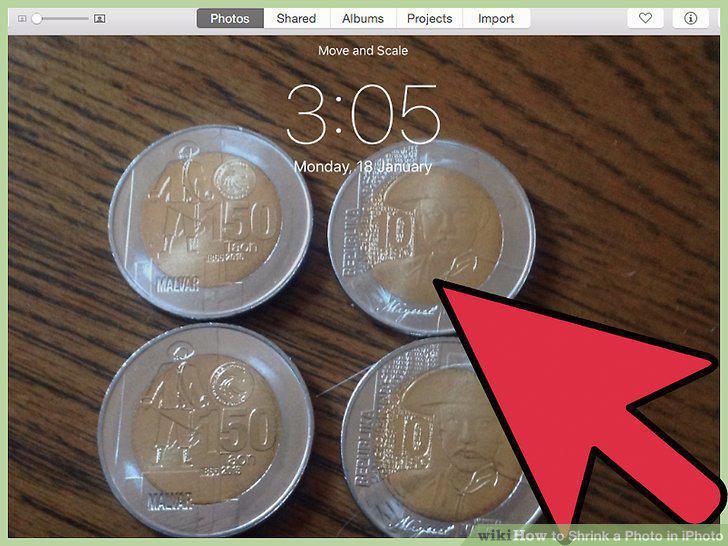
Open the photo you wish to compress.
8
Share your photo.
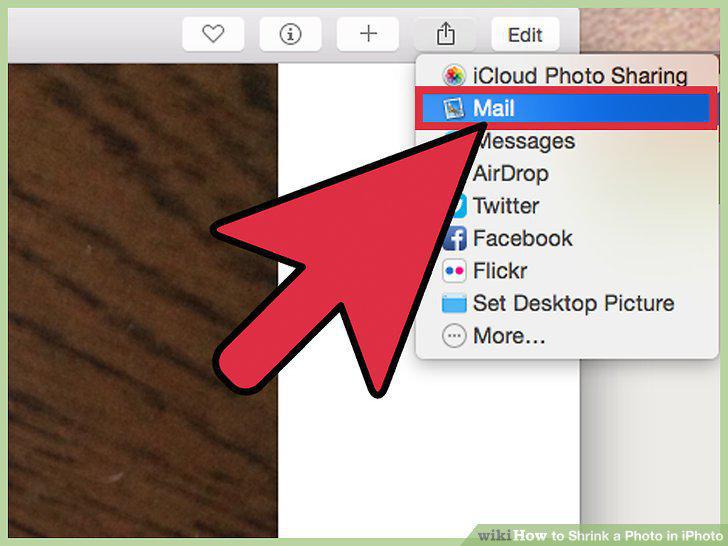
Share your photo.
9
Resize your photo.
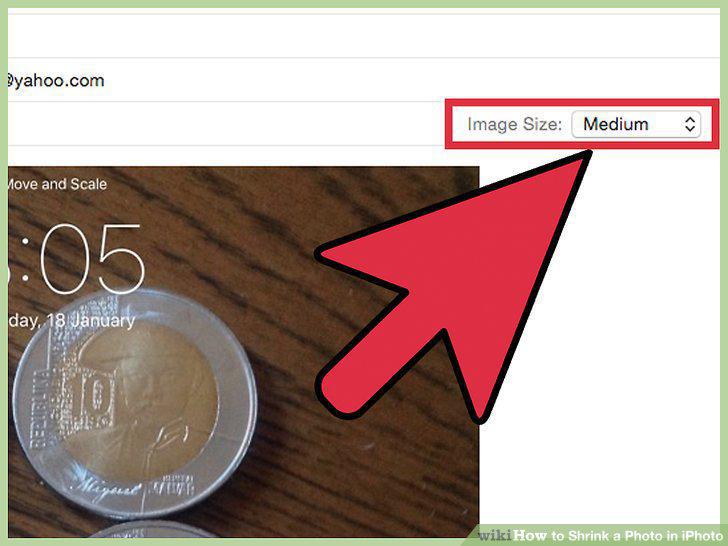
Resize your photo.
10
Send the image.
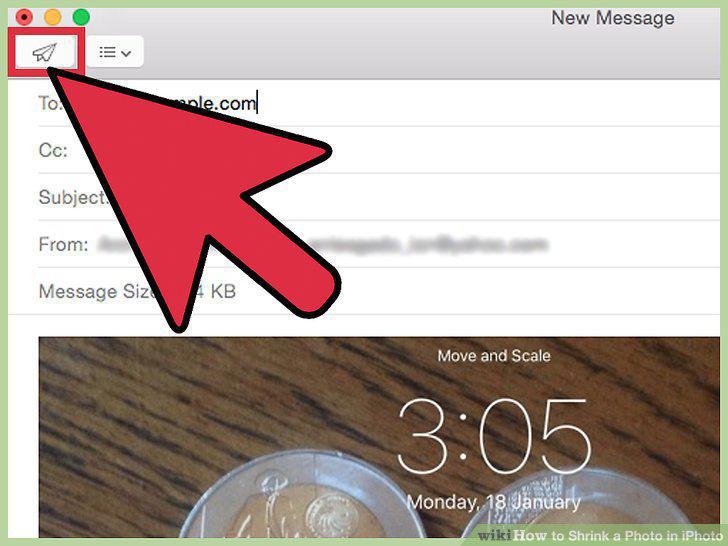
Send the image.
Comments (0)
No comments yet. Be the first to share your thoughts!