How to Add the Developer Tab to the Ribbon in Word
Launch the Microsoft Word application on your computer.. Click on the "File" tab and select "Options.. Click on "Customize Ribbon.
Steps
1
Launch the Microsoft Word application on your computer.
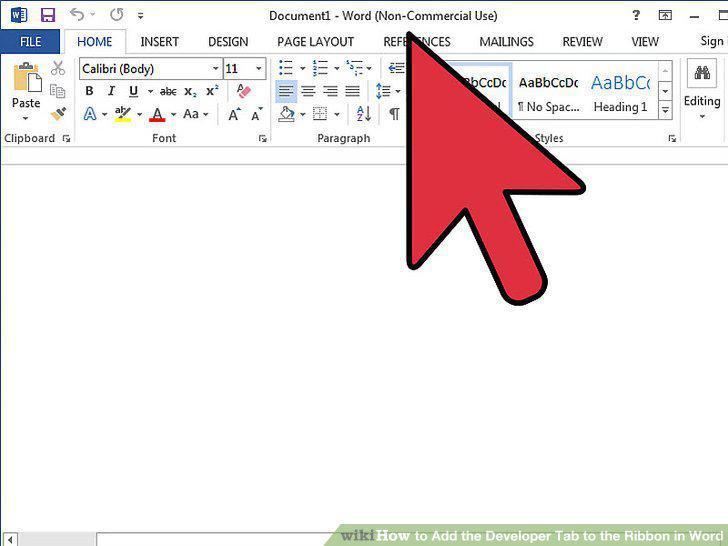
Launch the Microsoft Word application on your computer.
2
Click on the "File" tab and select "Options.
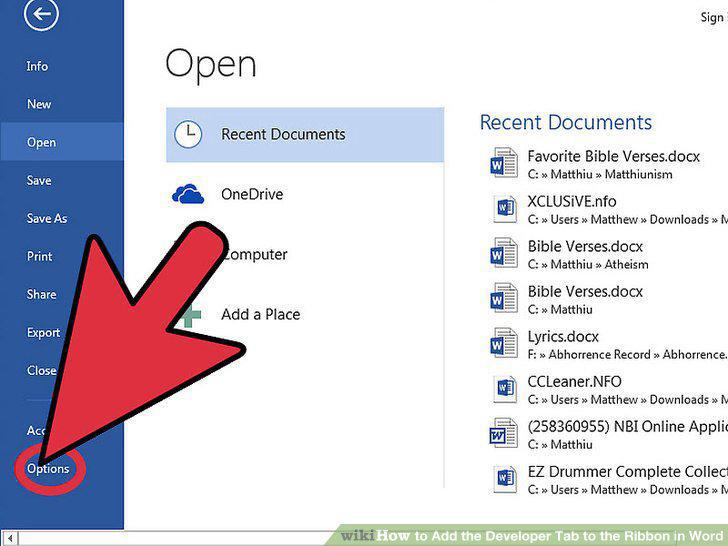
Click on the "File" tab and select "Options.
3
Click on "Customize Ribbon.
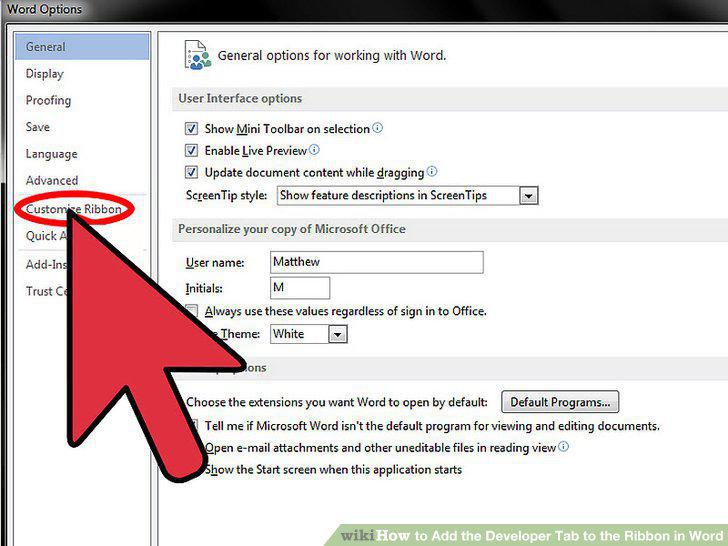
Click on "Customize Ribbon.
4
Select "Main Tabs" from the dropdown menu below "Customize the Ribbon.
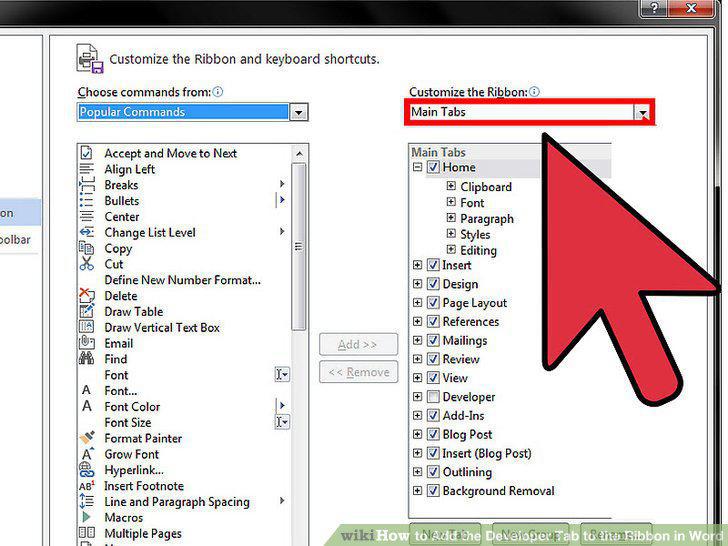
Select "Main Tabs" from the dropdown menu below "Customize the Ribbon.
5
Place a checkmark next to "Developer.
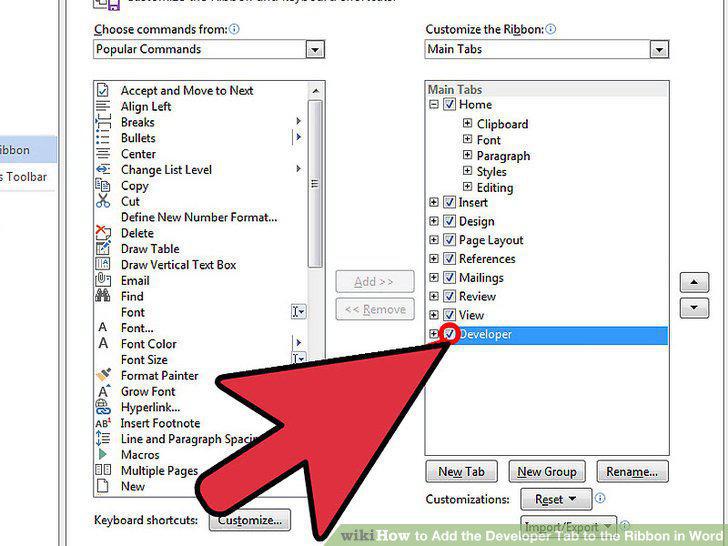
Place a checkmark next to "Developer.
6
Click on "OK.
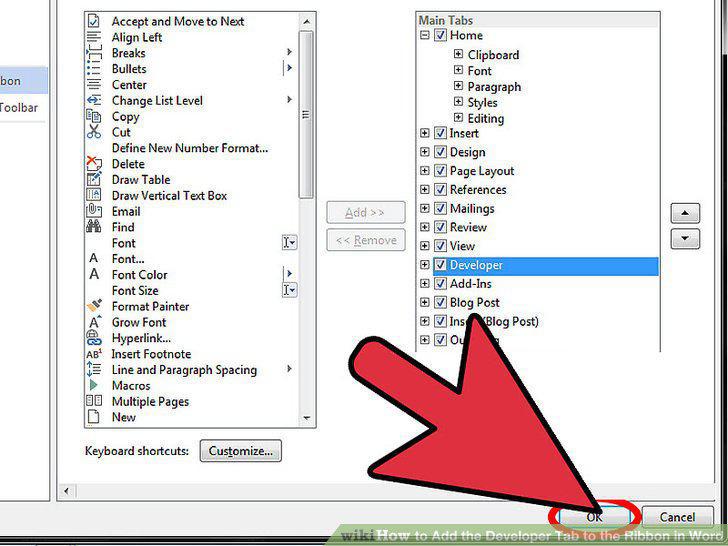
Click on "OK.
Comments (0)
No comments yet. Be the first to share your thoughts!