How to Take a Hard Drive Out of a Laptop
Backup your files.. Disconnect all cables.. Remove the battery.
Steps
1
Backup your files.
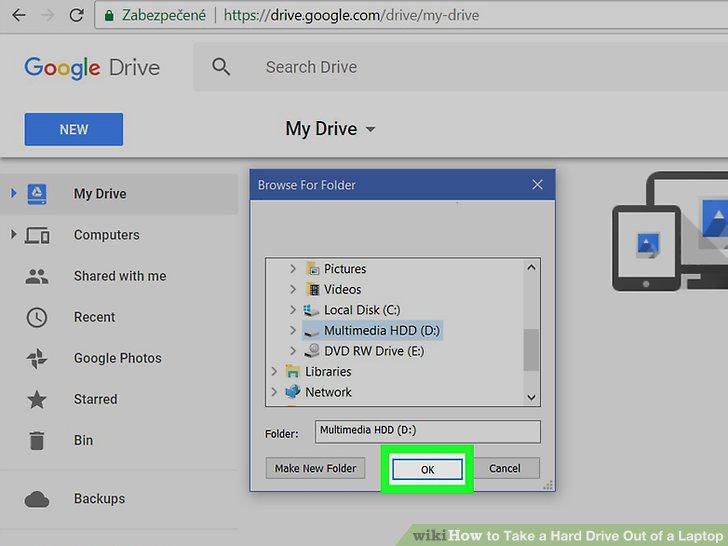
Backup your files.
2
Disconnect all cables.
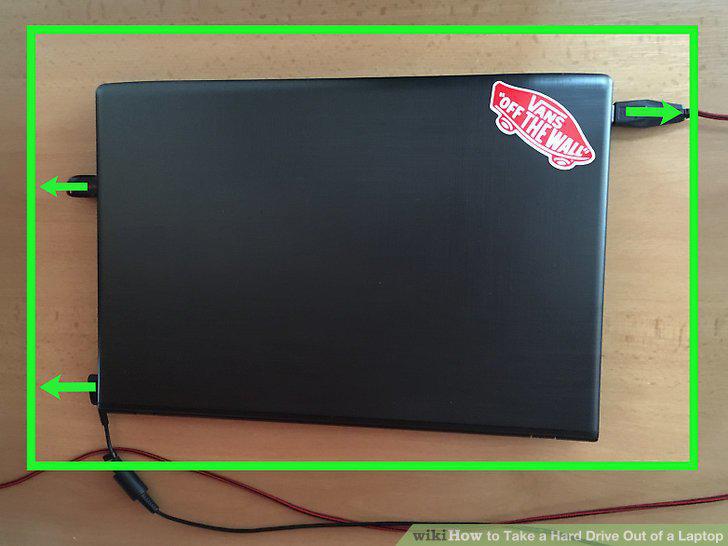
Disconnect all cables.
3
Remove the battery.
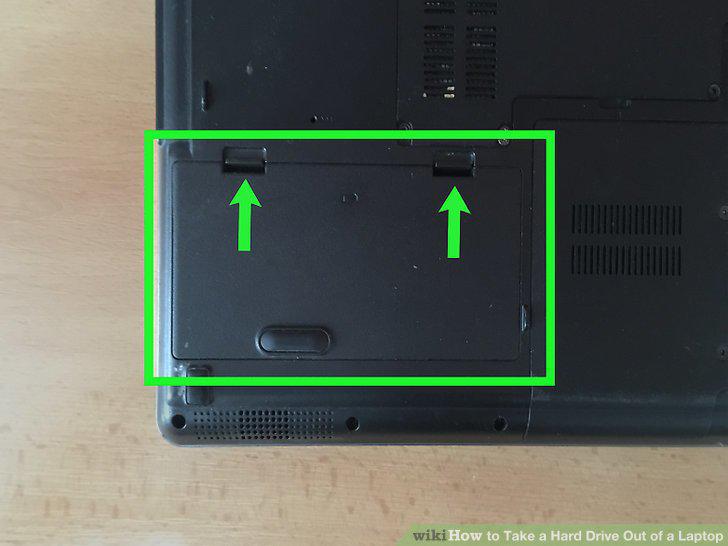
Remove the battery.
4
Press and hold the power button for 15 seconds.
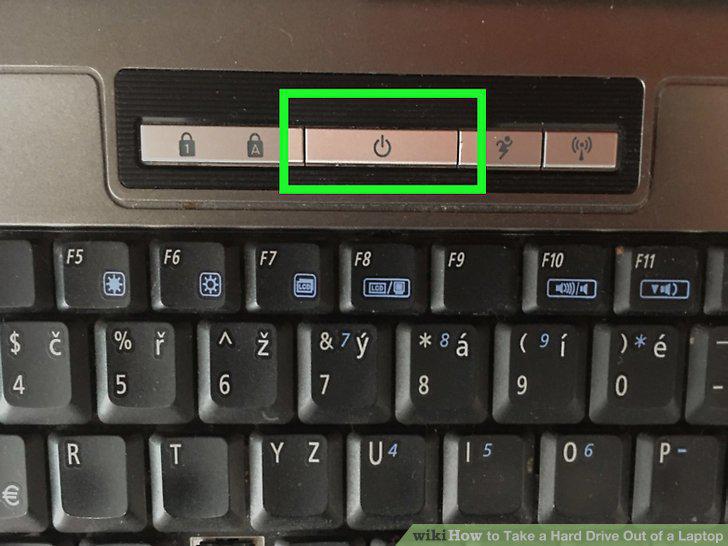
Press and hold the power button for 15 seconds.
5
Unscrew and remove the main access panel.
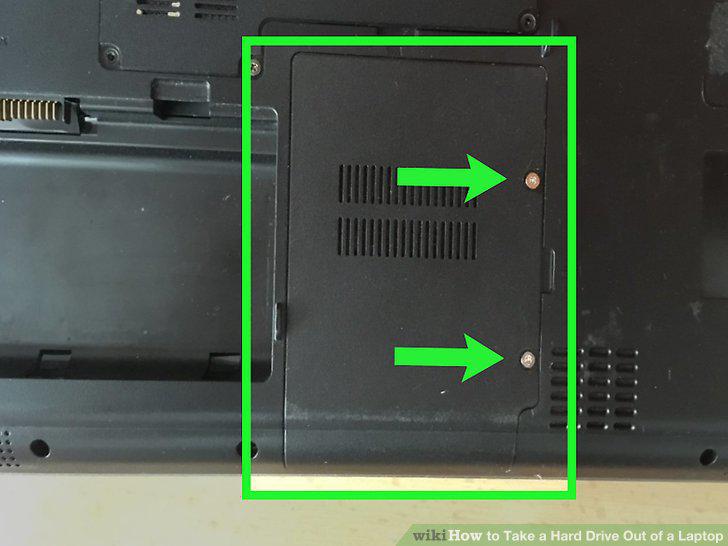
Unscrew and remove the main access panel.
6
Remove the hard drive mount.
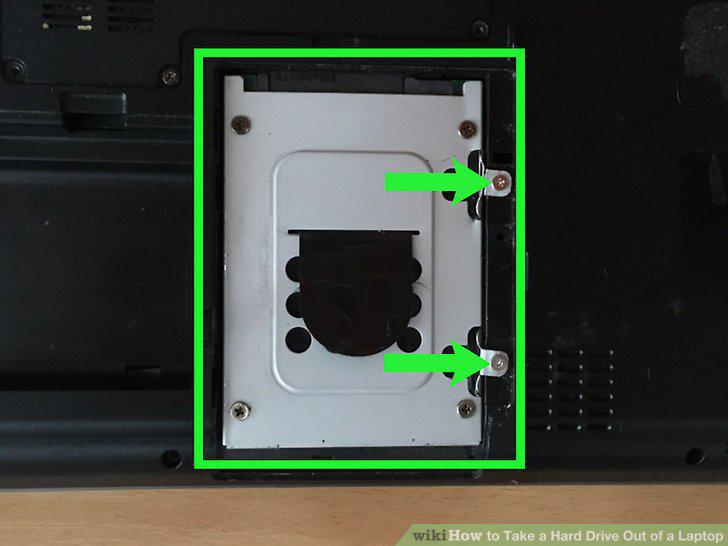
Remove the hard drive mount.
7
Separate the hard drive from the connectors.
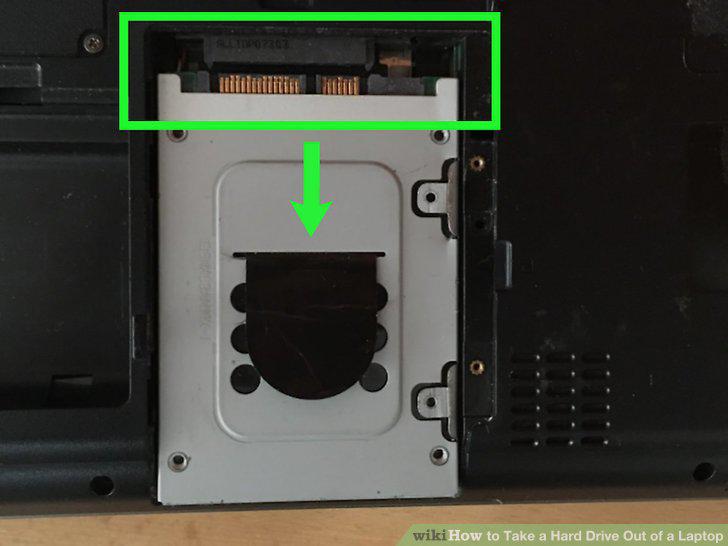
Separate the hard drive from the connectors.
8
Remove hard drive bracket from the drive.
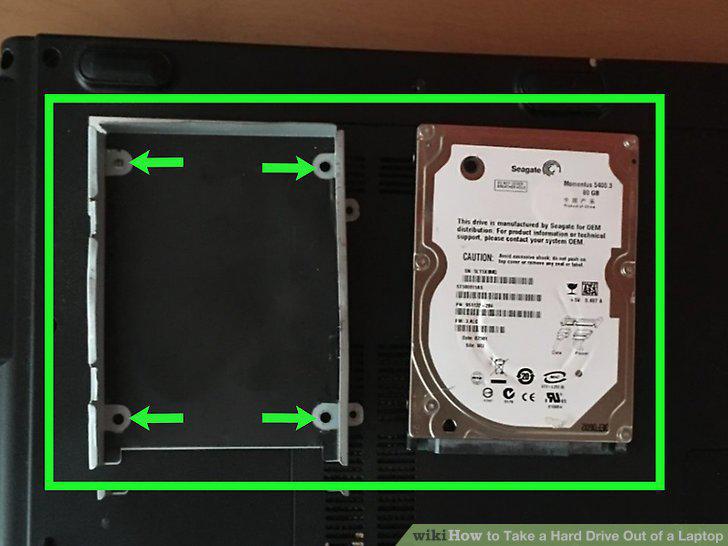
Remove hard drive bracket from the drive.
Comments (0)
No comments yet. Be the first to share your thoughts!