How to Deauthorize iTunes
Open iTunes, Apple Music, Apple TV, or Apple Books.. Click the Account menu.. Select Authorizations on the menu.
Steps
1
Open iTunes, Apple Music, Apple TV, or Apple Books.
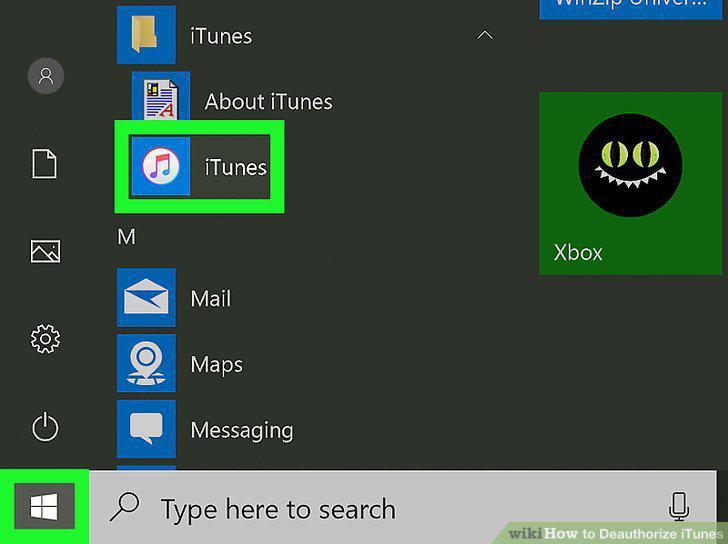
Open iTunes, Apple Music, Apple TV, or Apple Books.
2
Click the Account menu.
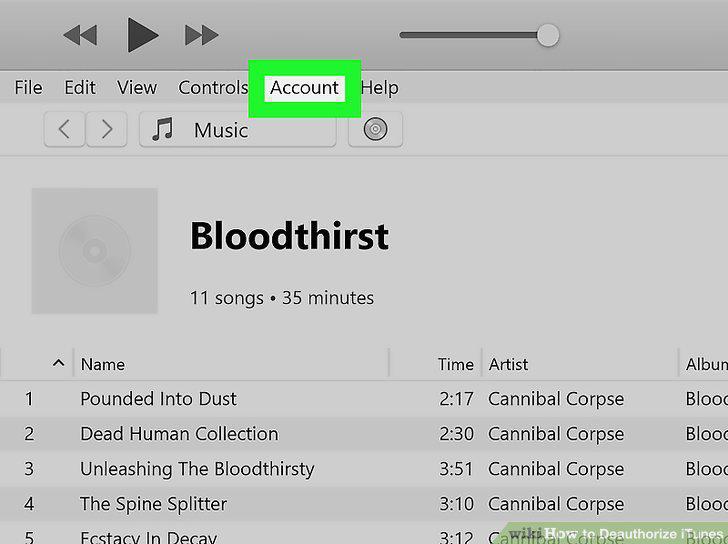
Click the Account menu.
3
Select Authorizations on the menu.
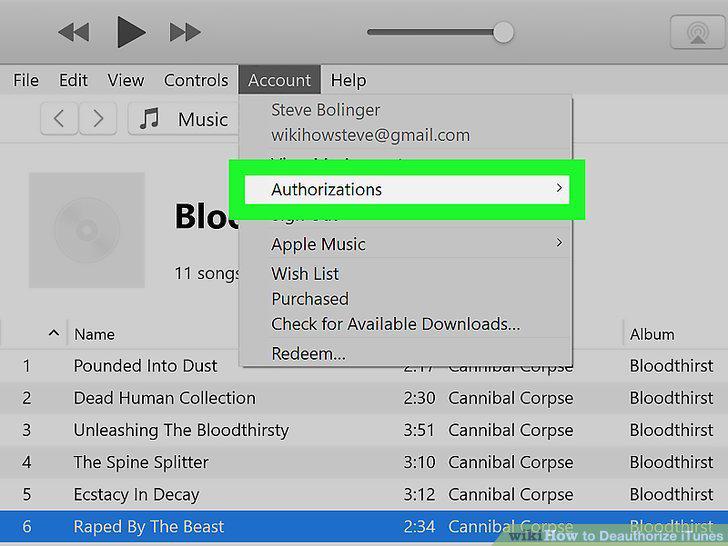
Select Authorizations on the menu.
4
Click Deauthorize This Computer.
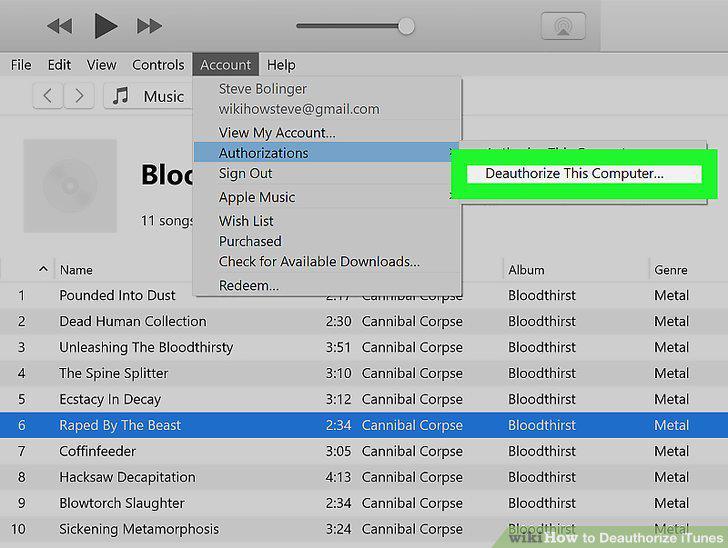
Click Deauthorize This Computer.
5
Enter your Apple ID and password to sign in.
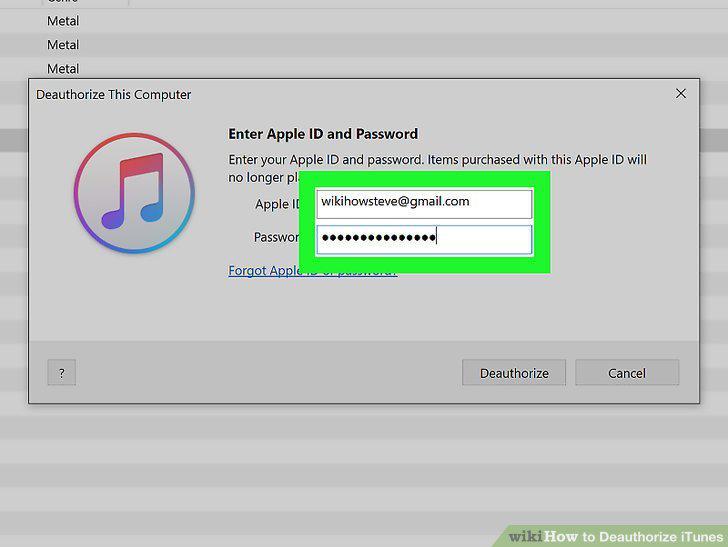
Enter your Apple ID and password to sign in.
6
Click Deauthorize to confirm.
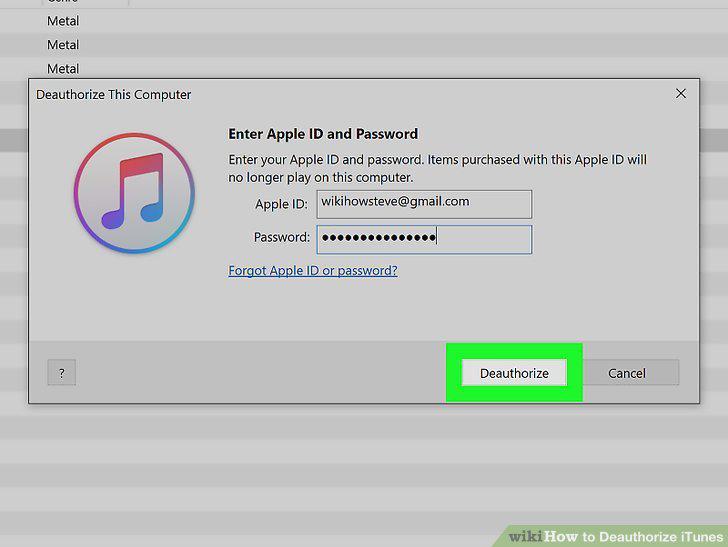
Click Deauthorize to confirm.
7
Open iTunes, Apple Music, Apple TV, or Apple Books.
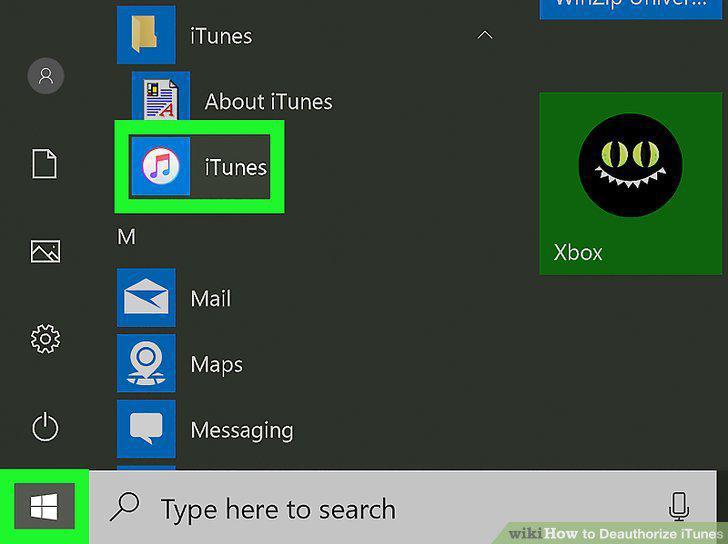
Open iTunes, Apple Music, Apple TV, or Apple Books.
8
Click the Account menu.
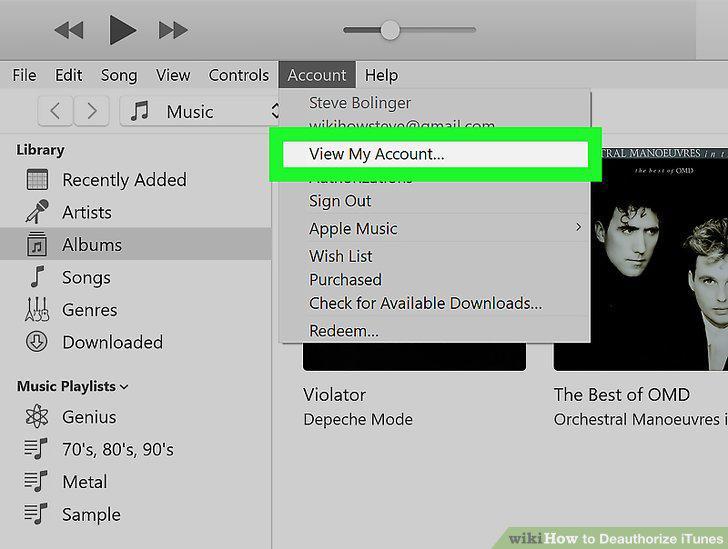
Click the Account menu.
9
Click View My Account on the menu.
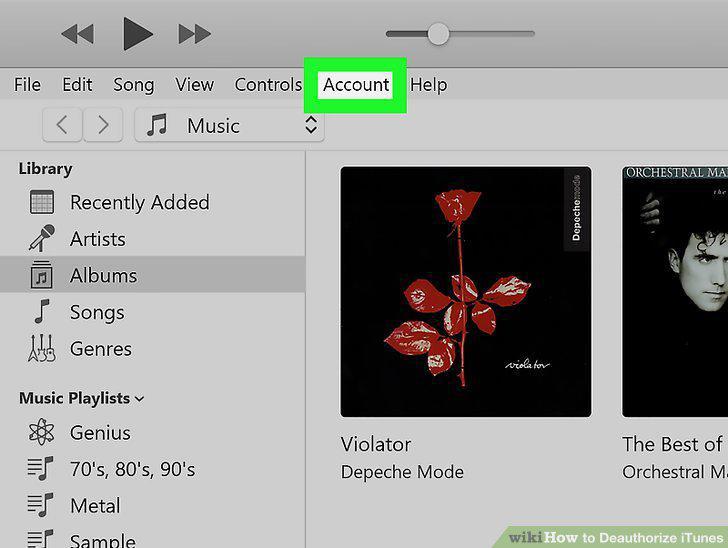
Click View My Account on the menu.
10
Verify your Apple ID password to continue.
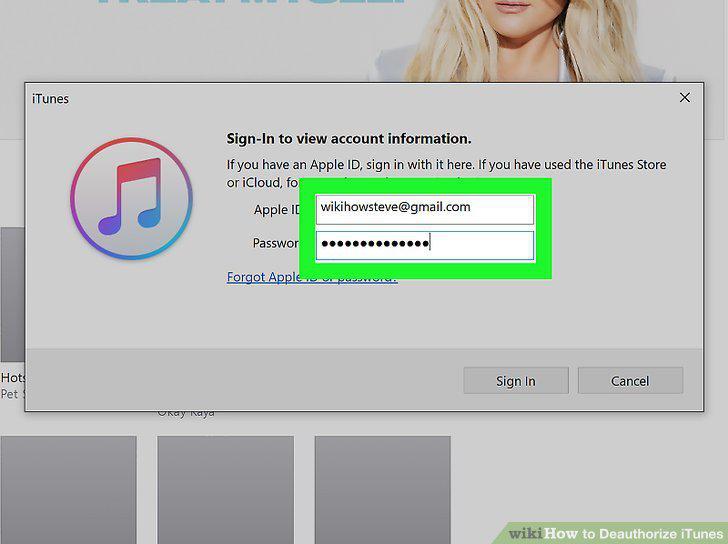
Verify your Apple ID password to continue.
11
Click the Deauthorize All button.
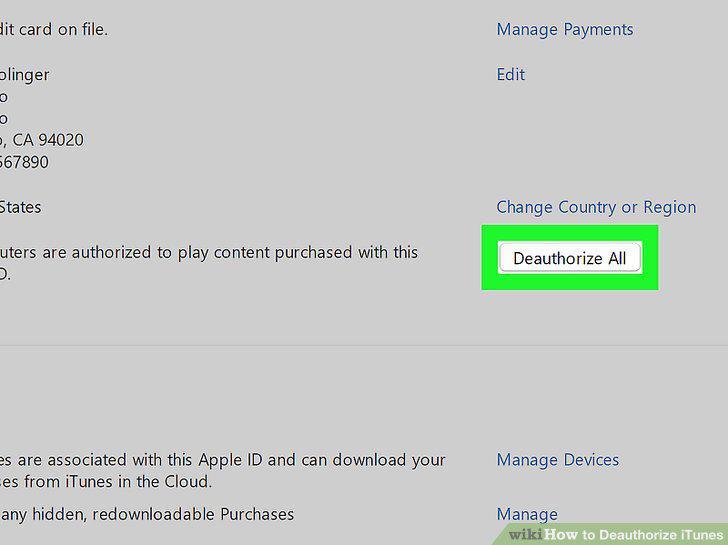
Click the Deauthorize All button.
12
Follow the on-screen instructions to confirm.
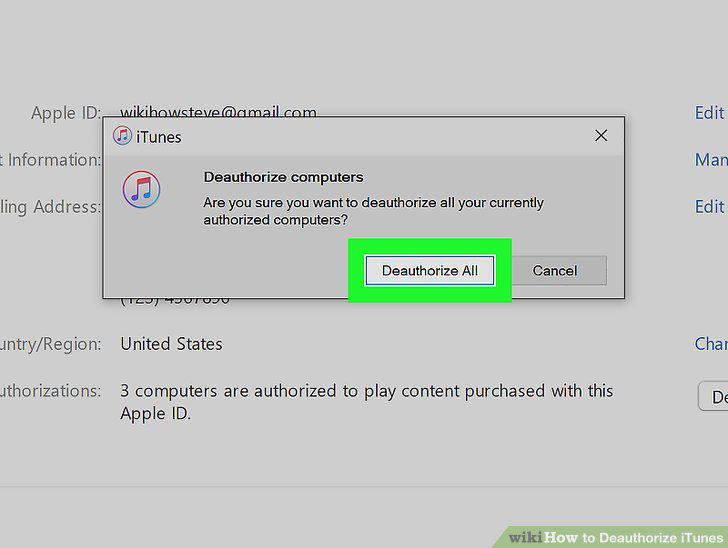
Follow the on-screen instructions to confirm.
Comments (0)
No comments yet. Be the first to share your thoughts!