How to Use Ringless Notifications with FaceTime on iPhone or iPad
Tap to open the FaceTime app.. Tap the blue '+' icon in the top right corner.. Type in the names of the people you want to FaceTime.
Steps
1
Tap to open the FaceTime app.
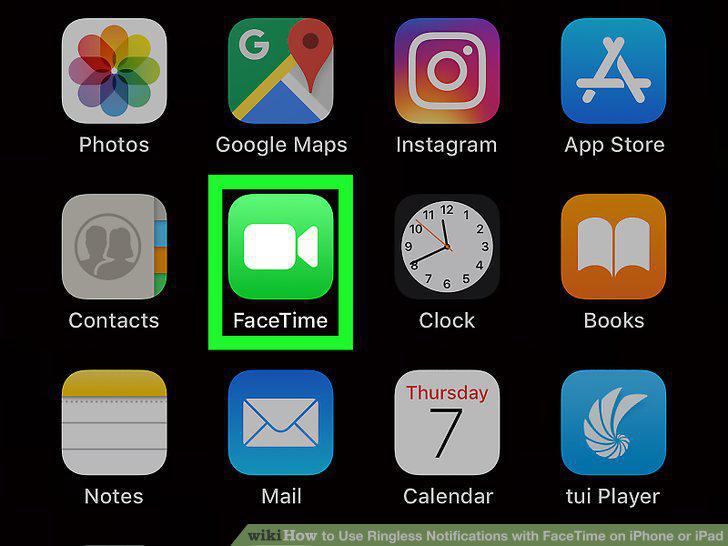
Tap to open the FaceTime app.
2
Tap the blue '+' icon in the top right corner.
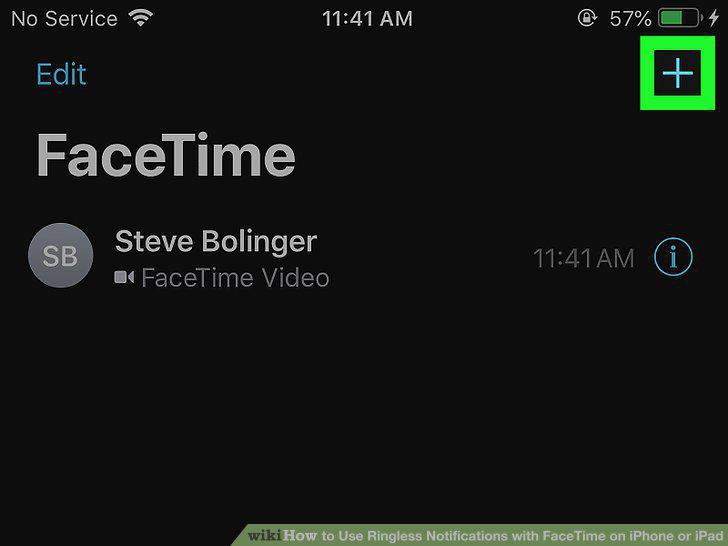
Tap the blue '+' icon in the top right corner.
3
Type in the names of the people you want to FaceTime.
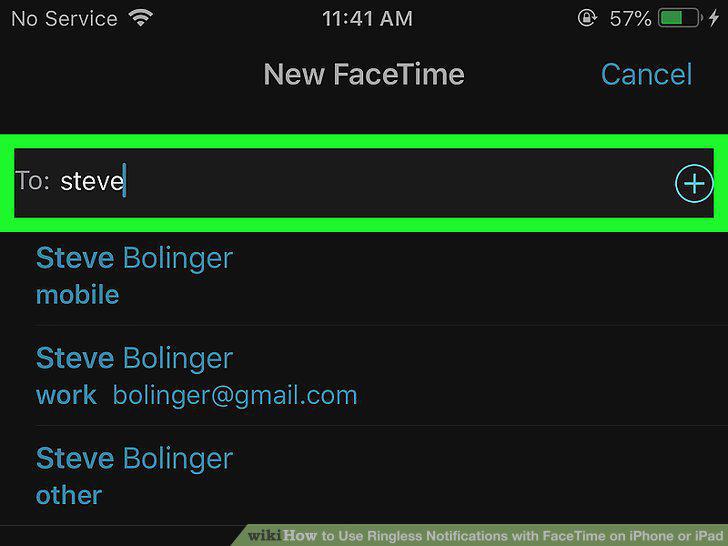
Type in the names of the people you want to FaceTime.
4
Tap the green Audio or Video buttons.
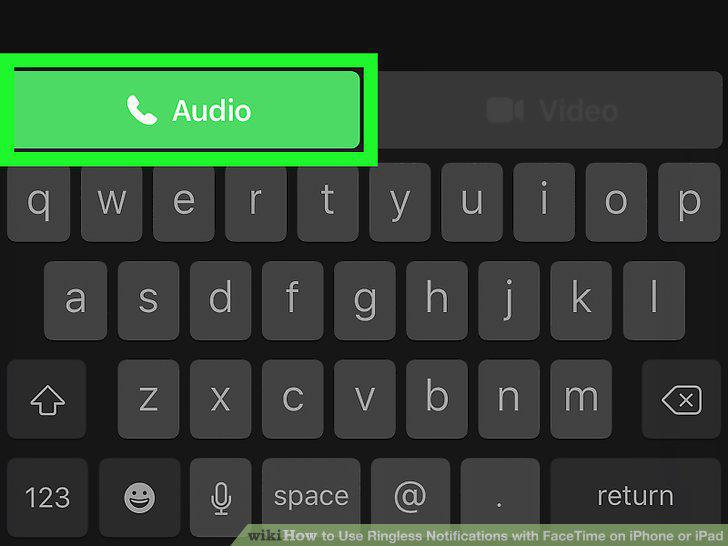
Tap the green Audio or Video buttons.
Comments (0)
No comments yet. Be the first to share your thoughts!