How to Check Google Doc History
Open a file in Google Docs.. Click File, then Version history and See version history.. Click a version (if you want to restore a previous version).
Steps
1
Open a file in Google Docs.
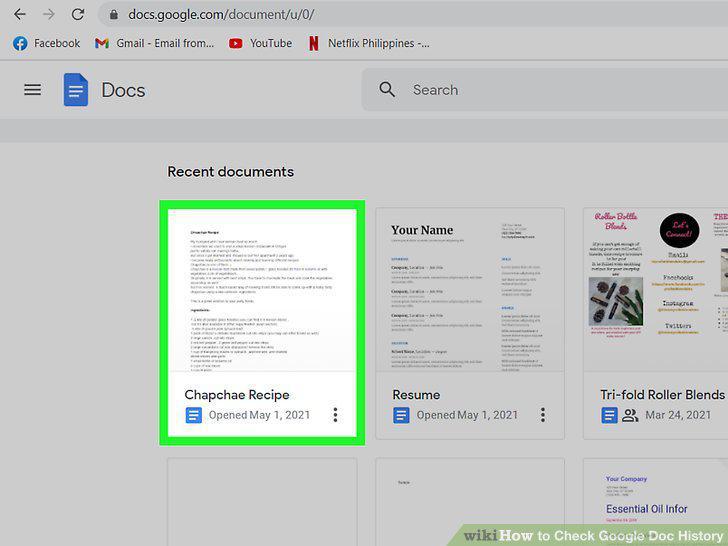
Open a file in Google Docs.
2
Click File, then Version history and See version history.
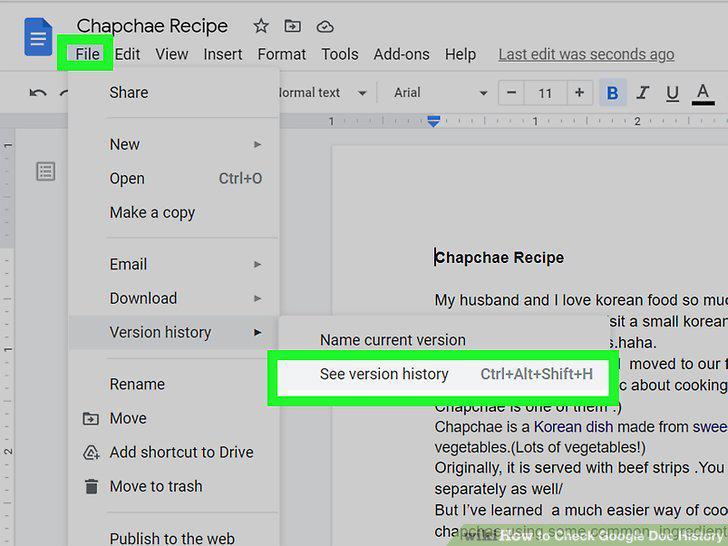
Click File, then Version history and See version history.
3
Click a version (if you want to restore a previous version).
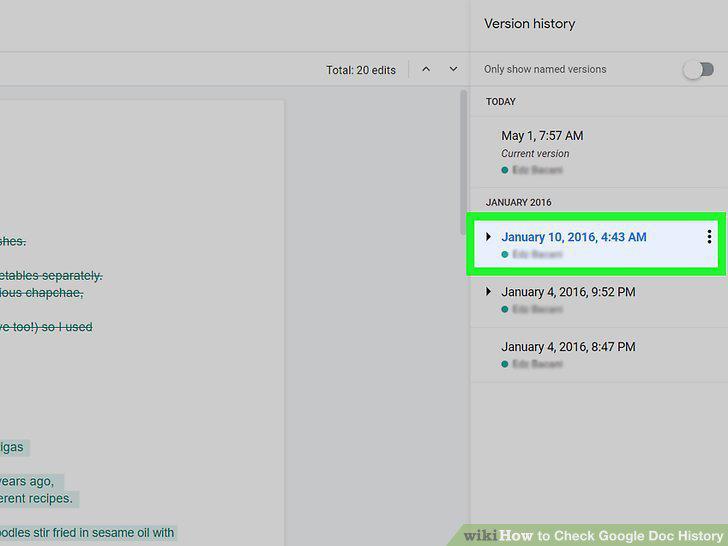
Click a version (if you want to restore a previous version).
4
Click Restore this version (if you want to revert to a previous version).
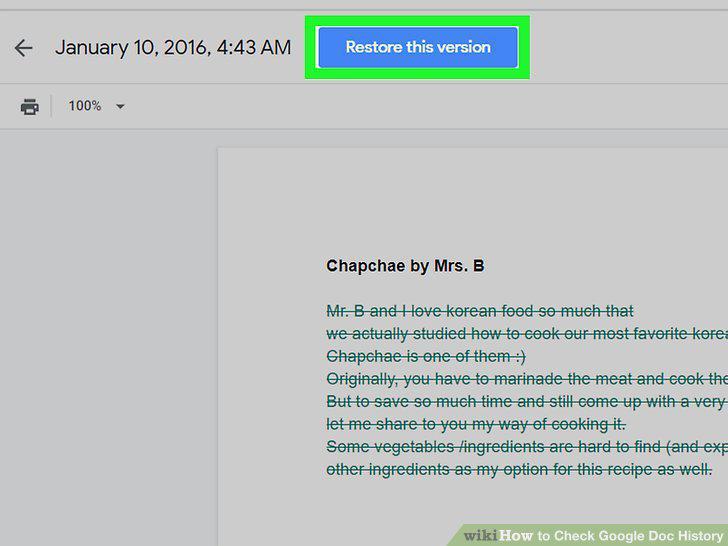
Click Restore this version (if you want to revert to a previous version).
Comments (0)
No comments yet. Be the first to share your thoughts!