How to Share an Apple Calendar on iPhone or iPad
Open Calendar on your iPhone or iPad.. Tap Calendars.. Tap the "i" in a circle next to the calendar you want to share.
Steps
1
Open Calendar on your iPhone or iPad.
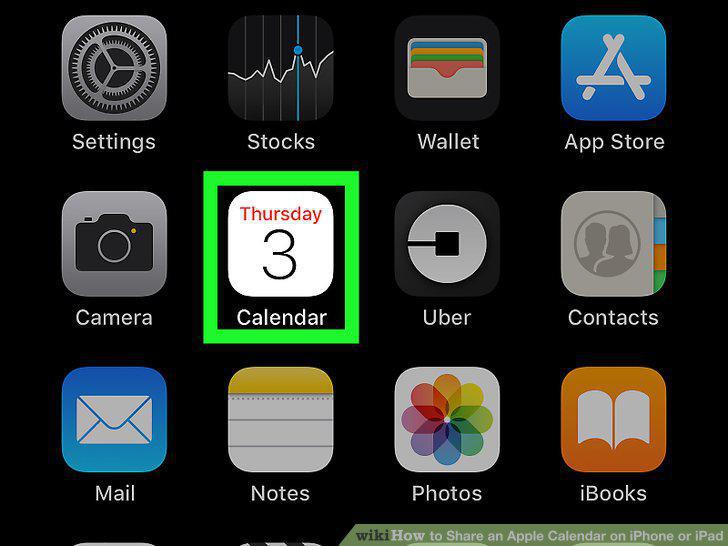
Open Calendar on your iPhone or iPad.
2
Tap Calendars.
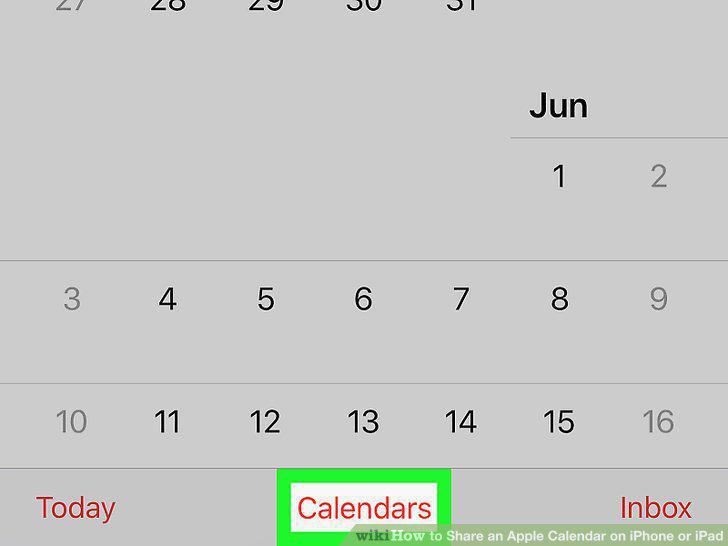
Tap Calendars.
3
Tap the "i" in a circle next to the calendar you want to share.
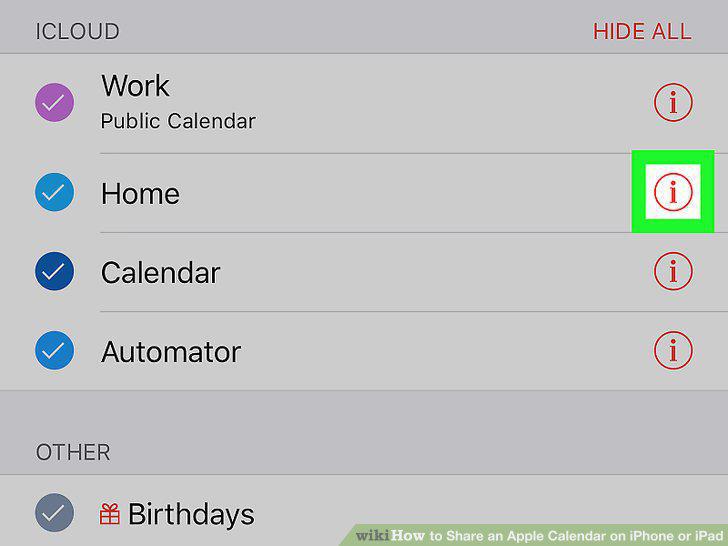
Tap the "i" in a circle next to the calendar you want to share.
4
Tap Add Person.
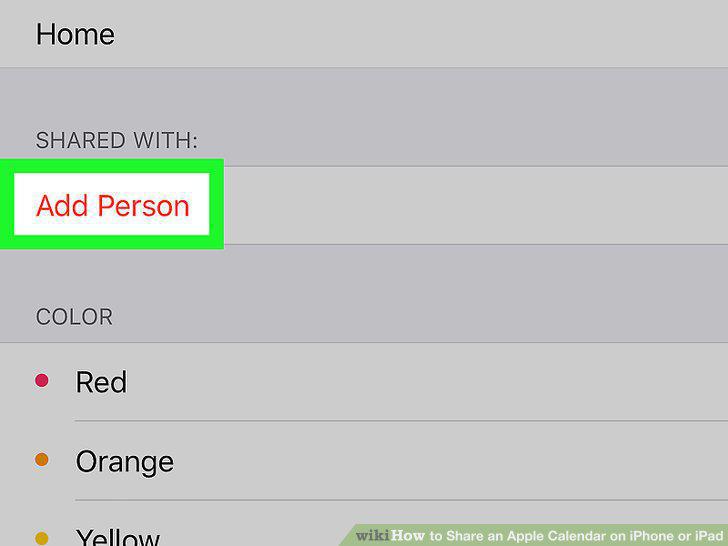
Tap Add Person.
5
Type the email address of the person you're sharing with.
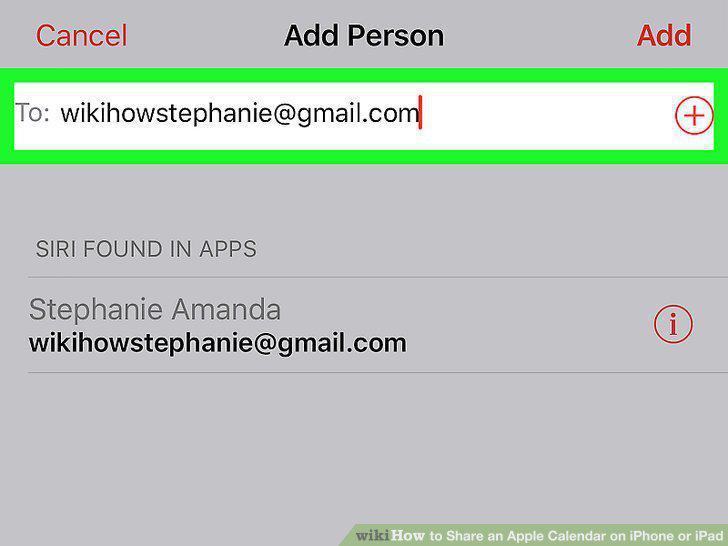
Type the email address of the person you're sharing with.
6
Tap Add.
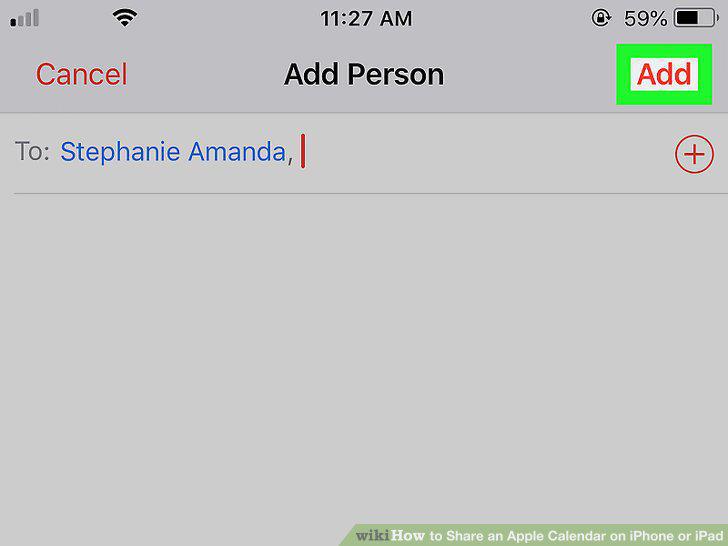
Tap Add.
7
Scroll down and slide the "Public Calendar" switch to On (Optional).
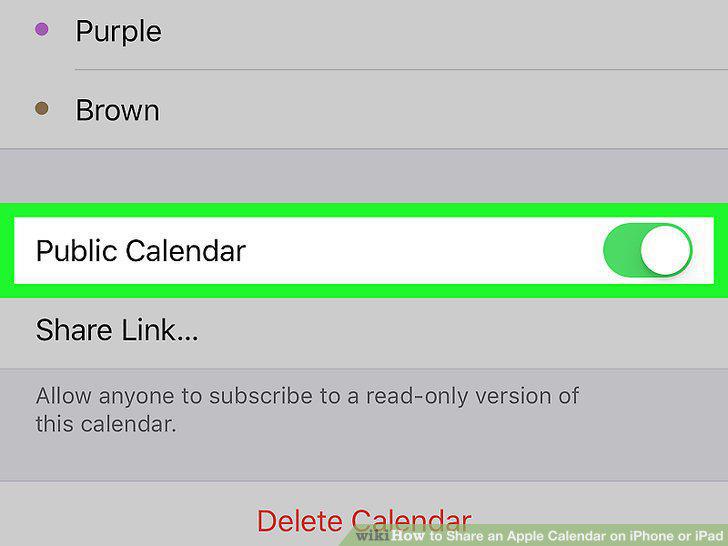
Scroll down and slide the "Public Calendar" switch to On (Optional).
8
Tap Done.
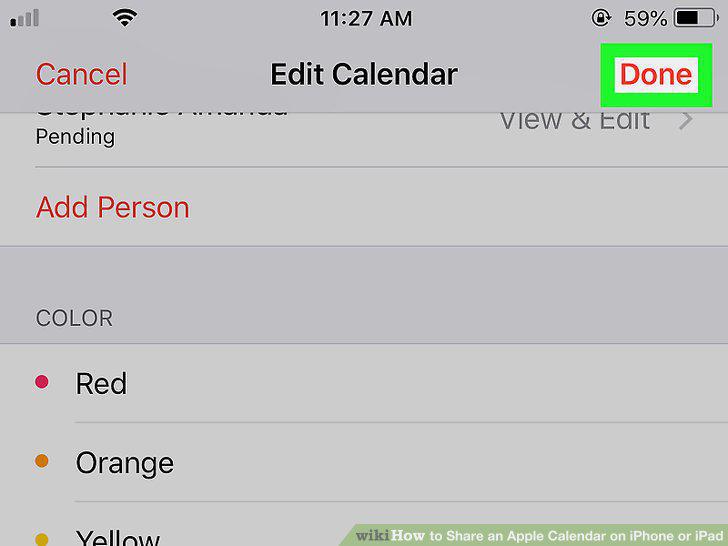
Tap Done.
Comments (0)
No comments yet. Be the first to share your thoughts!