How to Change the Number Format on a Mac
Click on the Apple menu.. Click on System Preferences.. Click on Language & Region.
Steps
1
Click on the Apple menu.
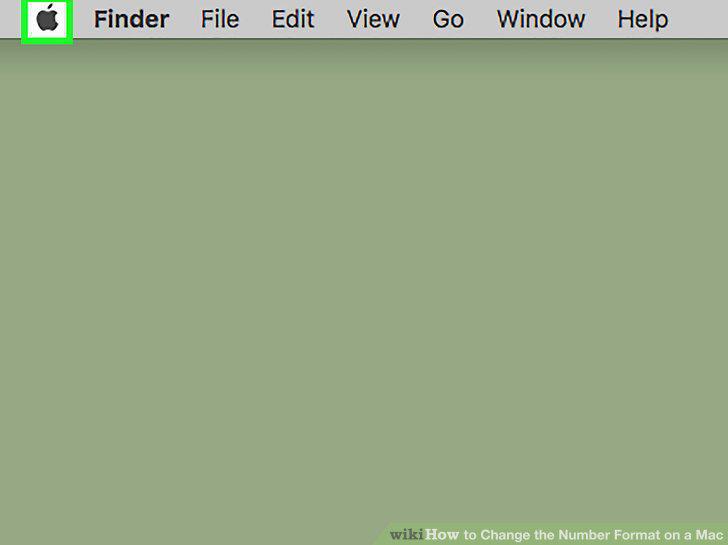
Click on the Apple menu.
2
Click on System Preferences.
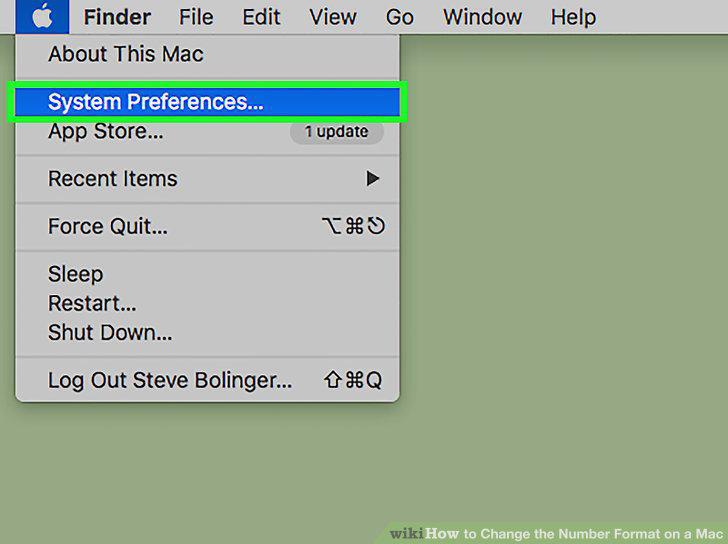
Click on System Preferences.
3
Click on Language & Region.
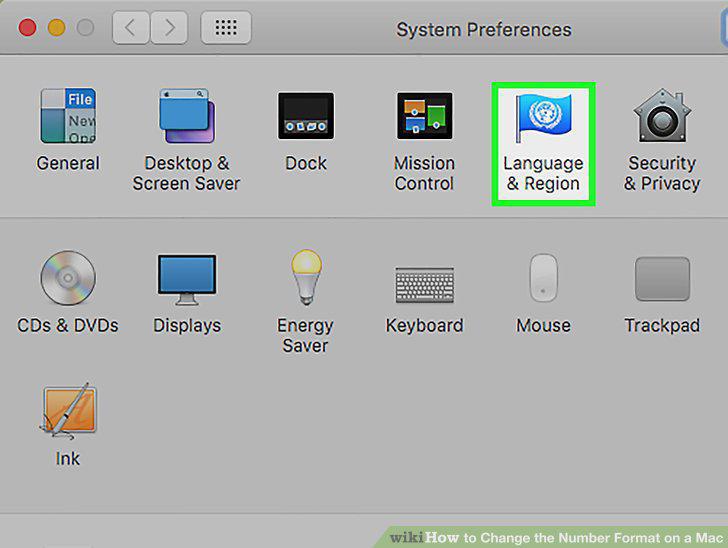
Click on Language & Region.
4
Click on Advanced.
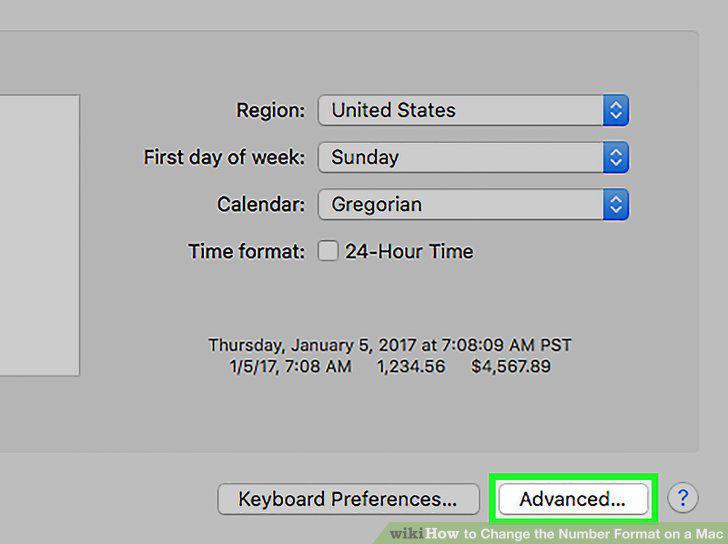
Click on Advanced.
5
Click on the drop-down menu next to "Grouping."
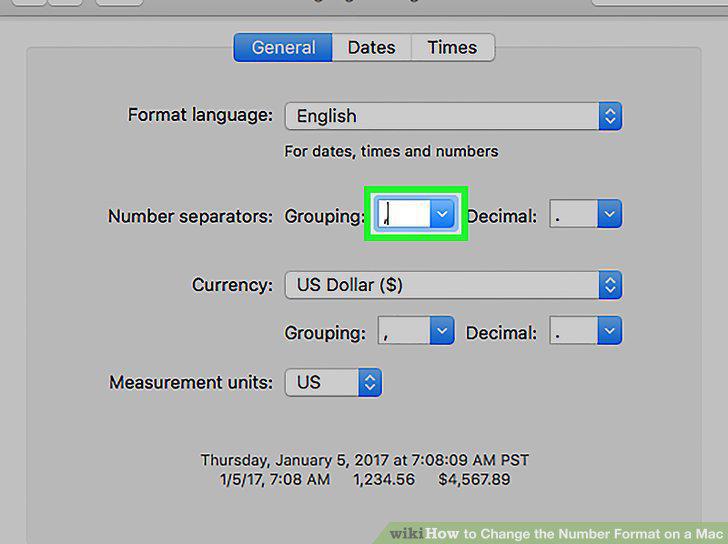
Click on the drop-down menu next to "Grouping."
6
Click on a separator.
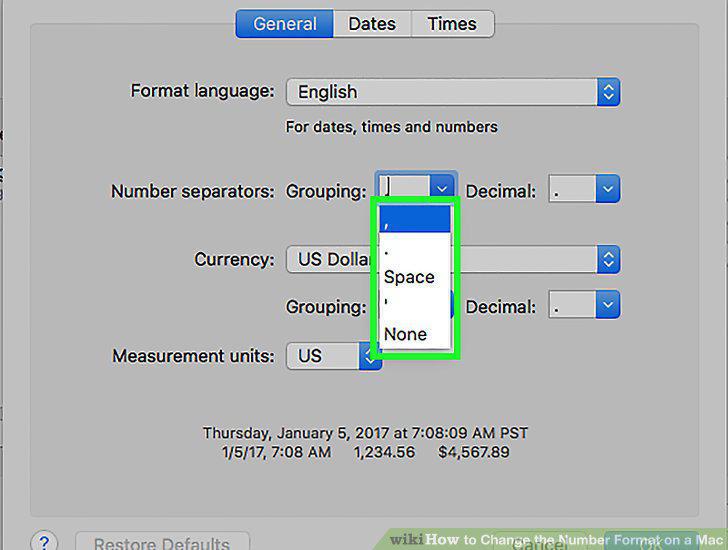
Click on a separator.
7
Click on the drop-down menu next to "Decimal."
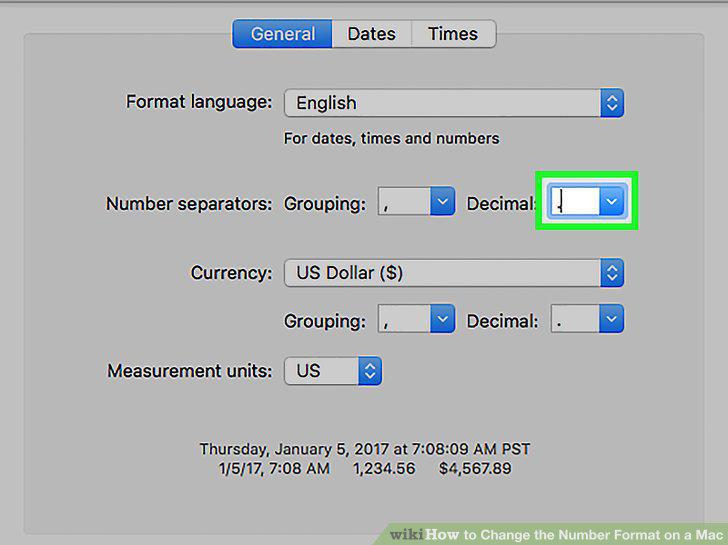
Click on the drop-down menu next to "Decimal."
8
Click on a separator.
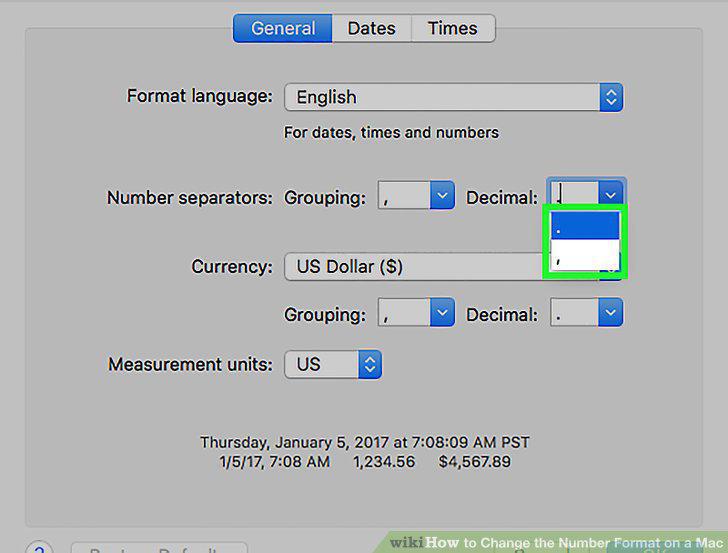
Click on a separator.
9
Click on the drop-down menu next to "Measurement Units."
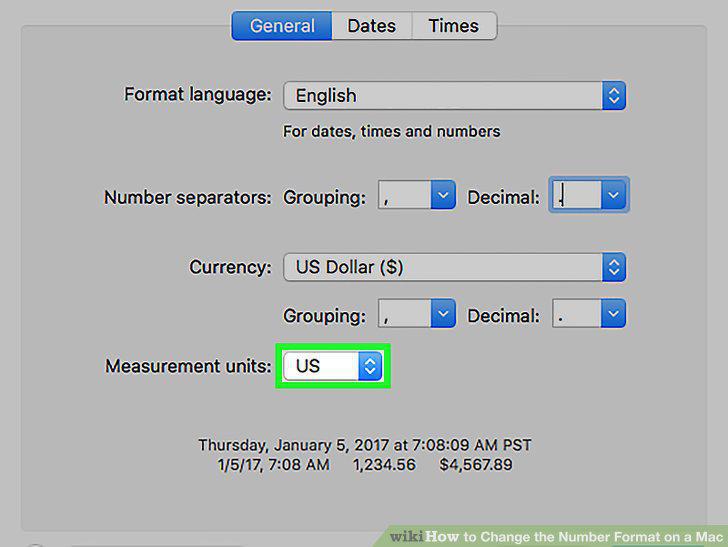
Click on the drop-down menu next to "Measurement Units."
10
Click on a system of measurement.
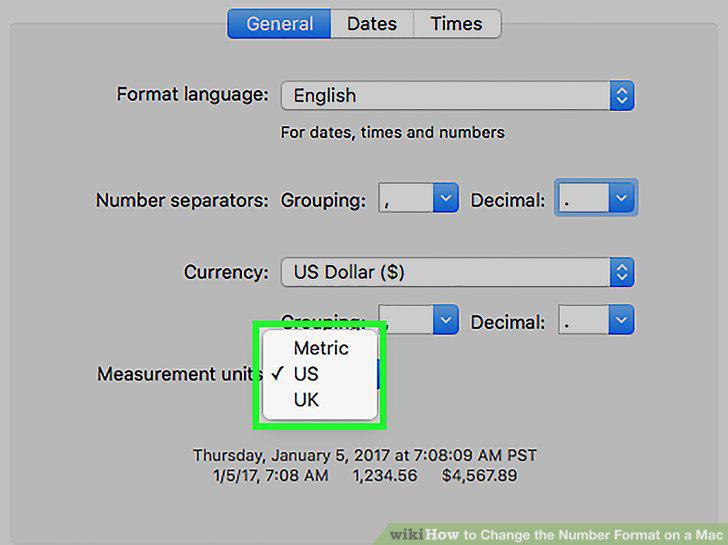
Click on a system of measurement.
11
Click on the Apple menu.
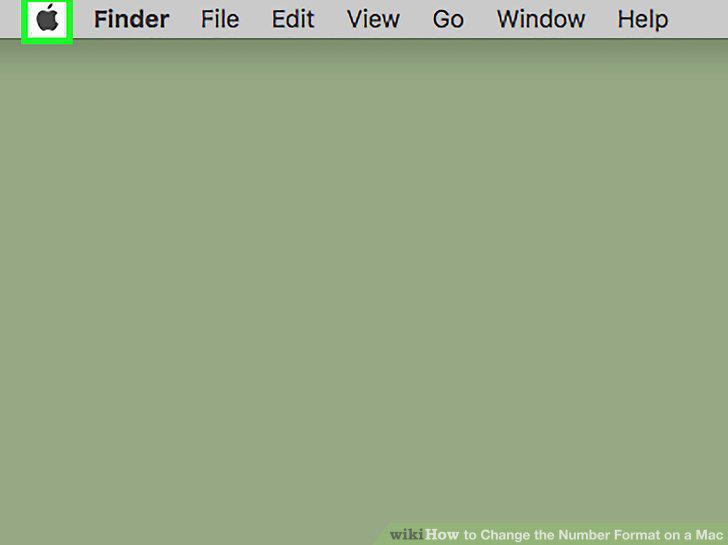
Click on the Apple menu.
12
Click on System Preferences.
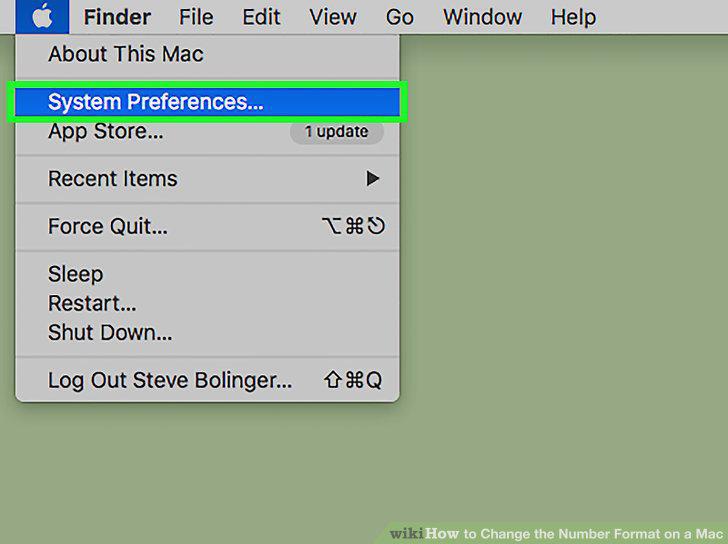
Click on System Preferences.
13
Click on Keyboard.
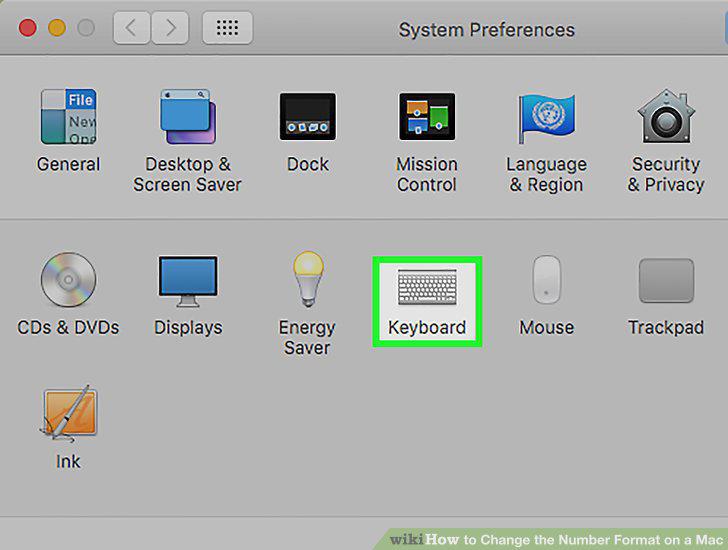
Click on Keyboard.
14
Click on Input Sources.
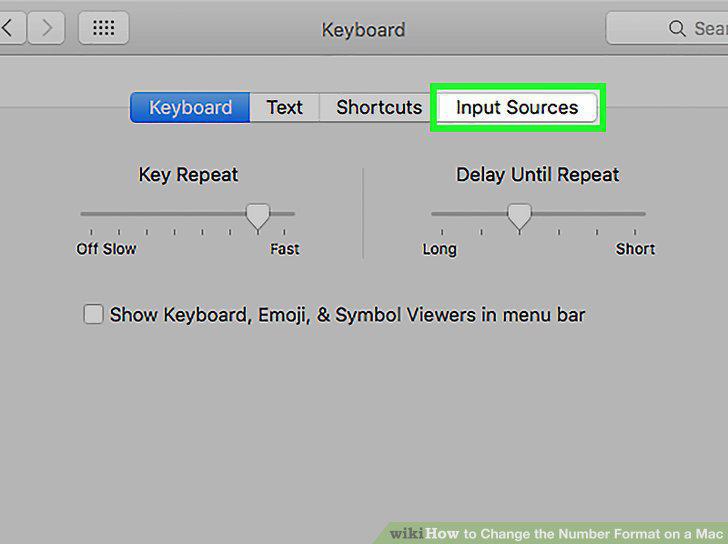
Click on Input Sources.
15
Click on +.
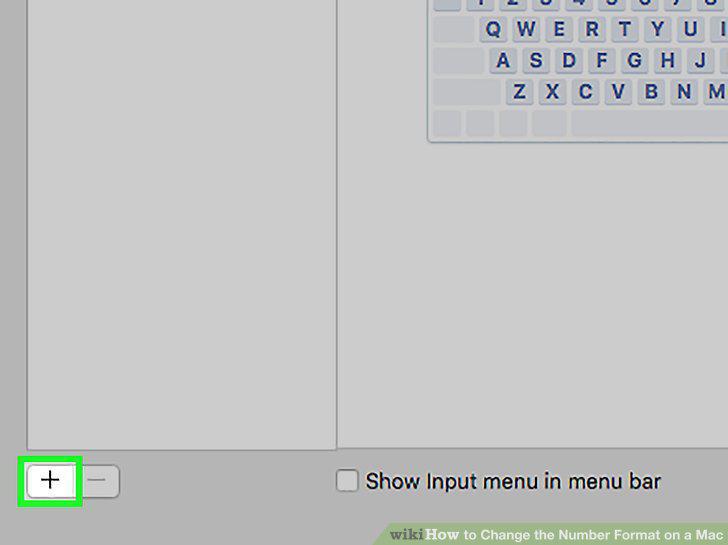
Click on +.
16
Click on a number/language format.
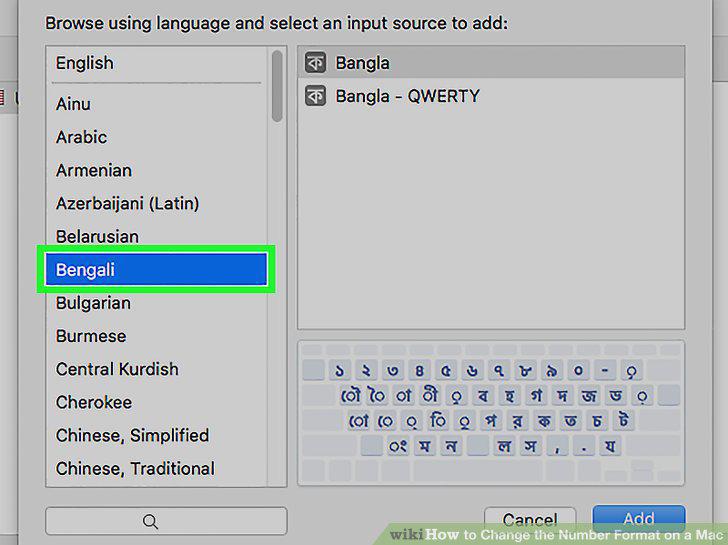
Click on a number/language format.
17
Click on Add.
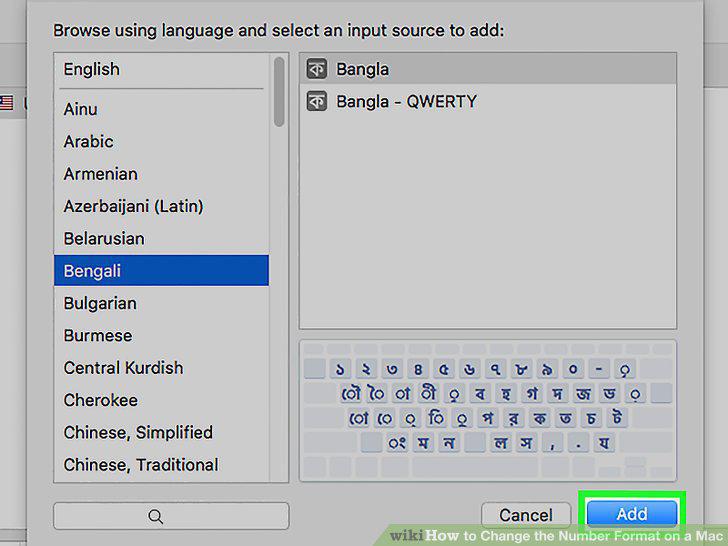
Click on Add.
Comments (0)
No comments yet. Be the first to share your thoughts!