How to Turn Flashlight Off on iPhone
Swipe up from the bottom of the home screen.. Tap the flashlight icon.. Long-press the flashlight icon to adjust the brightness.
Steps
1
Swipe up from the bottom of the home screen.
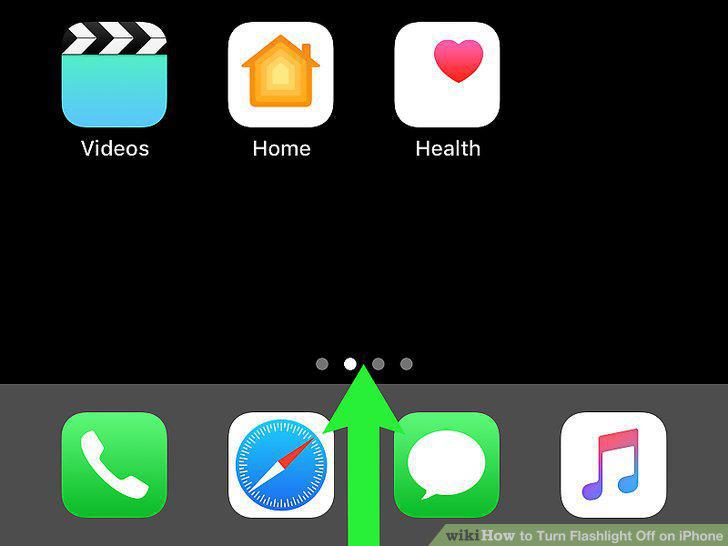
Swipe up from the bottom of the home screen.
2
Tap the flashlight icon.
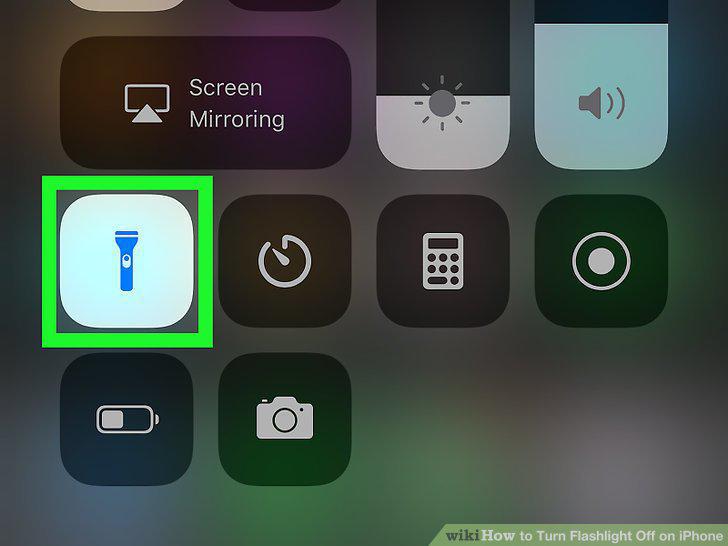
Tap the flashlight icon.
3
Long-press the flashlight icon to adjust the brightness.
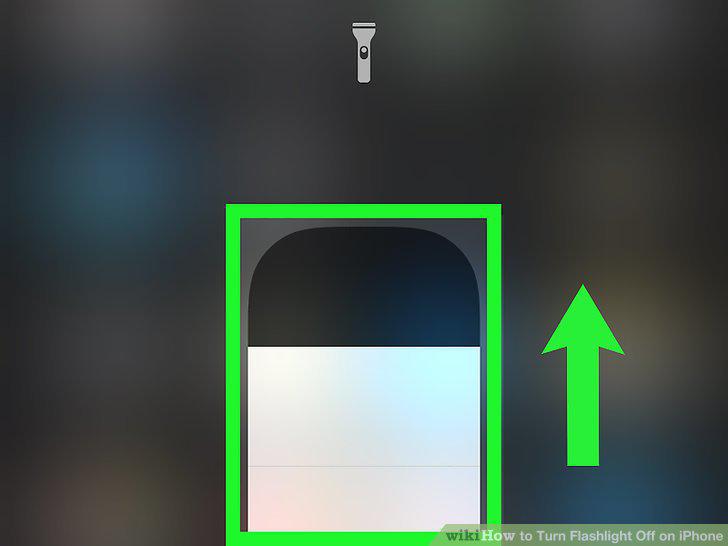
Long-press the flashlight icon to adjust the brightness.
4
Open your iPhone or iPad's Settings .
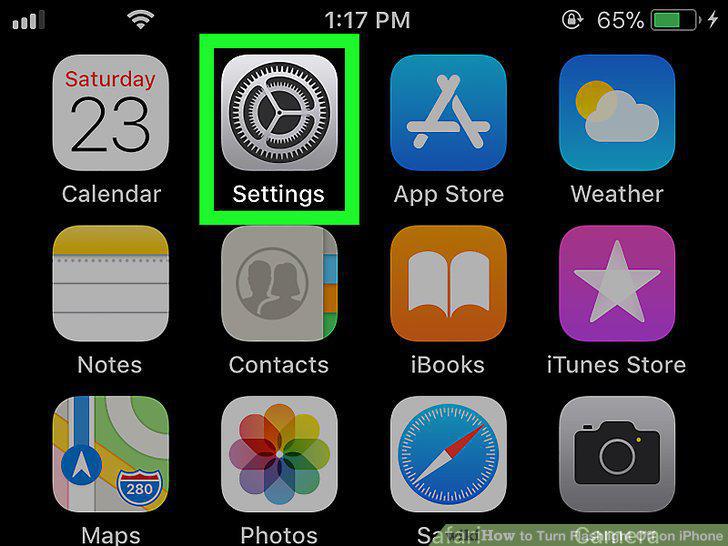
Open your iPhone or iPad's Settings .
5
Tap Control Center.
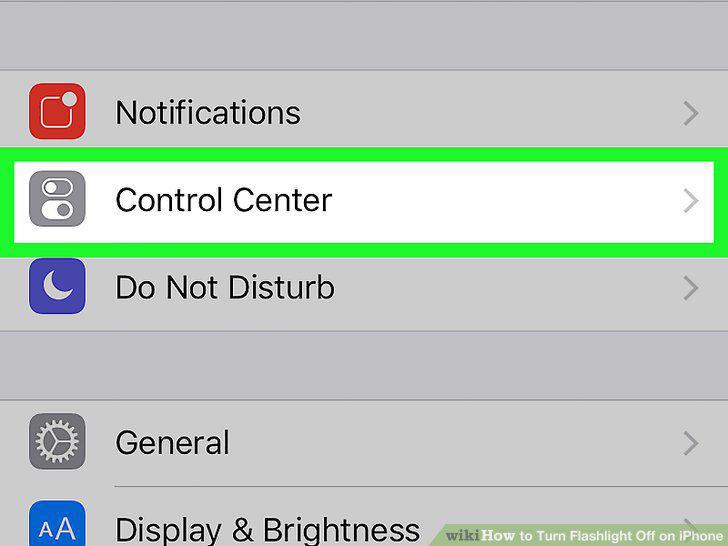
Tap Control Center.
6
Slide "Access within apps" to On.
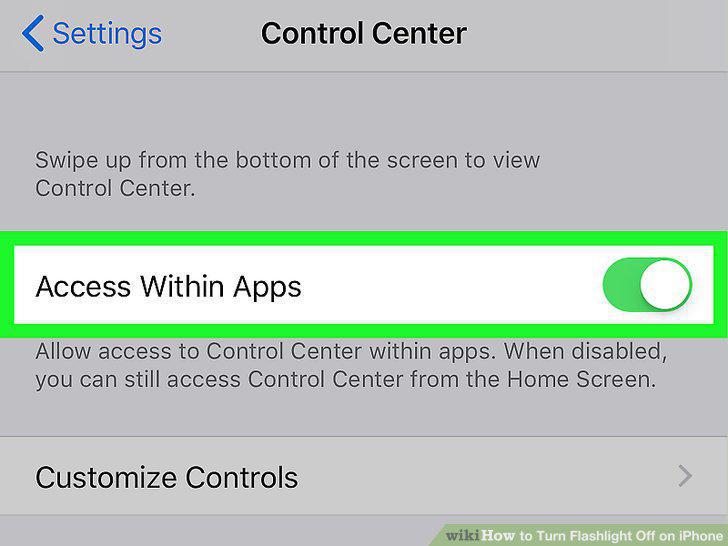
Slide "Access within apps" to On.
7
Tap Customize Controls.
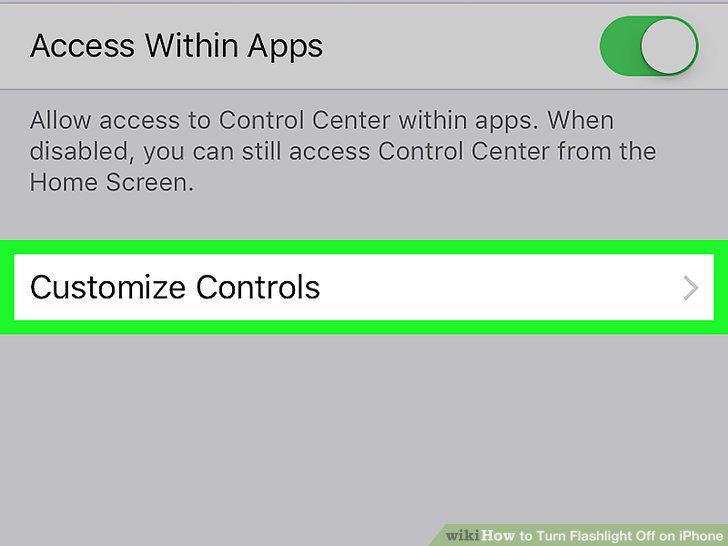
Tap Customize Controls.
8
Scroll down and tap the + next to "Flashlight.
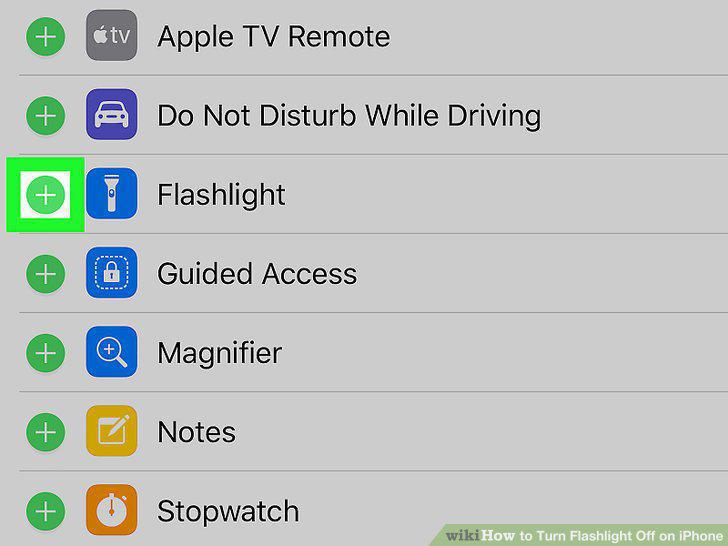
Scroll down and tap the + next to "Flashlight.
Comments (0)
No comments yet. Be the first to share your thoughts!