How to Uninstall Outlook on PC or Mac
Open your computer's Start menu.. Type Programs and Features on your keyboard.. Click Programs and Features in the search results.
Steps
Open your computer's Start menu.
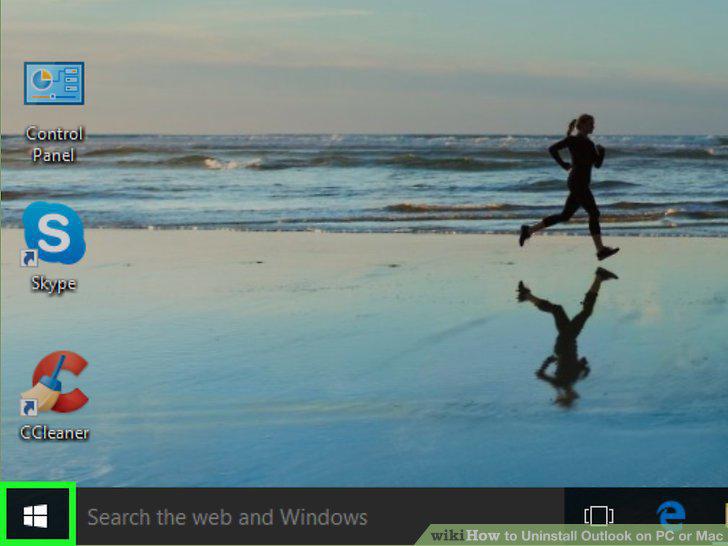
Open your computer's Start menu.
Type Programs and Features on your keyboard.
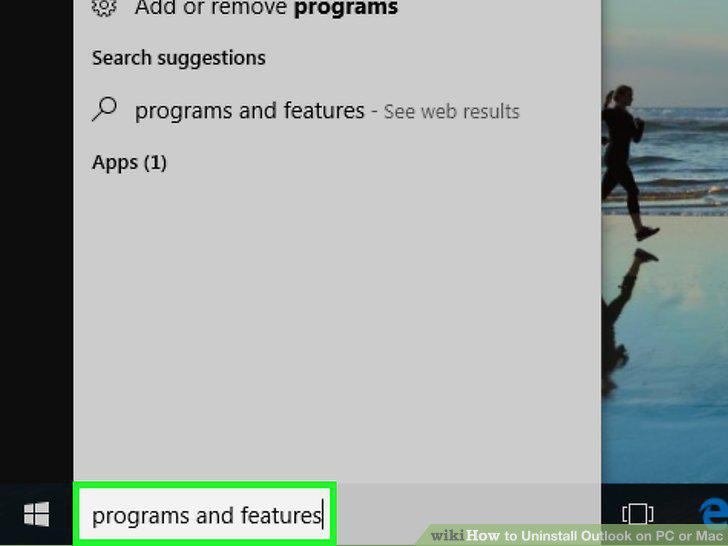
Type Programs and Features on your keyboard.
Click Programs and Features in the search results.
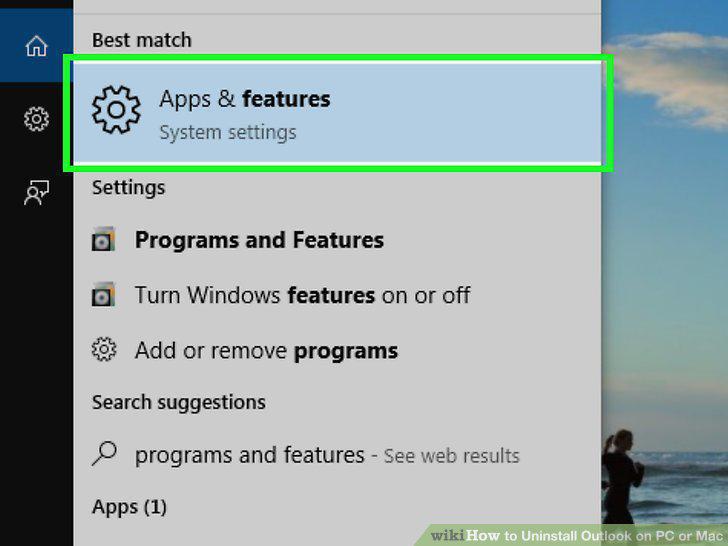
Click Programs and Features in the search results.
Click Microsoft Office on the program list.
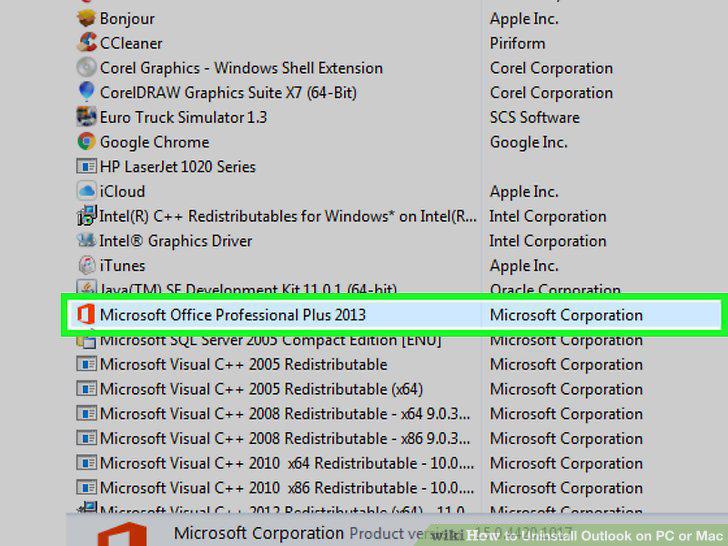
Click Microsoft Office on the program list.
Click the Change button at the top of the list.
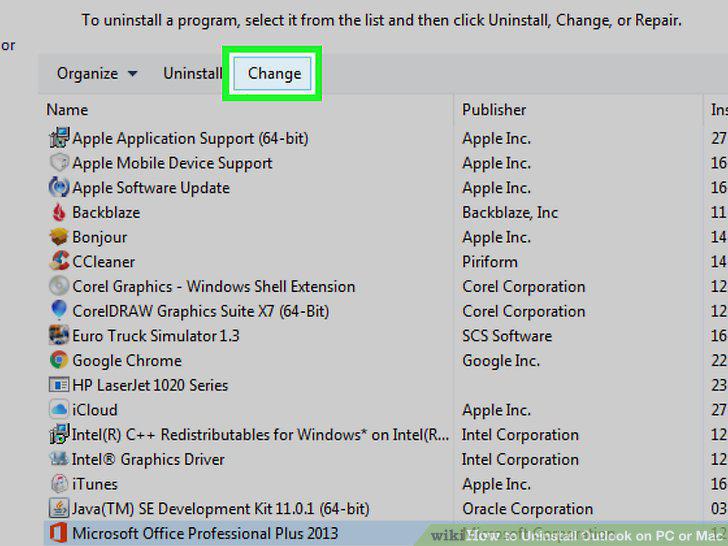
Click the Change button at the top of the list.
Select Add or Remove Features.
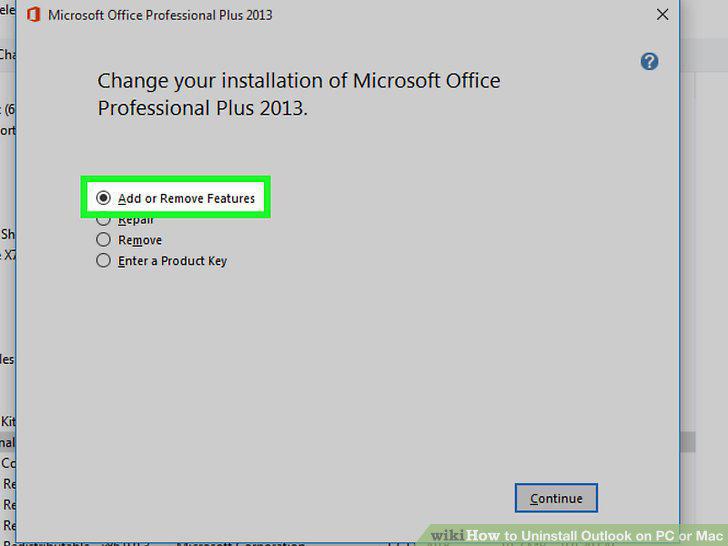
Select Add or Remove Features.
Click the Continue button.
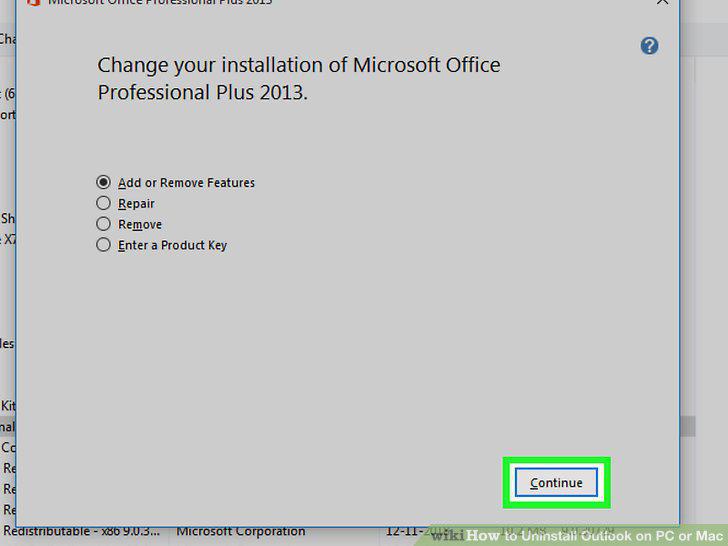
Click the Continue button.
Click the disk icon next to Microsoft Outlook on the components list.
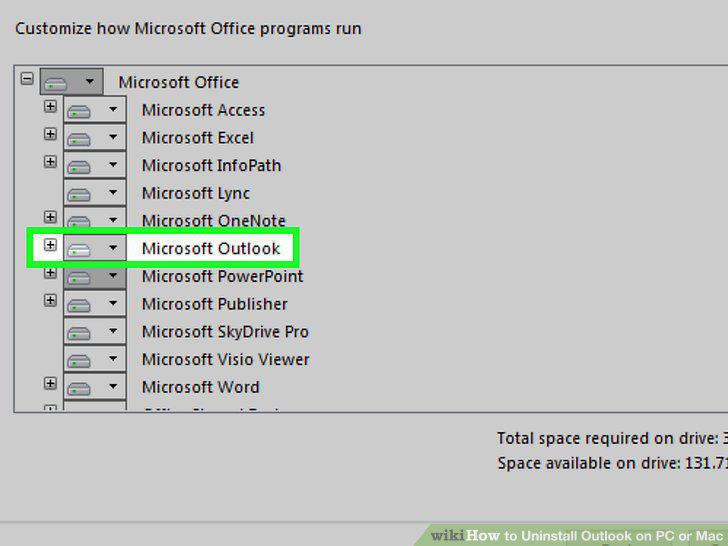
Click the disk icon next to Microsoft Outlook on the components list.
Select Not Available on the drop-down list.
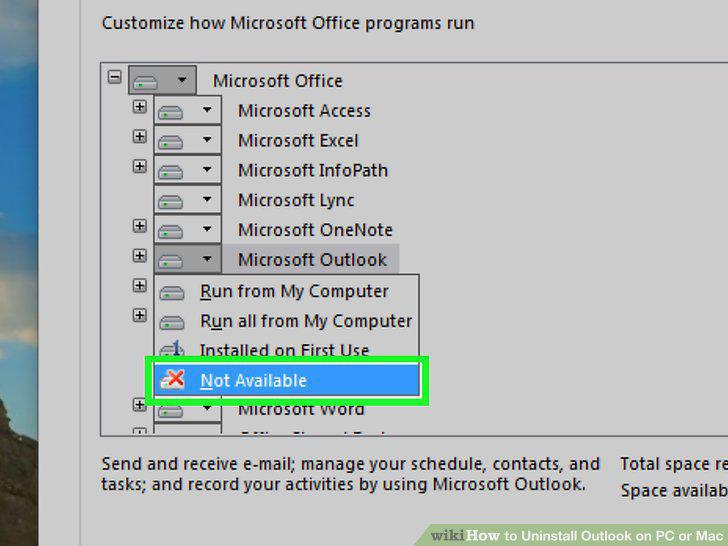
Select Not Available on the drop-down list.
Click Continue.
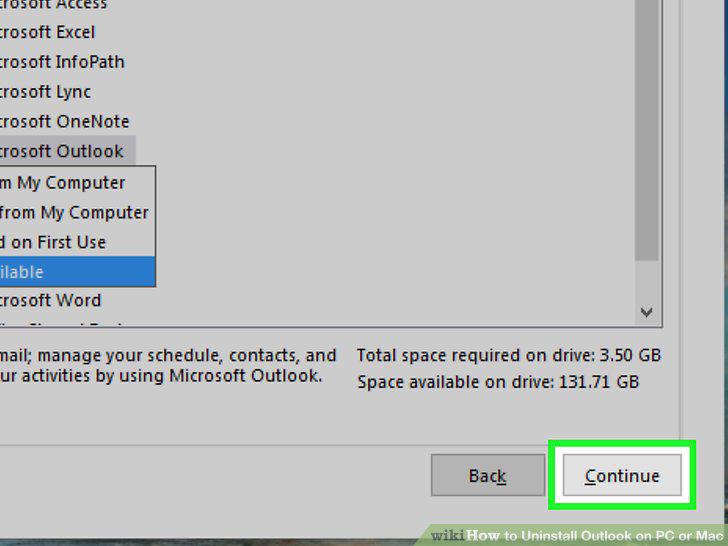
Click Continue.
Open your Applications folder.
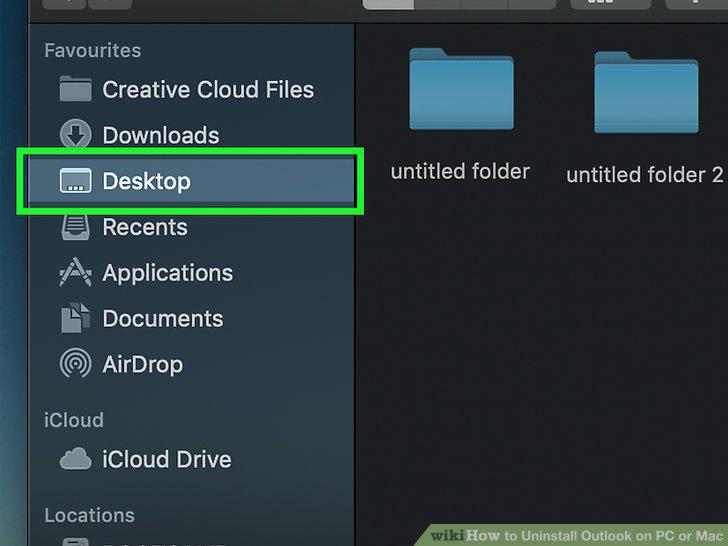
Open your Applications folder.
Find Microsoft Outlook in your Applications folder.
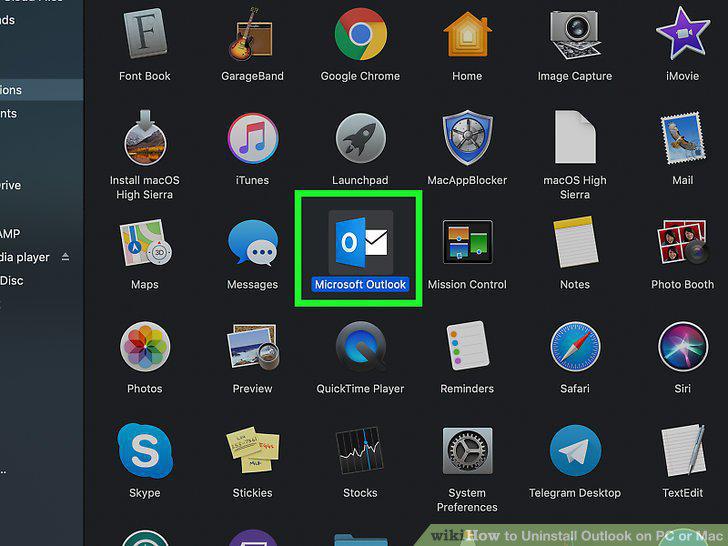
Find Microsoft Outlook in your Applications folder.
Click and drag the Outlook app to your Trash.
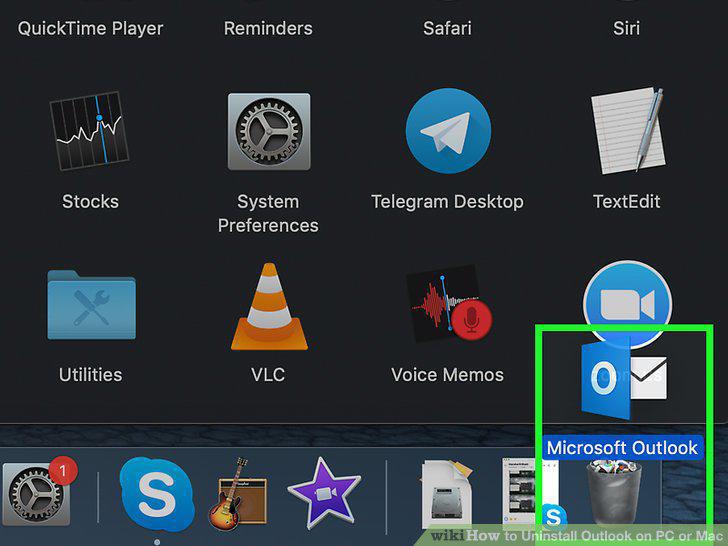
Click and drag the Outlook app to your Trash.
Verify your user password.
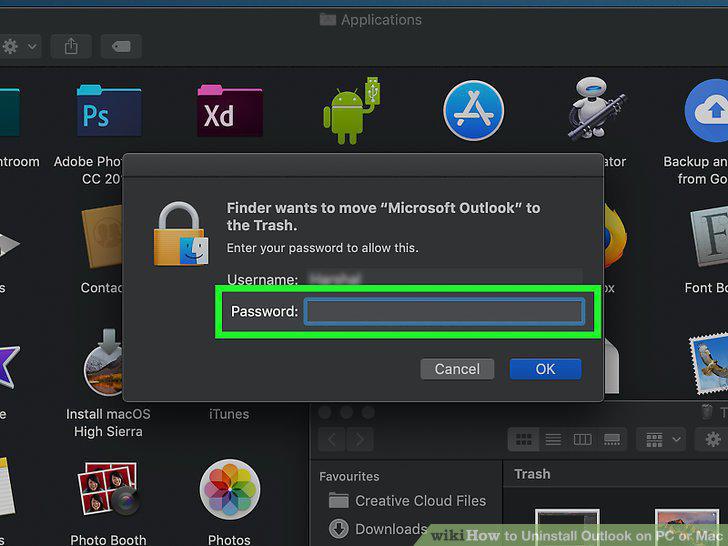
Verify your user password.
Right-click the Trash icon on the Dock.
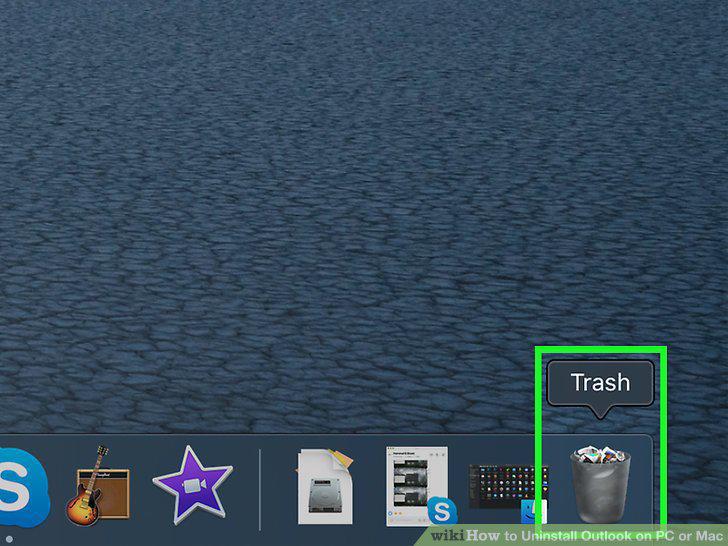
Right-click the Trash icon on the Dock.
Click Empty Trash on the right-click menu.
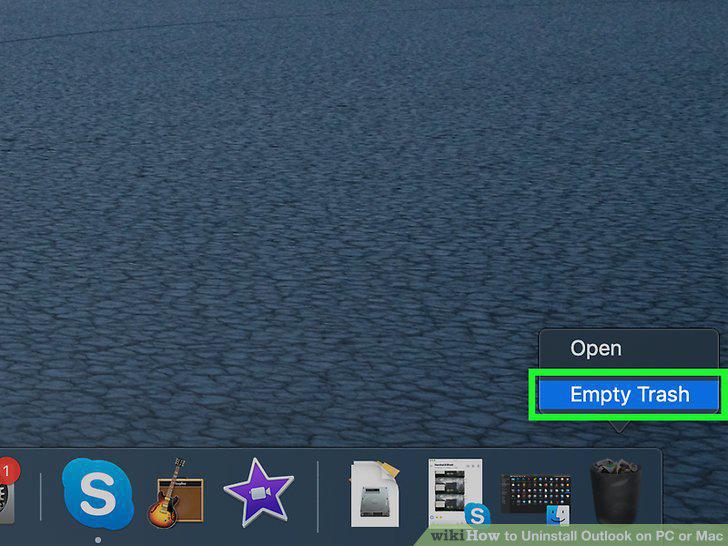
Click Empty Trash on the right-click menu.
Comments (0)
No comments yet. Be the first to share your thoughts!