How to Make Two Columns in Word
Open the Microsoft Word document you want to edit.. Select all the text you want to split into columns.. Click the Layout tab at the top.
Steps
1
Open the Microsoft Word document you want to edit.

Open the Microsoft Word document you want to edit.
2
Select all the text you want to split into columns.
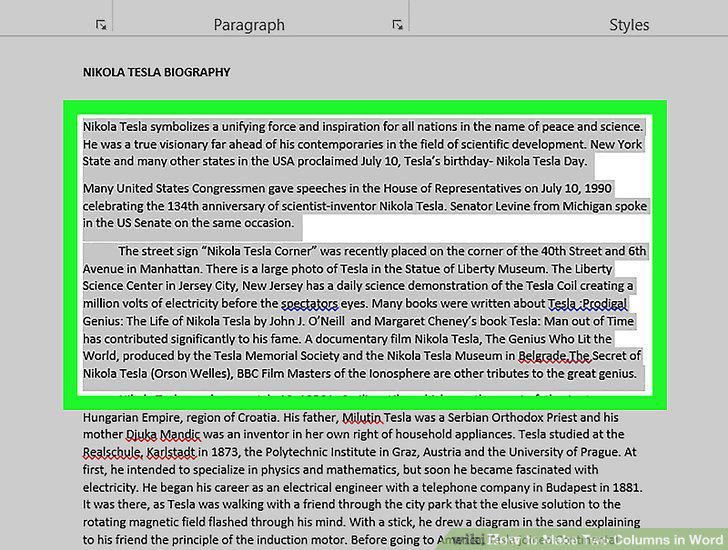
Select all the text you want to split into columns.
3
Click the Layout tab at the top.
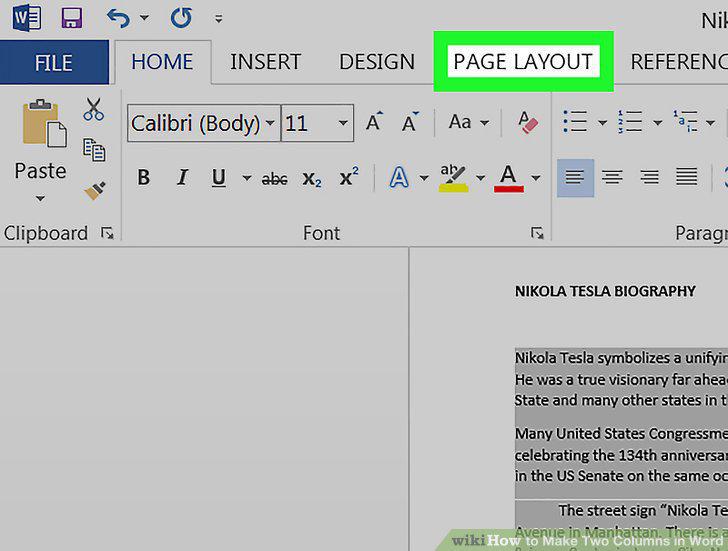
Click the Layout tab at the top.
4
Click the Columns button on the Layout toolbar.
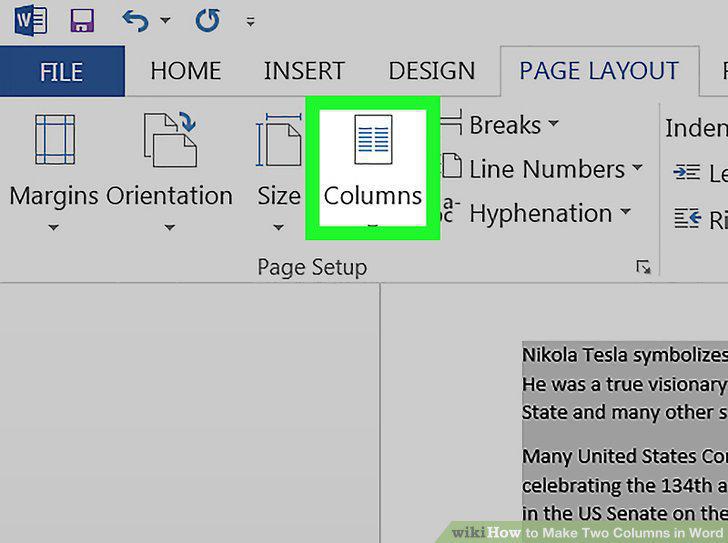
Click the Columns button on the Layout toolbar.
5
Select Two on the drop-down menu.
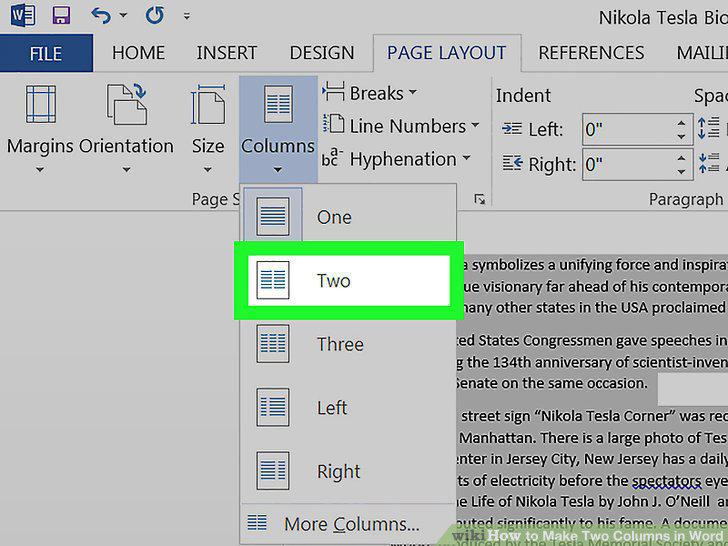
Select Two on the drop-down menu.
6
Adjust the size of your columns from the top ruler.
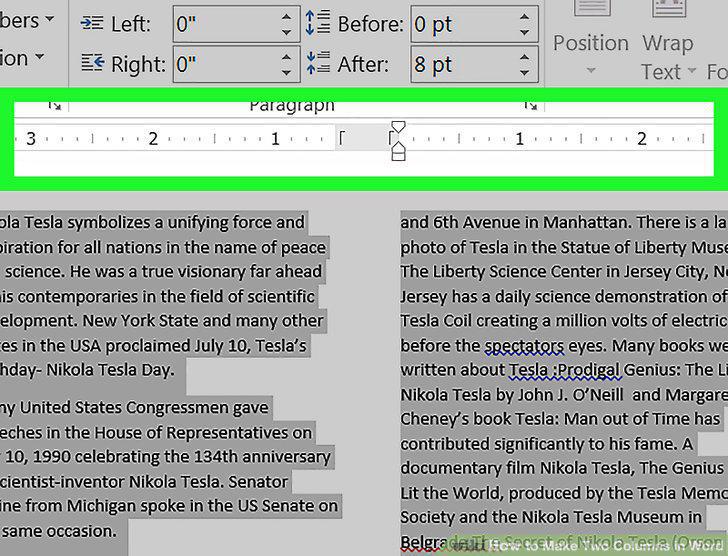
Adjust the size of your columns from the top ruler.
Comments (0)
No comments yet. Be the first to share your thoughts!