How to Edit Alt Text in Word
Open your project in Word.. Right click the object.. Click Edit Alt Text.
Steps
1
Open your project in Word.
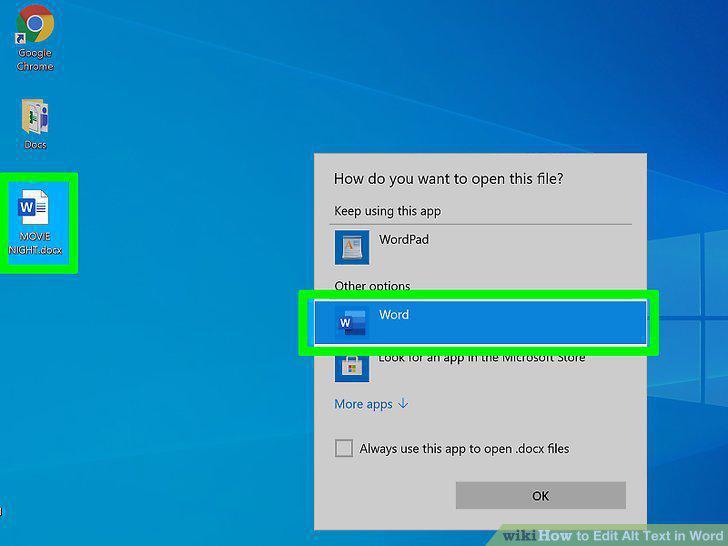
Open your project in Word.
2
Right click the object.

Right click the object.
3
Click Edit Alt Text.
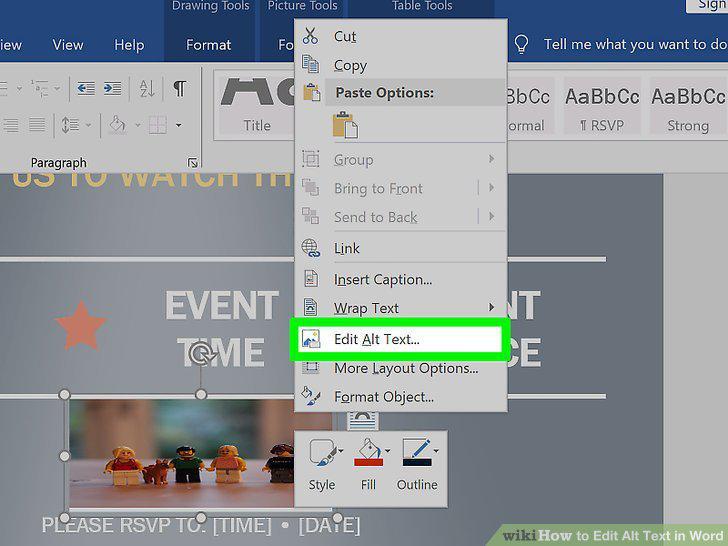
Click Edit Alt Text.
4
Add the alt text.
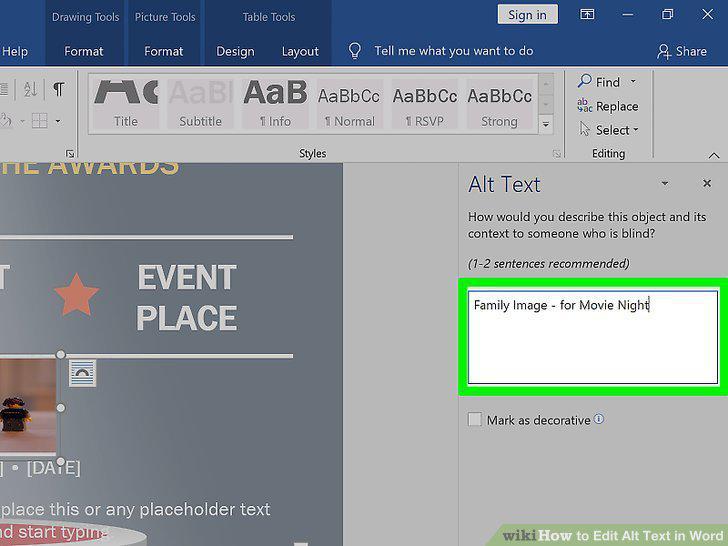
Add the alt text.
5
Open your project in Word.
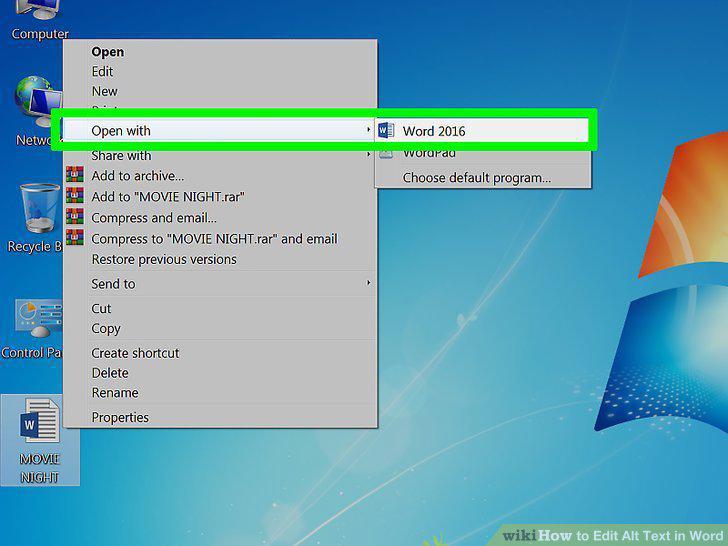
Open your project in Word.
6
Right click the object.

Right click the object.
7
Click Format Object and Alt text.
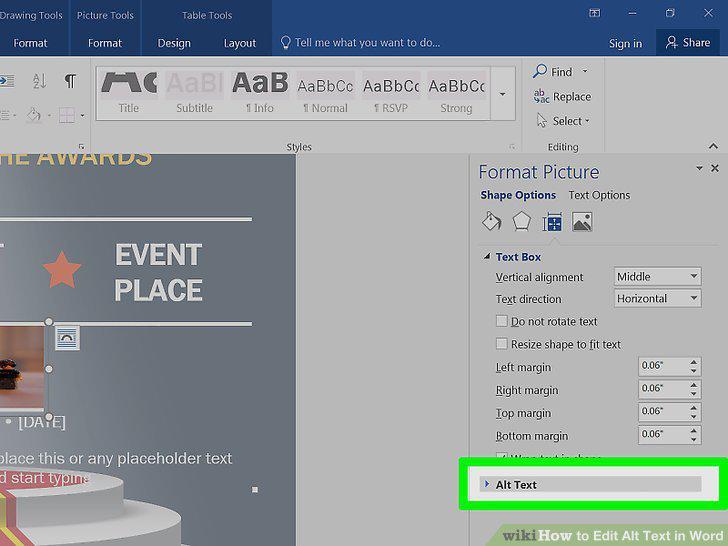
Click Format Object and Alt text.
8
Add the alt text.
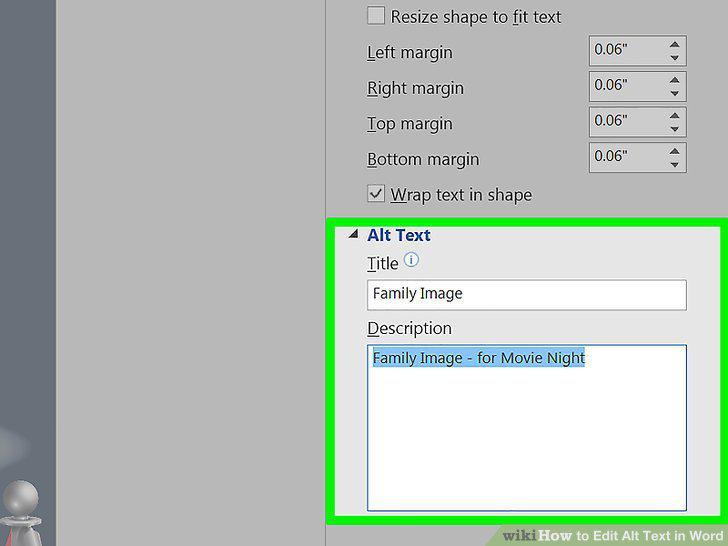
Add the alt text.
9
Open your project in Word.
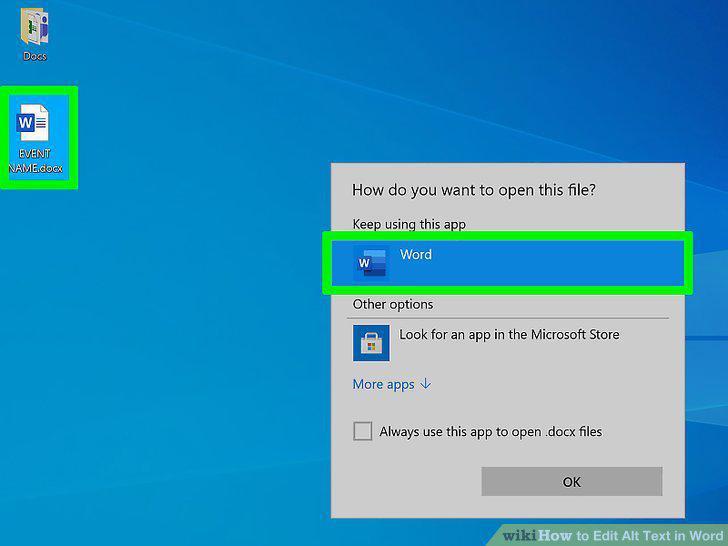
Open your project in Word.
10
Right-click the object with alt text you want to edit.
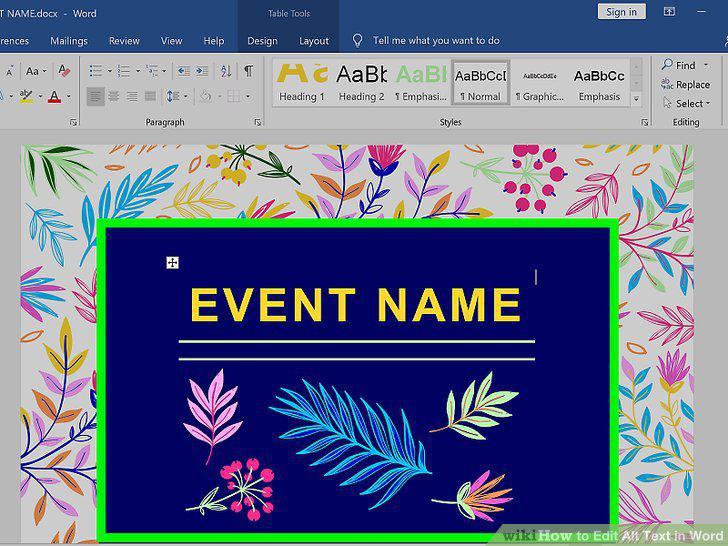
Right-click the object with alt text you want to edit.
11
Click Edit Alt Text.
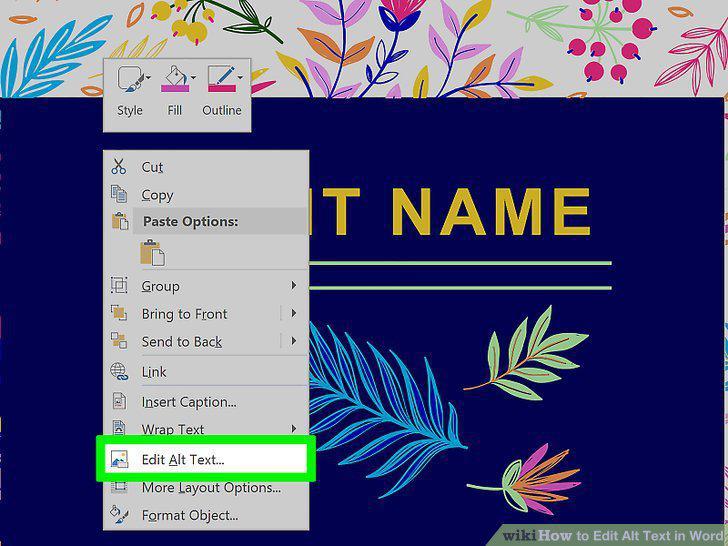
Click Edit Alt Text.
12
Edit the text.
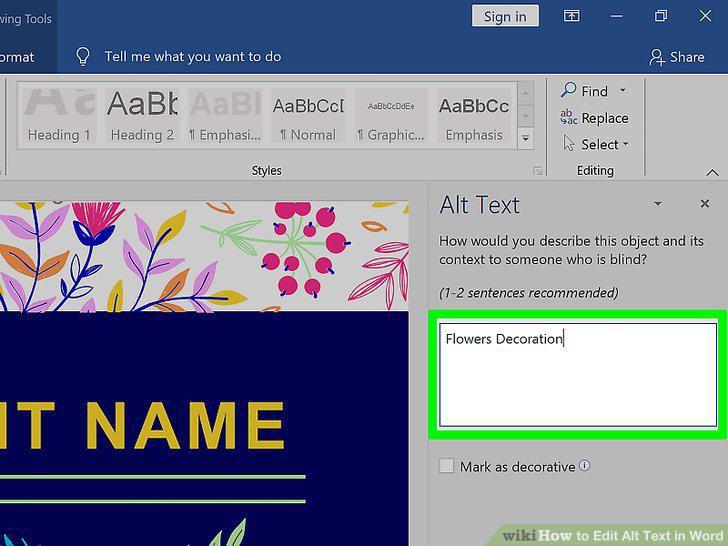
Edit the text.
Comments (0)
Log in to leave a comment.
No comments yet. Be the first to share your thoughts!