How to Stretch a Sample in Fl Studio
Open your project in FL Studio.. Click to enable Stretch.. Click to grab the end of the audio you want to stretch and drag it.
Steps
1
Open your project in FL Studio.
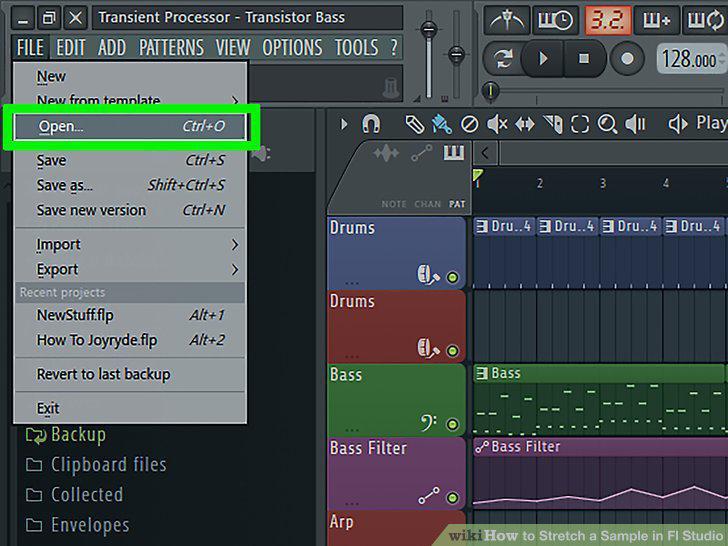
Open your project in FL Studio.
2
Click to enable Stretch.
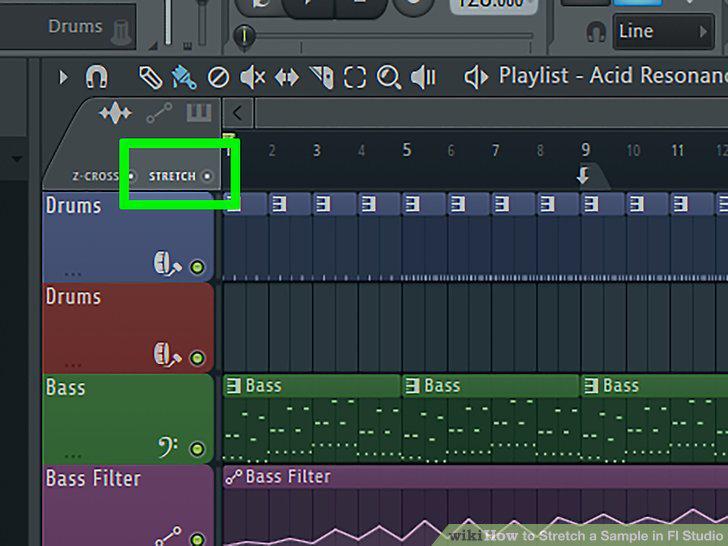
Click to enable Stretch.
3
Click to grab the end of the audio you want to stretch and drag it.
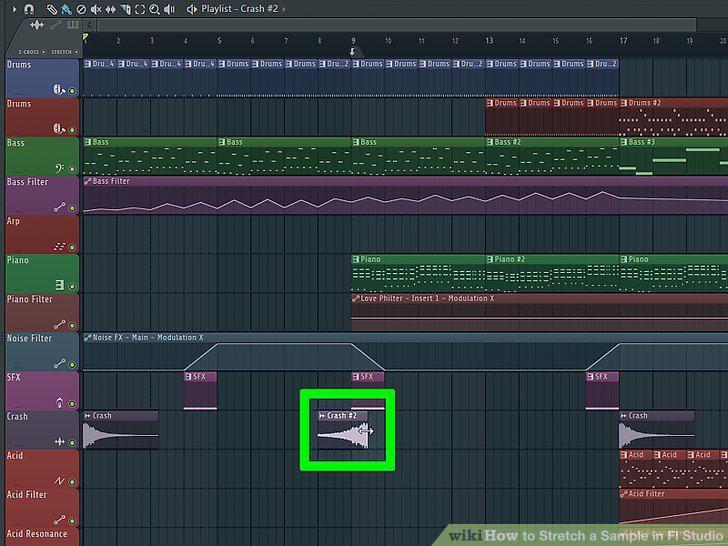
Click to grab the end of the audio you want to stretch and drag it.
Comments (0)
No comments yet. Be the first to share your thoughts!