How to Turn Off Apple ID Media Recommendations on an iPhone
Open your iPhone's Settings .. Tap your name at the top of the menu.. Tap Name, Phone Numbers, Email.
Steps
1
Open your iPhone's Settings .
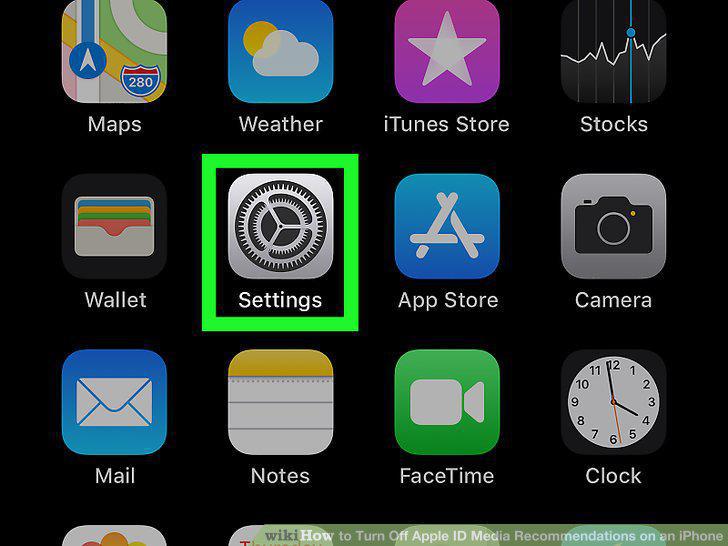
Open your iPhone's Settings .
2
Tap your name at the top of the menu.
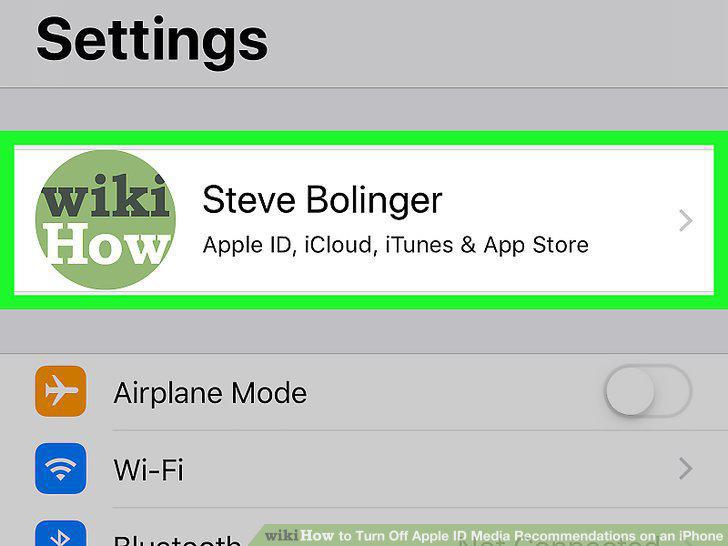
Tap your name at the top of the menu.
3
Tap Name, Phone Numbers, Email.
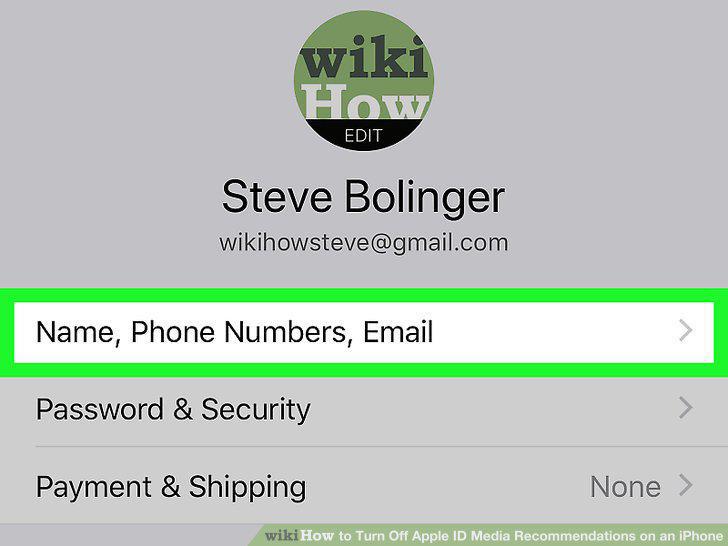
Tap Name, Phone Numbers, Email.
4
Slide the "Apple Music, Movies, Apple Pay" slider to the Off position.
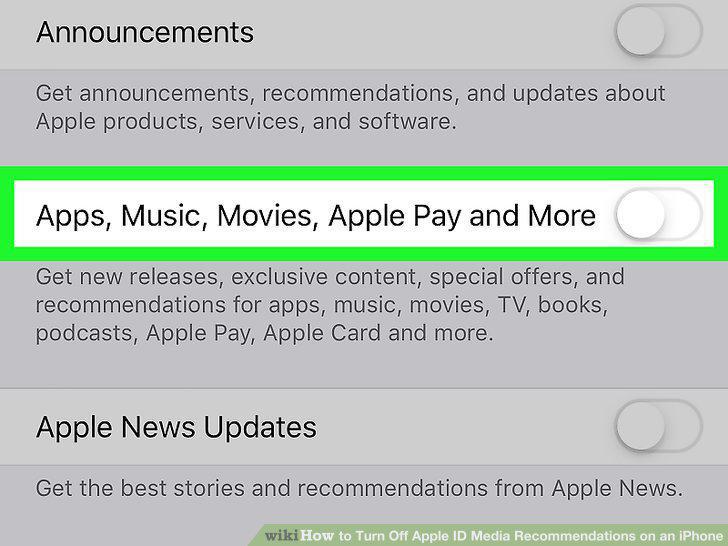
Slide the "Apple Music, Movies, Apple Pay" slider to the Off position.
Comments (0)
No comments yet. Be the first to share your thoughts!